9
Integra
®
LED Surgical Headlight System
Preparing to Use the System- With Baery Option
With AC/DC Power Option
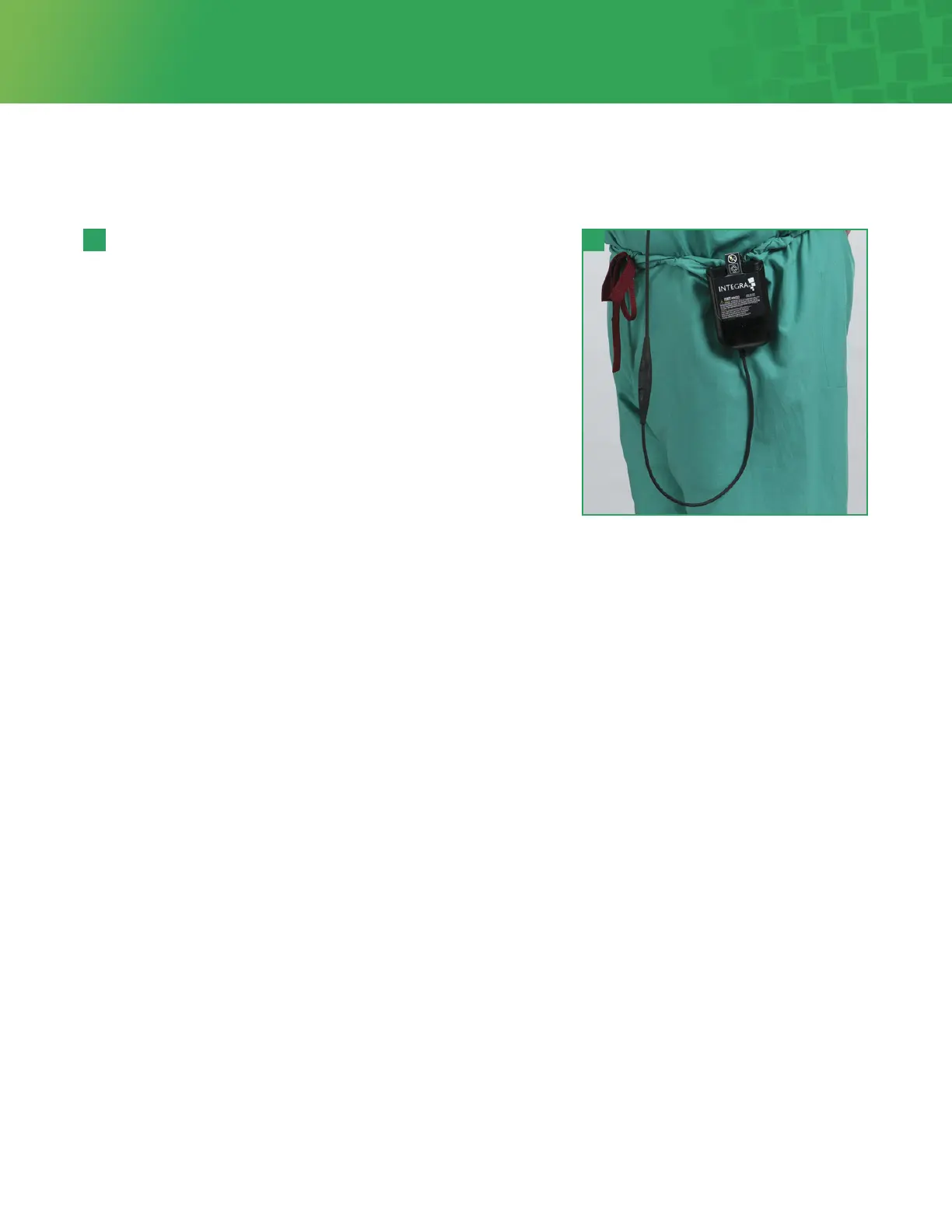
1. Clip the Baery Holster in a comfortable location.
2. Insert and fully seat the Baery into the Baery Holster. For proper
baery orientation, align the baery so that the 5-pin connector in
the holster mates with the 5 slots on the baery. The baery label
will be visible through the opening in the outside surface of the
holster, as shown in Figure 4.
3. Approximate baery continuous run time is dependent on switch
seing, level of charge and calibration state of baery. On a fully
charged baery, approximate run times are:
• High Switch seing is approximately 2 hours plus low baery
notification cycle
• Medium Switch seing is approximately 2 1/2 hours plus low baery
notification cycle
• Low Switch seing is approximately 3 hours plus low baery
notification cycle
1. Connect the AC/DC Power Supply to the supplied AC Mains power cord. Plug the AC Mains power cord into any
standard 100 VAC to 240 VAC 47-63 Hz outlet.
2. Connect the output cord of the AC/DC Power Supply to the Extension DC Power Cord. Align the connectors and push
firmly until they are firmly seated. The connector pins are not keyed and will accept either orientation.
4 4



 To Next Page