E
CONNECTIONS
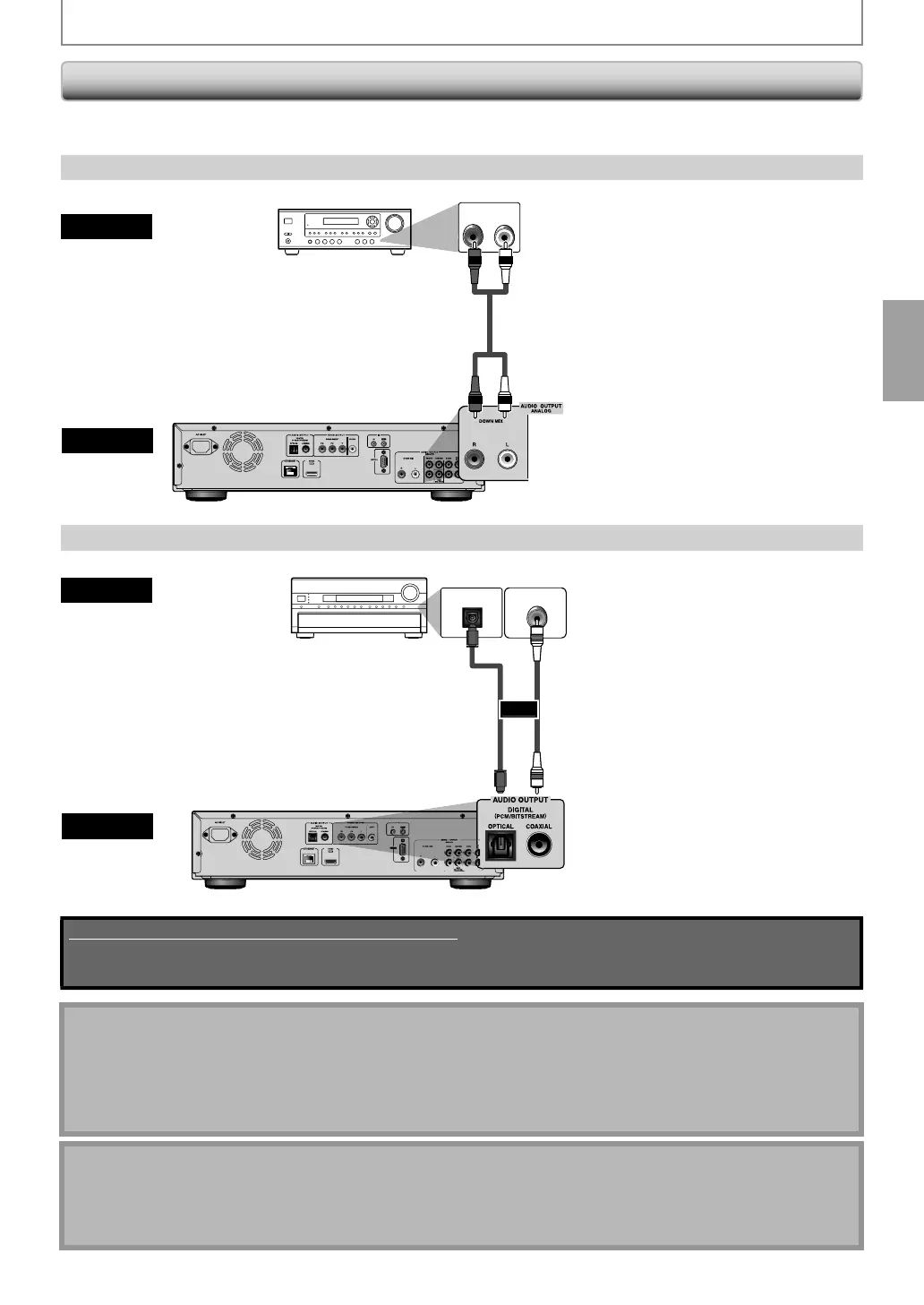
Connection to an Audio Syste
hen
ou change the connections, all devices should be turned off
Re
er to the manual accompan
ing external devices
or more in
ormation.
-C
anne
Ana
o
Au
io Connection
AUDIO IN
LR
analog audio input
acks
R
A
i
l
audio
this unit
UDIO OUTPUT
DOWN MIX L / R
ereo sys
em
Digita
Au
io Connection
DIGITAL AUDIO INPUT
COAXIAL
DIGITAL AUDIO INPUT
OPTICAL
i
ital audio
xi
l
l
audio
this unit
AUDIO OUTPUT
DIGITAL OPTICAL / COAXIAL
V receiver / ampli
ie
i
ital audio
o
tical cable
or
di
ital audio
oaxial input
ack
igita
au
io
ptica
input jac
Supplied cables used in this connection are as follows:
• RCA audio cable (L / R) x 1
Please purchase the rest of the necessary cables at your local store.
ote for Di
ital Audio Optical Cable
Digital audio optical cable ma
be damaged when bent at sharp angles. Endure cables are coiled in loops with a
diameter of 6 inches (15cm) or more when storing them
Use a cable which is 9.8
eet (3m) or shorter
Insert cable plugs firml
into the connectors when making connections.
I
a plug has dust or is dirt
, clean it with a so
t cloth be
ore inserting it into a connector
hen connecting to a 2-channel audio stereo device, use the AUDIO OUTPUT (DOWN MIX L/R)
acks. I
the AUDIO
OUTPUT (ANALOG 7.1ch)
acks are used, set “7.1ch Audio Out” in the “Audio” menu to “2 Channel” (Refer to page
5). For software recorded in multi-channel, analog signals that have been down-mixed into 2 channels are output.
For sources which are prohibited
rom down-mixing, onl
the FRONT L/R signals are output.)
E5SF0UDDBS50.2ENv2.indd17E5SF0UDDBS50.2ENv2.indd17 2010/08/0515:16:362010/08/0515:16:36



 To Next Page