1
CONNECTIONS
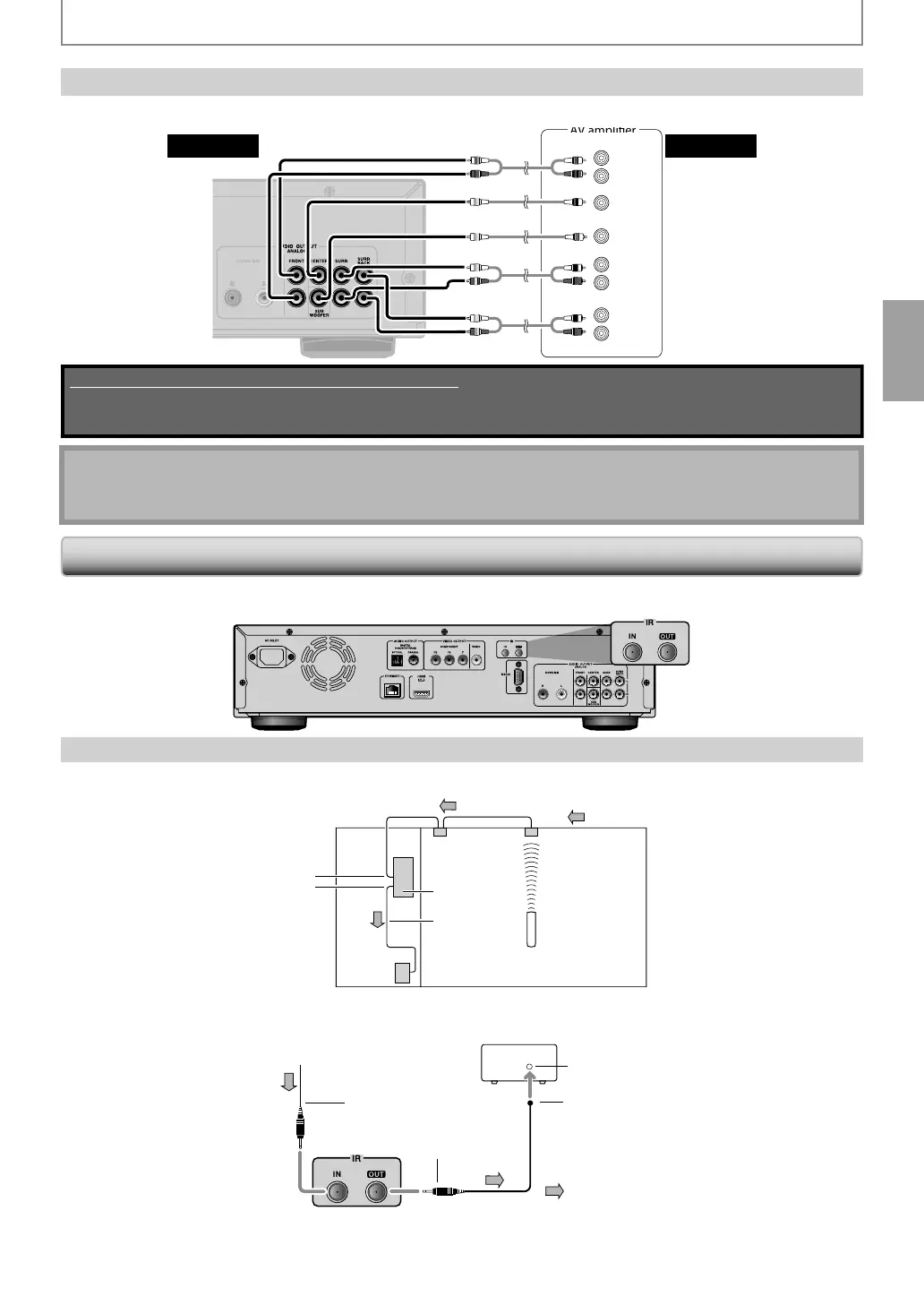
Surround Connections to a Device with 7.1/5.1-channels o
Analog Audio Inputs
Analog 7.1ch/5.1ch audio signals can be output from AUDIO OUT (ANALOG 7.1ch)
acks.
CENTER
SUB-
WOOFER
R
SURROUND
L
R
SURROUND
BACK
L
R
L
FRONT
this unit audio
Supplied cables used in this connection are as follows:
• RCA audio cable (L/R) x 1
Please purchase the rest of the necessary cables at your local store.
you connect to 5.1-channel surround system, do not connect to SURR BACK L/R (surround back L/R)
ac
s, t
en set “Surroun
Bac
” in “Spea
er Size” to “None”.
Controllin
AV Com
nents that are Out o
Ra
e
ou can use the followin
multi-room kits to control this unit when it’s out of ran
e of the remote controller:
ultiroom kits such as those made b
Niles and Xantech.
Controlling Other Out-o
- Range AV Components
I
another AV component is out o
range o
its remote controller, you can use a commercially available IR emitter to
retransmit t
e remote contro
er signa
s receive
at t
is unit's IR IN jac
, as s
own
e
ow.
IR I
IR
onnectin
l
i
nal flow
m
t
ntr
ll
r
Thi
ni
IR
mitt
r
ther
omponen
Connect the IR emitter to this unit's IR OUT
ack, and place the IR emitter in front of the other AV component's remote
control sensor (usuall
located on its front panel), as shown below. See the instructions supplied with the IR emitter.
Thi
ni
r
m
onnectin
bloc
iniplu
cabl
IR
mitt
r
IR
mitt
r
iniplu
m
t
ntr
l
ther componen
i
nal flow
Onl
remote controller signals received b
this unit's IR IN jack are fed through to the IR OUT jack. Signals picked up b
t
is unit's remote contro
sensor are not output.
E5SF0UDDBS50.2ENv2.indd19E5SF0UDDBS50.2ENv2.indd19 2010/08/0515:16:382010/08/0515:16:38



 To Next Page