Be
ore Activatin
the Connection to
CinemaNow
B
oc
uste
ter creating a CinemaNow / Blockbuster account,
ollo
the followin
procedure before activatin
the connection
to CinemaNow / B
oc
uster
nnect thi
nit t
the Internet
e
er to “Network Connection with LAN” on page 20.
Set up the necessar
network connection
settin
s.
efer to “Network Connection” on pa
es
-
Activatin
the Connection to
CinemaNow
Blockbuste
In or
er to watc
movies an
TV episo
es streame
nstantl
from CinemaNow / Blockbuster via the Internet
ou must activate the connection between this unit an
our CinemaNow / B
oc
uster account.
On
our PC, visit following website and log
into
our account to get t
e activation co
e
o
ow t
e instruction given
y t
e we
site.
Take a note o
the activation code which a
ears on
P
For
inemaNow, visit www.cinemanow.com
activate
For Blockbuster
visi
On t
is unit, press [B] or [C] w
i
e
opening screen is
isp
aye
.
•
or openin
screen, refer to pa
e 12.
•
enu screen of CinemaNow or Blockbuster will a
ear.
or the
irst time only, “Network Service Disclaimer”
creen will appear. A
ter con
irming the content, use
to se
ect “Agree”, t
en press
Enter
Use
] to se
ect “Settings”
(CinemaNow) or “Con
i
ure”
(B
oc
uster), t
en press [Enter].
or CinemaNow, se
ect “Activate” an
press
Enter
again in t
e next screen.
Activation co
e input screen wi
appear.
Activate
ActivatethisdeviceonyourBLOCKBUSTERaccount.
Togetstarted,pleasevisitwww.blockbuster.com/activate/
Usethenumbersonyourremotecontrol.
e.g.) B
oc
uster
Enter the activation code displa
ed on
our PC
us
n
an
t
e Num
er
uttons
t
en
se
ect “Activate” an
press
Enter
or CinemaNow, con
irmation message will appear.
ress
Enter
to comp
ete t
e setting
•
he image of menu screen ma
change after
pdatin
the firmware.
ou cannot create CinemaNow
Blockbuster account
n
i
ni
o
eactivate t
e connection to CinemaNow or
oc
uster, se
ect “Deactivate” in “Settings”
CinemaNow) or “Con
igure” (Blockbuster).
•
or questions re
ardin
CinemaNow service, visit
www.cinemanow.com/support
or questions re
ar
in
B
oc
uster service, visit
ww.blockbuster.com/hel
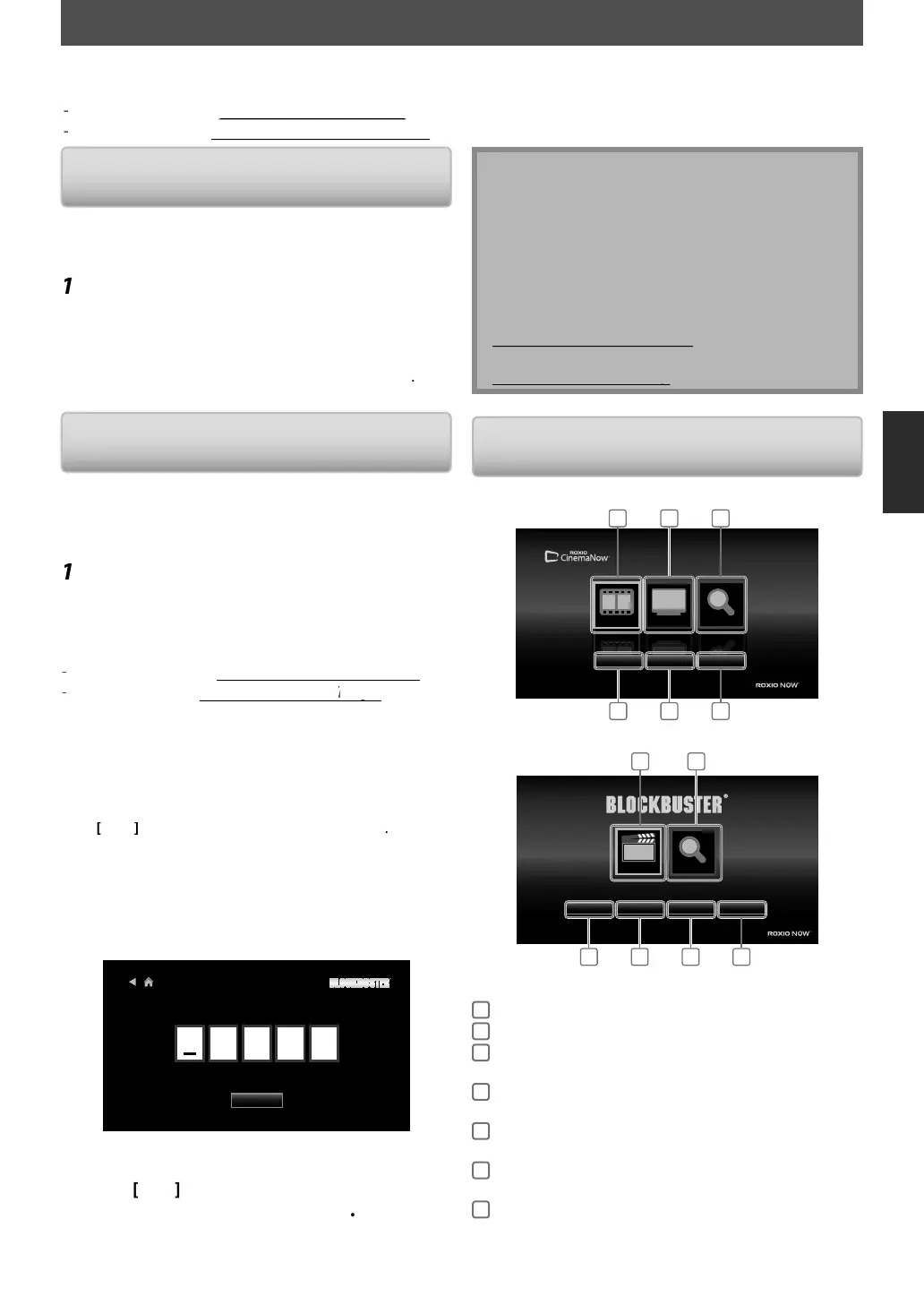
Gui
e
Ci
No
B
en
creen
inem
N
w
Movies
TVShows
SearchAll
Mov
e
TVSh
w
e
rchAl
Movies
TVShows
SearchAll
MyVideos
WishList
Settings
POWERED BY
1
4 5 6
2 3
Bl
ck
ter
Help
Configure
MyFavorites
MyLibrary
Browse
Search
1
4 5 6 7
3
POWERED BY
1
Mov
es / Browse
T
cce
the m
vie li
t
2
TV S
w
To access t
e TV s
ow
ist
3
Searc
A
/
earc
T
cce
e
rch
creen
4
M
Videos /
Librar
To access the list o
rented or
urc
ase
movies / TV episo
es
5
Wis
List /
y Favor
tes
To access
our wish list / favorite
i
t
6
Settin
s /
Confi
ure
To access setting / con
igure menu
7
He
p
To access the help pa
e
CINEMANOW / BLOCKBUSTER OPERATIONS
ith this unit, you can watch movies and TV episodes streamed instantly from CinemaNow / Blockbuster via the Internet.
In order to use this feature,
ou must visit the following website and create a CinemaNow / Blockbuster account.
For CinemaNow
visit
ww.cinemanow.com/Lo
in
or B
oc
uster, visit www.
oc
uster.com/aut
/
o
in
E5SF0UDDBS50.2ENv2.indd39E5SF0UDDBS50.2ENv2.indd39 2010/08/0515:17:152010/08/0515:17:15



 To Next Page