Playback
En-40
About Listening Modes
The AV receiver’s listening modes can transform your
listening room into a movie theater or concert hall,
with high fidelity and stunning surround sound.
Selecting Listening Modes
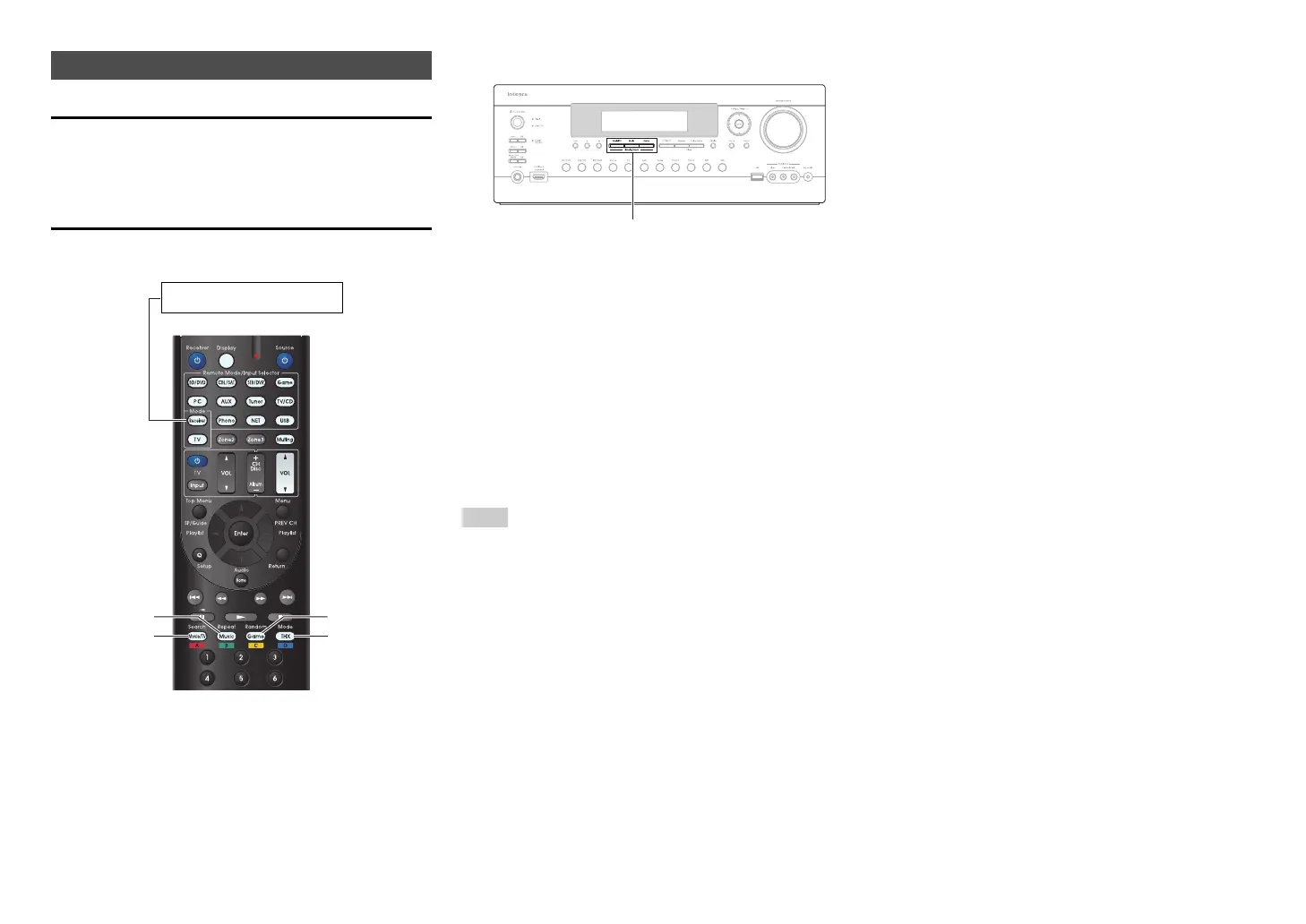
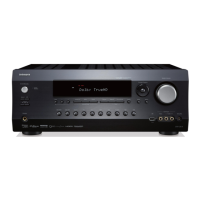
■ Listening Mode Buttons
Movie/TV button
This button selects the listening modes intended for
use with movies and TV.
Music button
This button selects the listening modes intended for
use with music.
Game button
This button selects the listening modes intended for
use with video games.
THX button
This button selects the THX listening modes.
Note
• The Dolby Digital and DTS listening modes can only be
selected if your Blu-ray Disc/DVD player is connected to the
AV receiver with a digital audio connection (coaxial, optical,
or HDMI).
• The listening modes you can select depends on the format
of the input signal. To check the format, see “Displaying
Source Information” (➔ page 48).
• While a pair of headphones is connected, you can select
the following listening modes: Mono, Direct, and Stereo.
Using the Listening Modes
Game
THX
Movie/TV
Music
Press Receiver first.
Movie/TV, Music, Game


 To Next Page