23
Connecting your AV components
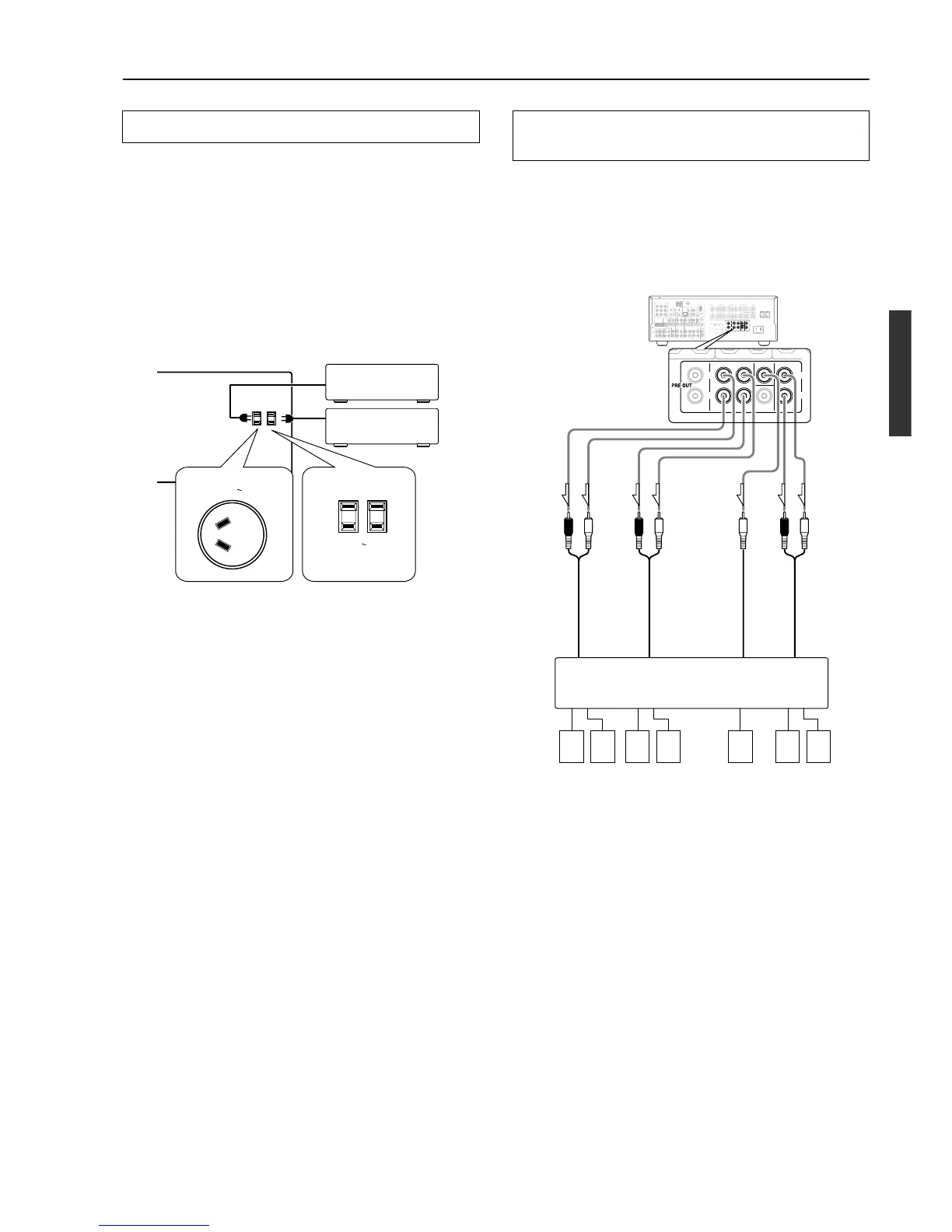
The DTR-6.4/5.4 is equipped with AC mains outlet(s) for connecting
the power cords from other device(s) so that their power is supplied
through the DTR-6.4/5.4. By doing this, you can leave the connected
device turned on and have the Standby/On button on the DTR-6.4/5.4
turn on and off the device together with the DTR-6.4/5.4.
The shape, number, and total capacity of the AC outlets may
differ depending on the area of purchase.
Caution:
Make sure that the total capacity of the components connected to
the DTR-6.4/5.4 does not exceed the capacity that is printed on the
rear panel (e.g., TOTAL 120W).
Connecting the power cords from other devices
AC OUTLETS
AC
120
V 60
Hz
SWITCHED
TOTAL 120W 1A MAX.
AC 230
-
240
V 50
Hz
SWITCHED 100W MAX.
AC OUTLET
Australian models USA and Canadian
models
These jacks are for connecting an auxiliary power amplifier.
You can use an auxiliary power amplifiers to listen at louder
volumes than you can with the DTR-6.4 alone. When using a power
amplifier, connect each speaker to the power amplifier.
See page 17 for information regarding how to connect to a
subwoofer.
Note:
If you use a power amplifier connected to the SURR BACK PRE
OUT terminal and connect two surround back speakers to the
amplifier, set the “Hardware Config” → “b. Surr Back” setting to
“2ch (PRE OUT)” (see page 32).
Connecting the auxiliary power amplifier (DTR-
6.4 only)



 To Next Page