50
Using the remote controller
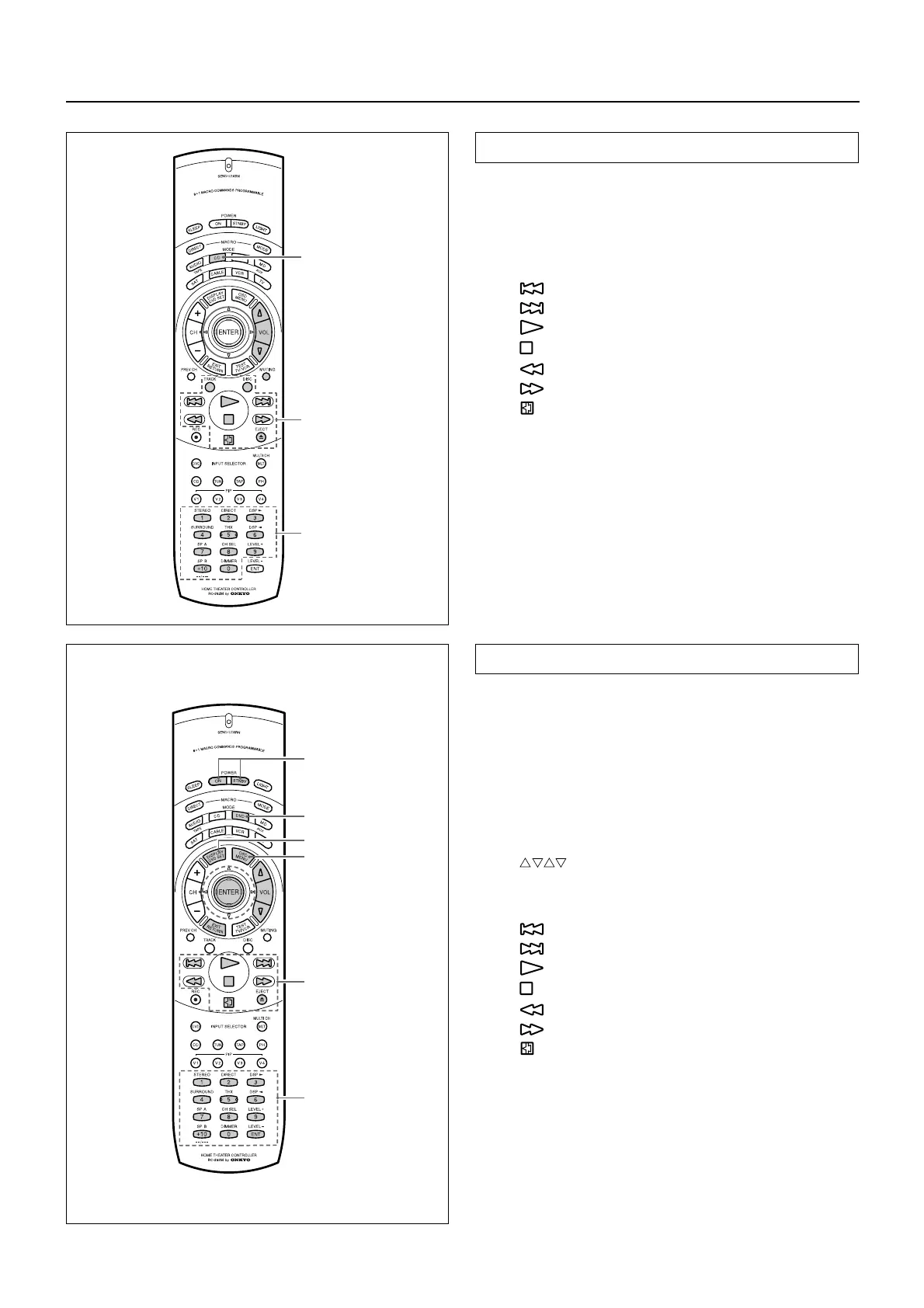
Controlling an Onkyo/Integra CD player
Note:
First connect an Onkyo/Integra CD player using the zconnection.
(See page 7.)
1. Press the MODE CD button.
2. Press the desired CD operation button.
TRACK : Selecting a track
DISC : Selecting a disc in the CD changer
: Down
:Up
: Playback
: Stop
: Rewind
: Fast forward
: Pause
EJECT r : Eject
0, 1~9, +10 : Numeric keys
You may also use the following buttons:
VOL ∆/∇ : Adjusting the volume level of the receiver
MUTING : Muting the sound from the receiver
Controlling an Onkyo/Integra DVD player
Note:
Make sure that you point the transmission part on the remote con-
troller toward the sensor area on the DVD player.
1. Press the MODE DVD button.
2. Press the desired DVD operation button.
POWER ON/STNBY
: Turning the power on and off to the DVD
player
DVD SET : DVD setup
DVD player on-screen button
MENU : Displaying the menu
: Moving the cursor
ENTER : Confirming the selection
RETURN : Return
DVD player buttons
: Down
:Up
: Playback
: Stop
: Rewind
: Fast forward
: Pause
EJECT r : Eject
0, 1~9, +10 : Numeric keys
ENT : Confirm
You may also use the following buttons:
VOL ∆/∇ : Adjusting the volume level of the receiver
MUTING : Muting the sound from the receiver
Note:
The ENT button on the right below the numeric keys has the same
function as “ENTER” of the ENTER/cursor button.
MODE CD
CD
operation
buttons
Numeric keys
MODE DVD
DVD SET
MENU
POWER
ON/STNBY
DVD
operation
buttons
Numeric keys,
ENT button



 To Next Page