3
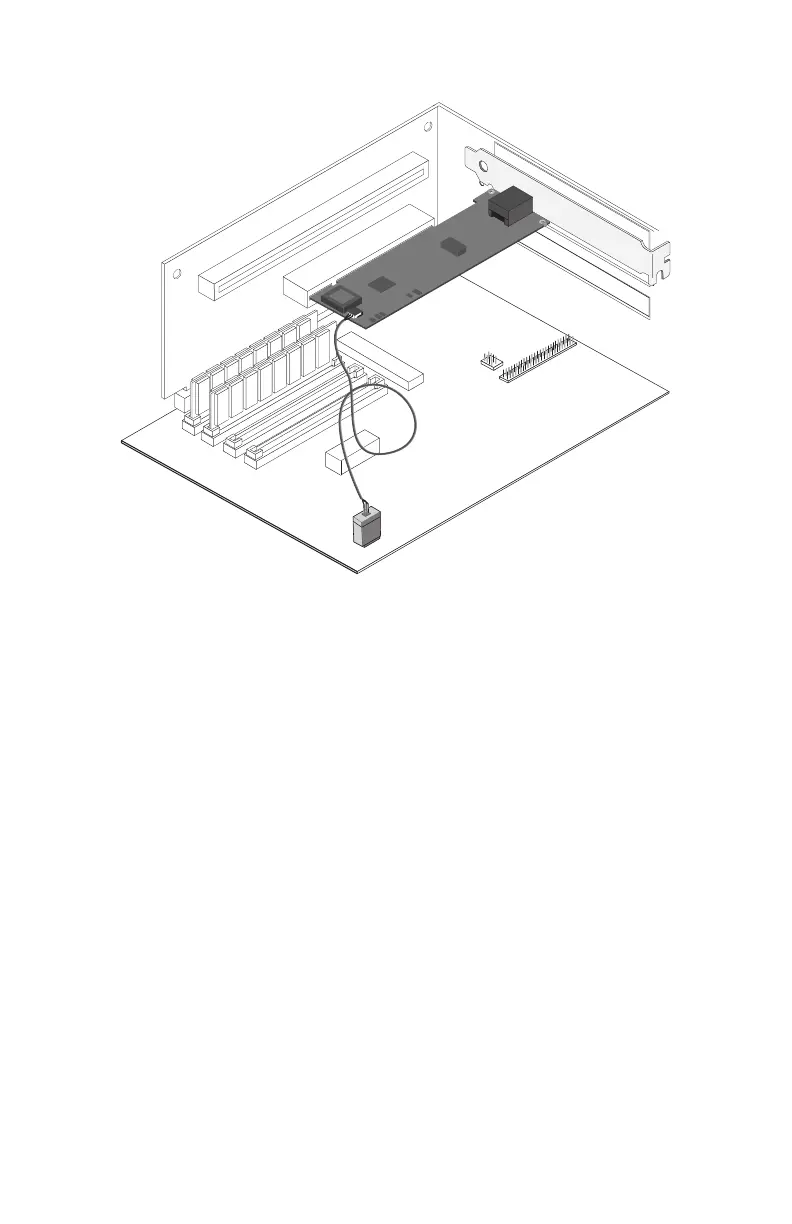
3 Locate the WOL connector on your motherboard. The location varies,
depending on the vendor and model of motherboard. The WOL connector
is usually located near other power connectors, such as the LED
connectors.
4 Connect the other end of the WOL cable to the connector on the mother-
board as shown in the diagram.
5 Some computers may require you to change a setting in your computer’s
BIOS or Setup program to enable the WOL feature. Check your computer
owner’s manual or contact your dealer for more information.
6 Replace the computer cover and plug in the power cord.
Using Wake on LAN
The Wake on LAN feature operates according to a published specification. In
simple terms, the specification allows designers to build network adapters that
are capable of “listening to” network activity even when the computer is turned
off.
WOL adapters have a special low-power standby mode that is active when the
rest of the computer is without power. The adapter will respond to a special
“wake-up” packet sent by another computer or network device. Typically this
wake-up packet causes the adapter to signal the computer to power up and run a
pre-defined program.
PC-3920
P100se~2.fm Page 3 Tuesday, January 5, 1999 10:03 AM










 To Next Page