Affinity
2.0
Additional Information Page 84
14) Settings – controls includes the following options:
Ignore mouse over touch switch: The AC440 will ignore the mouse touching the stimuli area.
The function is embedded to avoid accidentally presenting a stimulus.
Incorrect button deactivated: The incorrect button will be greyed and only correct answers are
counted.
19
Reset speech score on intensity change: The score will return to zero when the intensity is
changed. This is useful to avoid accidentally storing a measurement point in the speech graph
which was measured over different speech levels.
Reset score on HL to UCL change: Ensures that if the test is toggled from HL to UCL the
scoring will restart so that the UCL test does not build on the HL scoring.
Jump to next track on store makes sure that a new word list is used for every point measured. In
case word lists contain enough words for several points, it can be disabled. Notice that the word
scoring can be reviewed by hovering the mouse over measured data points. It however only
shows the words of the list in which the point started its measurement.
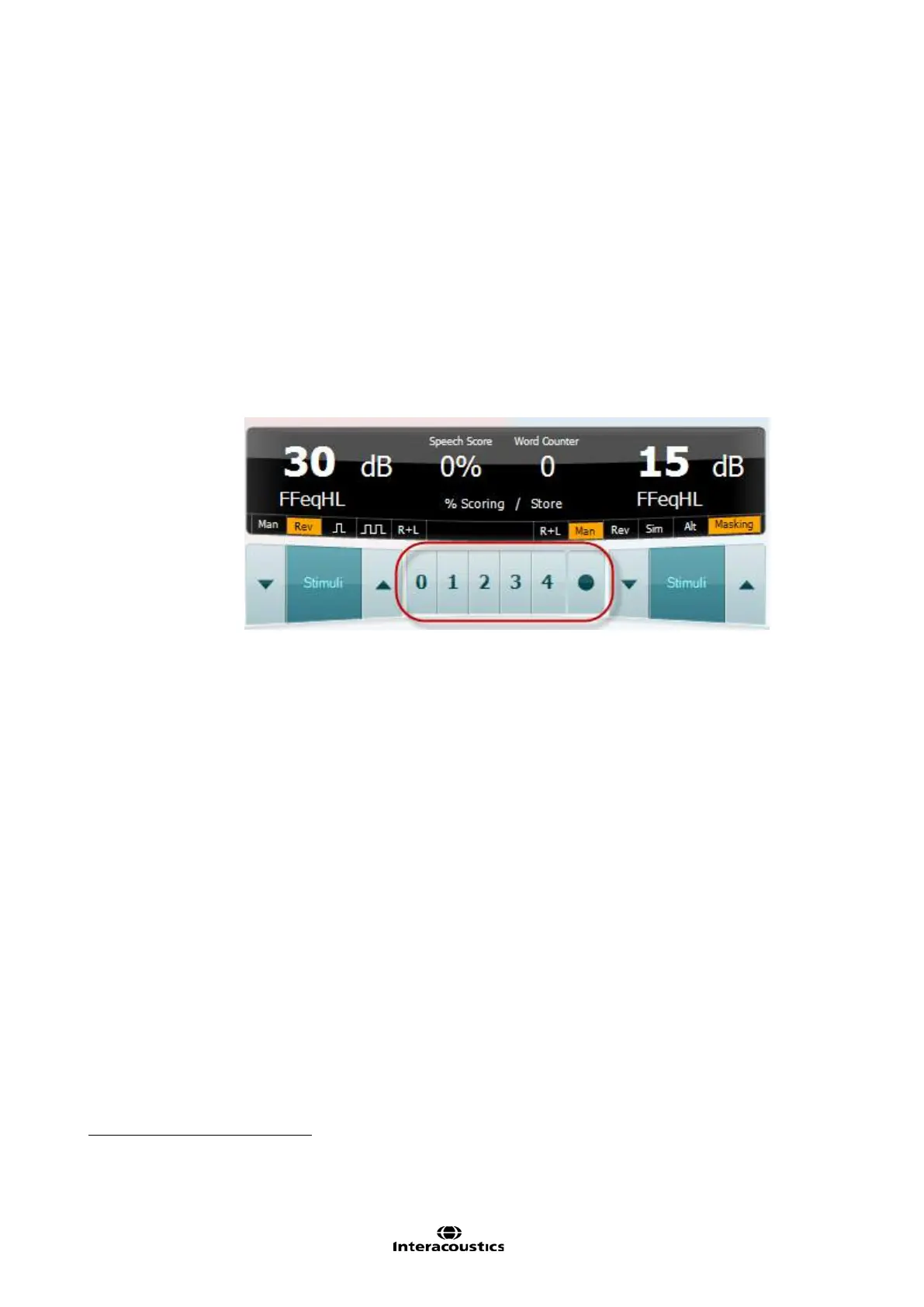
Phoneme score scheme: Allow phoneme scoring during the speech test. The front screen will
allow you to specify if 0, 1, 2, 3 or 4 phonemes are correctly repeated as illustrated below.
First word(s) for familiarization: Set a number of “practise words” using the dropdown list (if
Phoneme score scheme is ticked). If for example set to 3, the first three words will not be calculated
in the final score as these are trial words.
Number of words: Type in a number of words for the actual scored test. Note that this will be ignored
when using wave files since the number of words in this case will be dependent on the selected
speech material.
Stop when number of words has been reached automatically stores the point after reaching the
number of words that is indicated at number of words.
Always show wavefile presentation assures that your preferred wave files are also shown on screen
when selecting microphone or CD as input.
19
This may be useful if testing w ith wave files. In the w ave file settings you can set time limits so that after a certain period of time the
w ord will be scored as incorrect. In this case the incorrect button is not needed



 To Next Page