Service manual
EyeSeeCam vHIT
8
demonstration purposes,
we have removed
the cable from the clip.
In real life,
it is not possible
to separate
the cable from the clip.
2.2.5 The laser clip
In case the small lug on the laser casing is broken or damaged, there are two
ways to fix it.
The easiest is to return the camera to Service and have the laser casing replaced
by a technician.
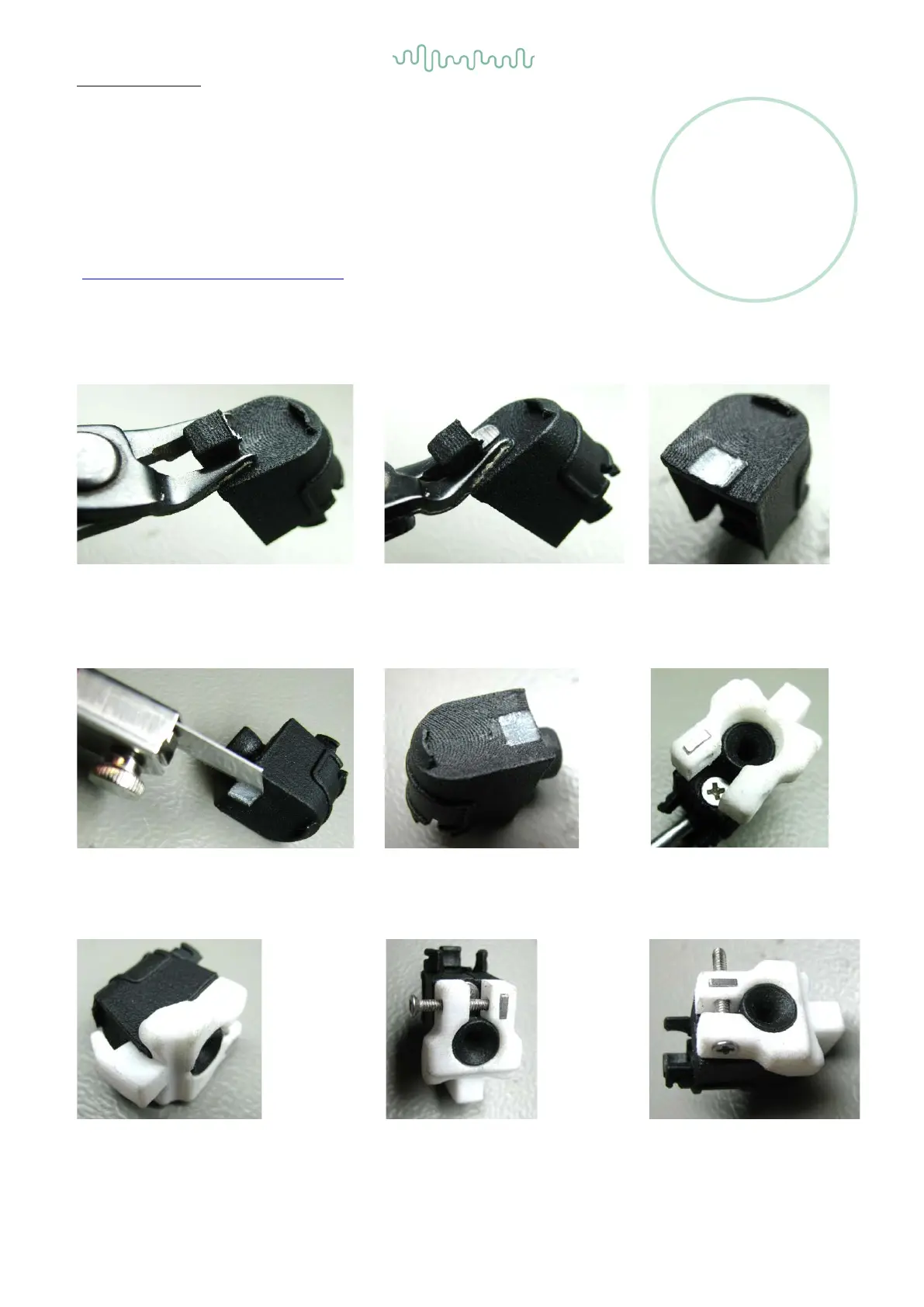
A quicker solution is to attach an external lug which is included in the retrofit kit
(see Appendix B - Parts
& Accessories). Follow the below instruction:
the wire cutter to remove the rest of
efficiently as possible.
As you can see, the cut does not
leave the surface even.
se the craft knife to smoothen
cut surface.
as smooth
Place the spare part on the laser
housing
by bending it apart to
snap it on the cable exit
.
15
17
should look like.
Then, place the screw
and fasten it adequately.
Done!






 To Next Page