Titan Instructions for Use - EN Page 32
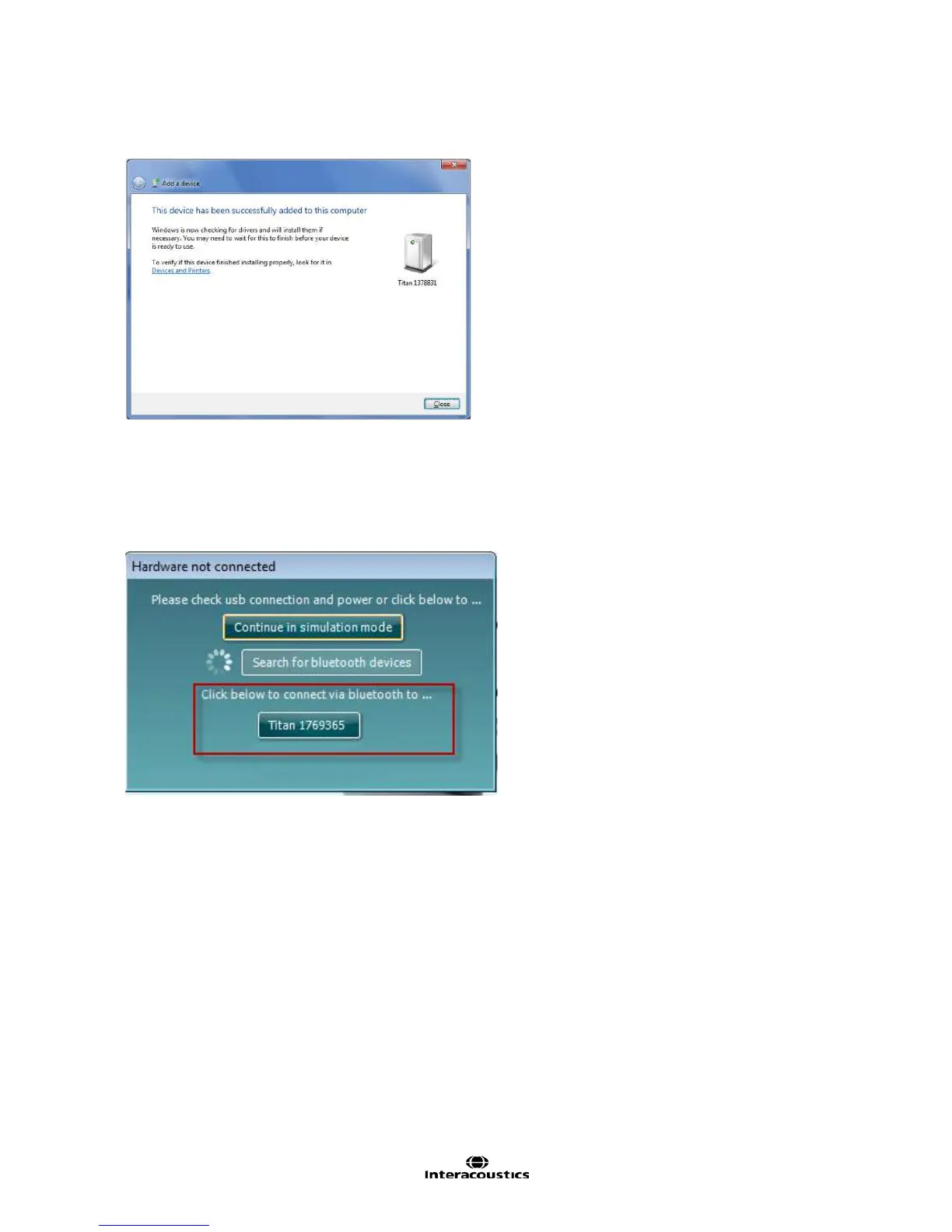
4. The Titan and your PC are now connected via Bluetooth. Click Close.
5. To confirm the Bluetooth pairing, Start up the Titan Suite from Otoaccess™, Noah 4 or in Standalone
mode (see the Titan Additional Information Manual for further instructions). Ensure that the Titan is
still switched on.
6. Allow the Bluetooth device to search for the Titan. After a short while, your Titan with a
corresponding identification number will appear in the window below.
7. Click on “Titan xxxxxx” and wait a few seconds to allow it to connect.
8. On connection, the Suite will finish launching and the Titan HHU screen will show “PC-controlled”
Now the Titan can be operated from PC in the same way as if it was connected via a USB cable.
Note: If the Titan will not connect correctly and your PC has its manufacturer’s Bluetooth Driver
installed, you may need to uninstall this and then try re-pairing the Titan with your PC.



 To Next Page