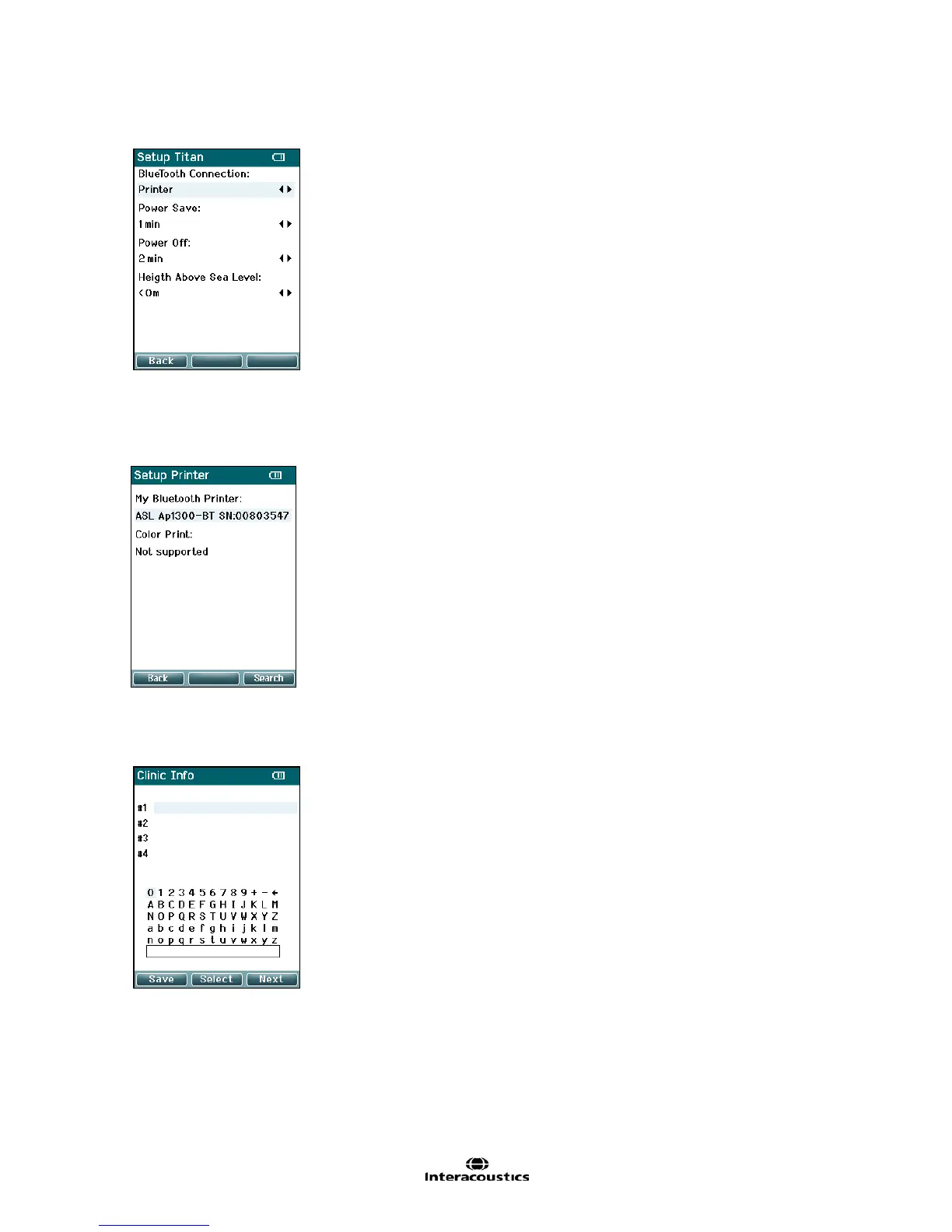
the Right and Left buttons to adjust the settings in:
- Bluetooth can either be connected to a printer, to the PC or
turned off
- The Power Save can be set to never or 1, 2, 3, 4 or 5 minutes
- The Power Off can be set to never or 1, 2, 3, 4, 5, 6, 7, 8, 9,
10, 15, 20, 30, or 45 minutes and only works in hand held
mode
- Height Above Sea Level can be set from 0 to 2500 meters
3.5.17 Printer Screen
printer. When more than one printer is found, use the Up and Down
buttons to select the printer of your choice. Press the Top right button
to select the printer.
the keyboard. Press the Top middle button to insert the highlighted
character. Press the Top right button to go to the next item. Press the
Top left button to save and go back to the Setup screen.



 To Next Page