Titan Instructions for Use - EN Page 64
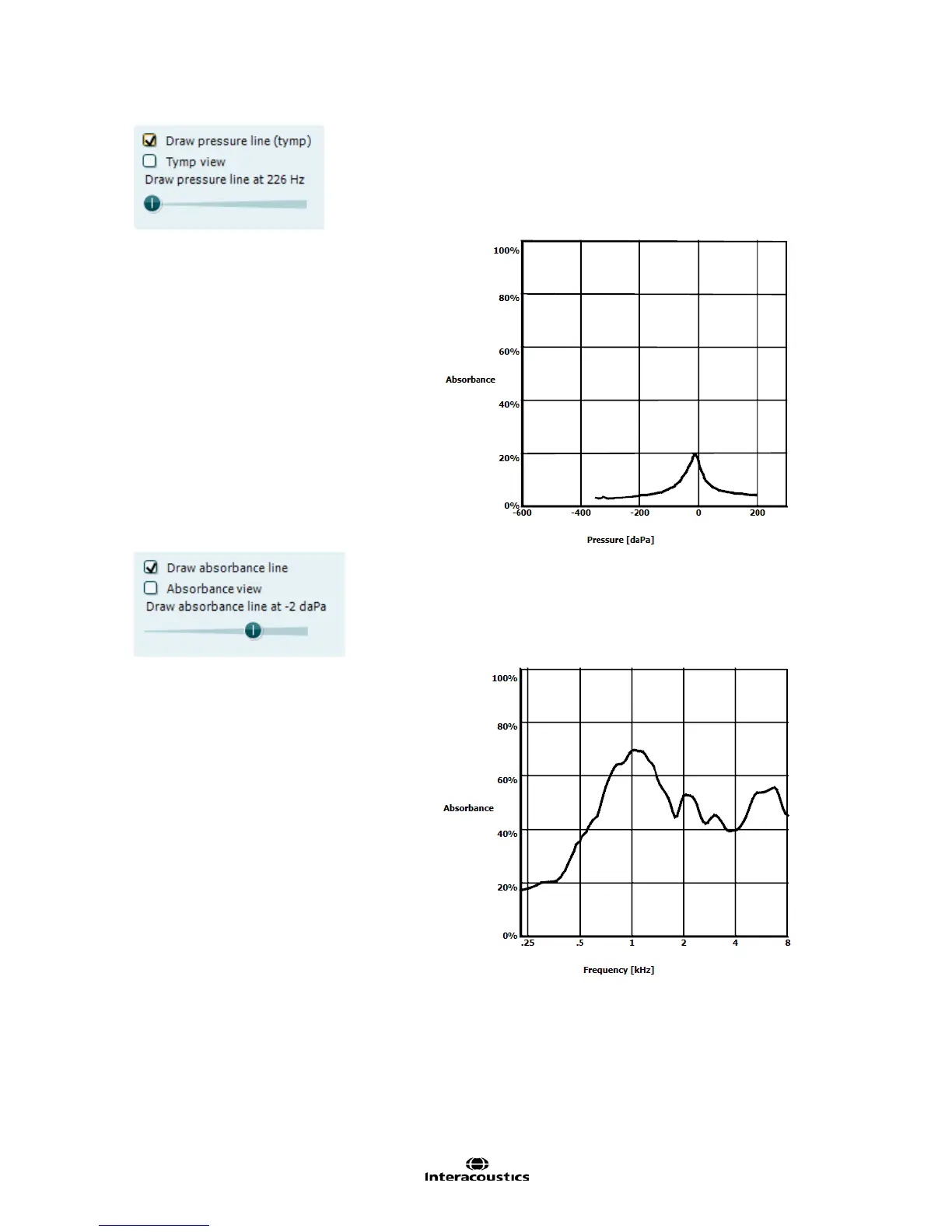
Activating Draw pressure line (tymp) highlights a tympanogram in
the 3D graph at the frequency selected with the slider.
Activating Tymp view results in the 3D graph automatically rotating
to a 2 dimensional view in which absorbance is displayed as
function of pressure, like in the example below.
Activating Draw absorbance line highlights an absorbance slice in
the 3D graph at the pressure selected with the slider.
Activating Absorbance view results in the 3D graph automatically
rotating to a 2 dimensional view in which absorbance is displayed
as function of frequency, like in the example below.



 To Next Page