EasyManua.ls Logo

Interlogix SDX-135Z - User Manual

Interlogix SDX-135Z
33 pages
Print Icon
To Next Page IconTo Next Page
Loading...
1
P/N 466-5308 • REV A • ISS 09MAY17 ©2017 United Technologies Corporation
Attention: Please take a few minutes to thoroughly read this user guide which should be
saved for future reference.
NOTE: Leave this user guide with the home owner.
You do NOT need a home wi-fi system to use these units. Multiple wireless units create
their own independent wireless detector network, in addition to wireless connection with a
compatible panel.
SDX-135Z
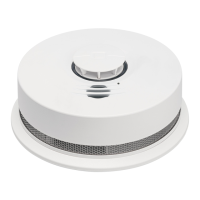
Wireless Smoke Detector with Heat
and Freeze Sensor User Guide

Questions and Answers

  • R
    Roger CarterJul 31, 2025
    What to do if Interlogix SDX-135Z Accessories have fault mode/fatal error?
    • L
      Laura DanielsAug 1, 2025
      If your Interlogix Accessories detector is showing a fault mode or fatal error, try the following: 1. Push the Test/Hush button once to attempt to reset the detector. The RED LED will blink out an Error Code (number of blinks) when the Test/Hush button is pushed/released once. Report the number of blinks to Customer Service, if needed. 2. Clean your detector. 3. If the fatal error cannot be cleared, remove the detector from service, permanently discharge it, and decommission it.
  • H
    hernandezdonaldAug 5, 2025
    What to do if Interlogix SDX-135Z have network error due to loss of signal?
    • J
      Jennifer GreenAug 5, 2025
      If your Interlogix Accessories detector is experiencing a network error due to a loss of signal, here are some steps you can take: * Remove the device from its mounting bracket and try rotating and reinstalling it in a different orientation. This might help align the antenna in a better position. * Push the Test/Hush button once to silence the audible indication for 24 hours. The RED LED will blink out an Error Code (number of blinks) when the Test/Hush button is pushed/released once. Report the number of blinks to Customer Service, if needed. * Follow the instructions to reset the detector’s wireless interconnect settings, and then attempt to rejoin the network. * If the error persists, remove, discharge, and replace the detector as soon as possible.
  • D
    David JohnsonAug 8, 2025
    What to do if Interlogix SDX-135Z Accessories have network error due to loss of radio?
    • D
      Daniel HaleAug 9, 2025
      If your Interlogix Accessories detector is showing a network error because of a loss of radio (CCI supervision), you can: 1. Push the Test/Hush button once to silence the audible indication for 24 hours. The RED LED will blink out an Error Code (4 blinks) when the Test/Hush button is pushed/released once. Report the number of blinks to Customer Service, if needed. 2. Remove, discharge, and replace the detector as soon as possible.
  • J
    John BeckerAug 13, 2025
    What does it mean when Interlogix SDX-135Z Accessories detector indicates sensor cleanliness level?
    • A
      Angel McmahonAug 13, 2025
      When your Interlogix Accessories detector indicates sensor cleanliness level, here's what the AMBER LED blinks mean: * 0-1 blinks: Unserviceable fault; remove, discharge, and replace the detector. * 2-3 blinks: Insensitive; requires cleaning. * 4-7 blinks: Normal Sensitivity. * 8-9 blinks: Too sensitive, requires cleaning.
  • J
    Jasmine HoffmanAug 18, 2025
    What happens when Interlogix Accessories reach end of detector life?
    • J
      Joel CameronAug 18, 2025
      When your Interlogix Accessories detector reaches the end of its life, the RED LED will blink out an Error Code of 9 blinks. Note that the start of EOL will be delayed if Night Detect is active.
  • D
    Dominique JoyceAug 21, 2025
    How to hush Interlogix SDX-135Z network error or end of life?
    • M
      Mary JonesAug 22, 2025
      To hush a Network Error or End of Life alert on your Interlogix Accessories detector, push the Test/Hush button to initiate Hush for 24 hours.
  • E
    ecampbellAug 27, 2025
    What to do if Interlogix SDX-135Z Accessories have low battery?
    • L
      Lauren WrightAug 27, 2025
      If your Interlogix Accessories detector indicates a low battery, remove, discharge, then dispose of the detector and replace it as soon as possible.

Summary

Smoke Alarm: What To Do When the Alarm Sounds

Carbon Monoxide Alarm: What To Do When the Alarm Sounds

Troubleshooting Guide

Fault Mode;Fatal Error

Trouble condition for fatal errors or faults, with visual and audible indicators and actions.

Network Error

Troubleshooting network connection loss due to signal issues, with visual/audible indicators and actions.

Network Error due to loss of radio

Troubleshooting network errors due to radio loss (CCI supervision), with indicators and actions.

Recommended Locations for Smoke Detectors

Locations to Avoid

Installation; Activation; Wireless

Enrolling A Detector With A Panel

Operation and Testing

Recognizing Nuisance Alarms

Battery

Low Battery

Information on low battery warnings, replacement, and troubleshooting.

Permanently Disable Detector; Discharge Battery

Cleaning Your Detector

Interlogix SDX-135Z Specifications

General IconGeneral
Bandwidth319.5 MHz
Detector typePhotoelectrical reflection detector
Mounting typeSurface-mounted
Product colorWhite
InterconnectableYes
Connectivity technologyWireless
Battery life10 year(s)
Battery typeBuilt-in battery
Power sourceBattery
Battery voltage3 V
Storage temperature (T-T)-20 - 60 °C
Operating temperature (T-T)0 - 37.8 °C
Operating relative humidity (H-H)0 - 95 %
Weight and Dimensions IconWeight and Dimensions
Height55.6 mm
Diameter142.3 mm

Related product manuals