Page 9 of 20
Associating Modules to Channels
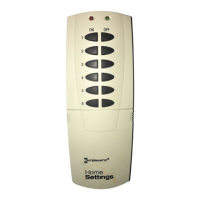
1. (See Fig 4a on page 10) On the remote controller,
simultaneously press and hold the ON and OFF
buttons of the desired channel. Both red and green
LED’s will flash. (Note: The LED’s will time out after 10
seconds. If this happens, ON and OFF buttons have to
be pressed again). Release the ON and OFF buttons.
2. (See Fig 4b on page 10) Press and hold the INCLUDE
button.
3. (See Fig 4c on page 10) While holding the INCLUDE
button, press the program button on the module.
Choose a light level holding the module PROGRAM
button until you have set the desired light level.
Possible settings are FULL ON, FULL OFF or DIM
LEVEL for dimmable modules, (NOTE: Only HA03
Lamp Module and HA06 In-Wall Switch/Dimmer have
dimming capabilities) or FULL ON, or FULL OFF for
non-dimmable modules.
4. After setting your desired light level, release the
INCLUDE button on the remote controller. The green
LED’s on the controller and module will flash. The
module LED will turn solid green.
5. To include additional devices to the channel, repeat
steps 1 –4.


 To Next Page
