10 PB3 Mobile Printer User’s Guide
Using the Belt Loop
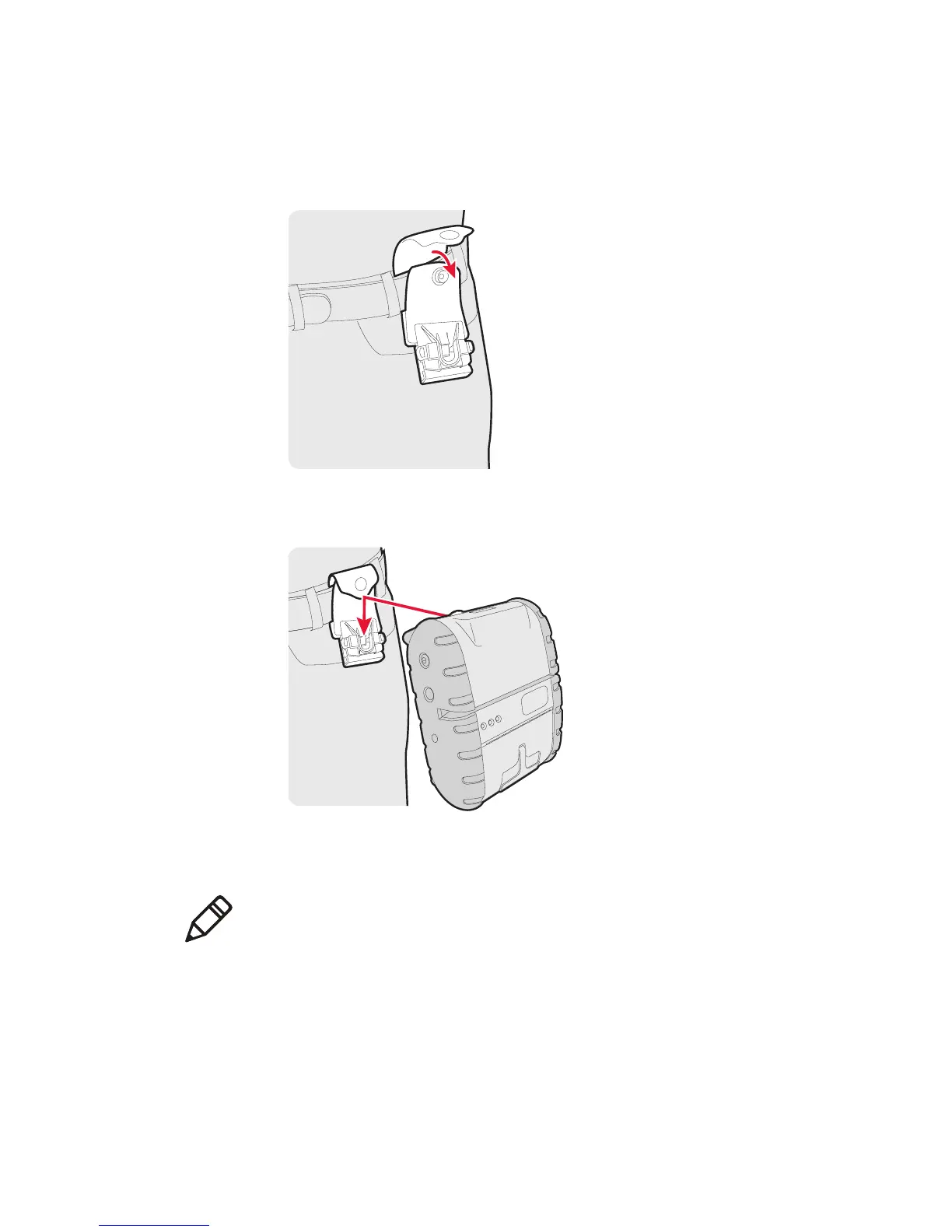
1 Place the belt loop over your belt and snap it to secure it.
2 Insert the belt loop knob into the connector slot on the belt loop
and slide the printer down until the knob clicks into place.
3 To disconnect the printer from the belt loop, press both of the
connector latches and slide the belt loop knob out of the slot.
Note: Do not try to remove the printer from the belt loop without
pressing both latches.



 To Next Page