25
The choices and their settings are as follows:
Feature U.S. Nautical Metric
Depth/Range Feet Fathoms Meters
(Ft.) (Fa) (M)
Water Temp. F F C
(ºF) (ºF) (ºC)
Boat Speed Mi./Hr. Knots Knots
(MPH) (KT) (KT)
Distance Log Miles Naut. Mi Naut.Mi
(Mi) (NMi) (NMi)
Nav. Track Plot Miles Naut. Mi Naut.Mi
(Mi) (NMi) (NMi)
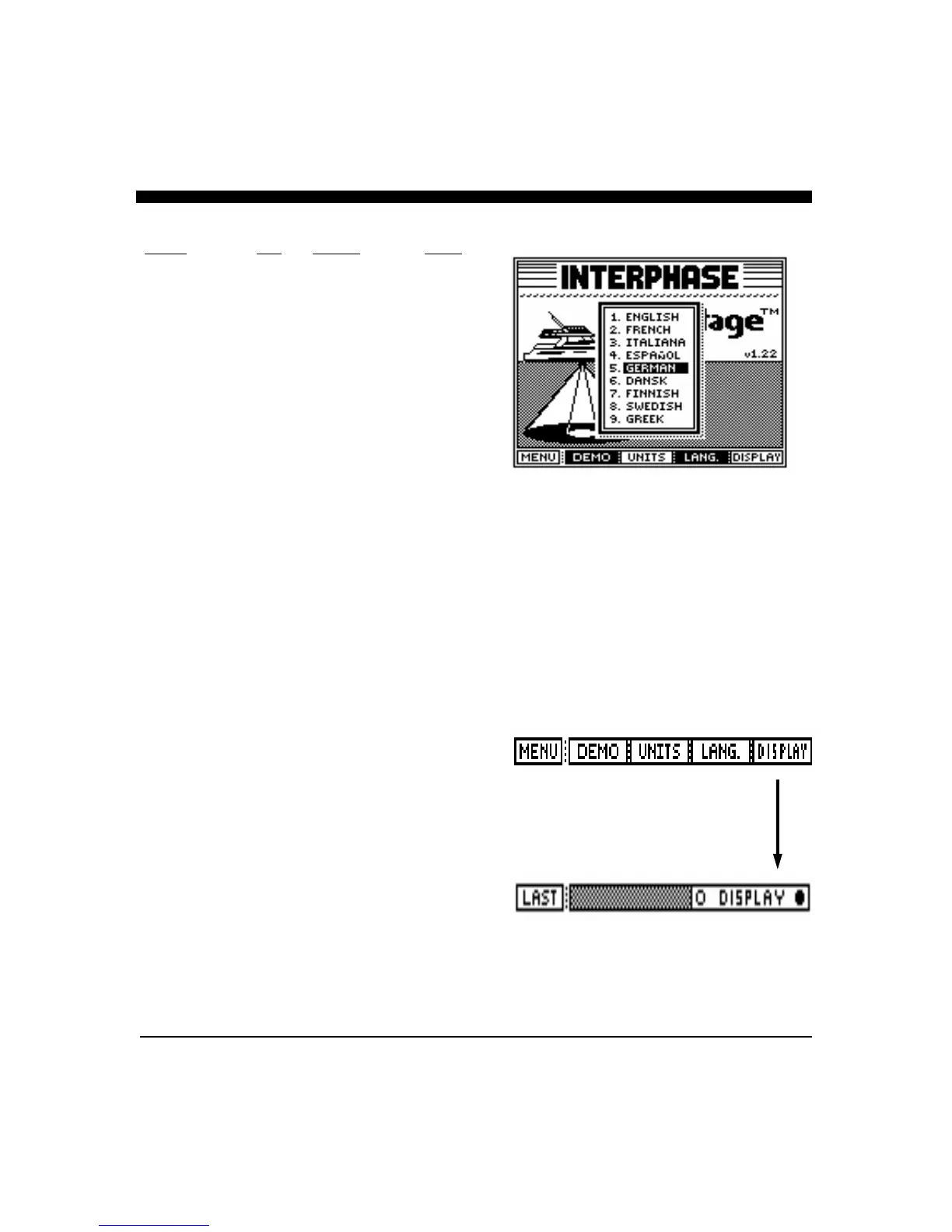
Select Menu Language
The Advantage allows the selection of 9 operating
languages; English, French, Italian, Spanish, German,
Danish, Finnish, Swedish and Greek may be chosen. To
select the operating language, press the button labeled
LANGUAGE. A display window as shown at right will
pop up on the screen showing the available languages and
the one currently selected. Use the large front panel knob
to change (highlight) the language selection. Once
selected, press any key to save your selection and exit.
Display Contrast
The LCD contrast can be adjusted by either rotating the
large front panel knob while in the Control Center
Display, or by pressing the “DISPLAY” button in the
SET-UP view and then either rotating the large knob for
the desired contrast, or pressing the Display soft keys for a
darker or lighter LCD contrast.



 To Next Page