26
Plot (Track Plot) View
If your separate Loran C, Decca or GPS receiver has the
proper NMEA 0183 output capability, or if you own the
Interphase Star Pilot GPS, Pilot GPS or Interphase
Pilot Loran, you can easily interface the unit to the
Advantage to show both digital and graphic navigation
information. Possible information obtained from a
navigation receiver can include track plotting, digital Lat/
Lon readings, course and distance to way points. The
Advantage can also instantly mark positions with several
different graphic symbols. These functions will not work
unless you are able to successfully interface a
navigational instrument such as a Loran C, Decca or GPS
receiver to the Advantage.
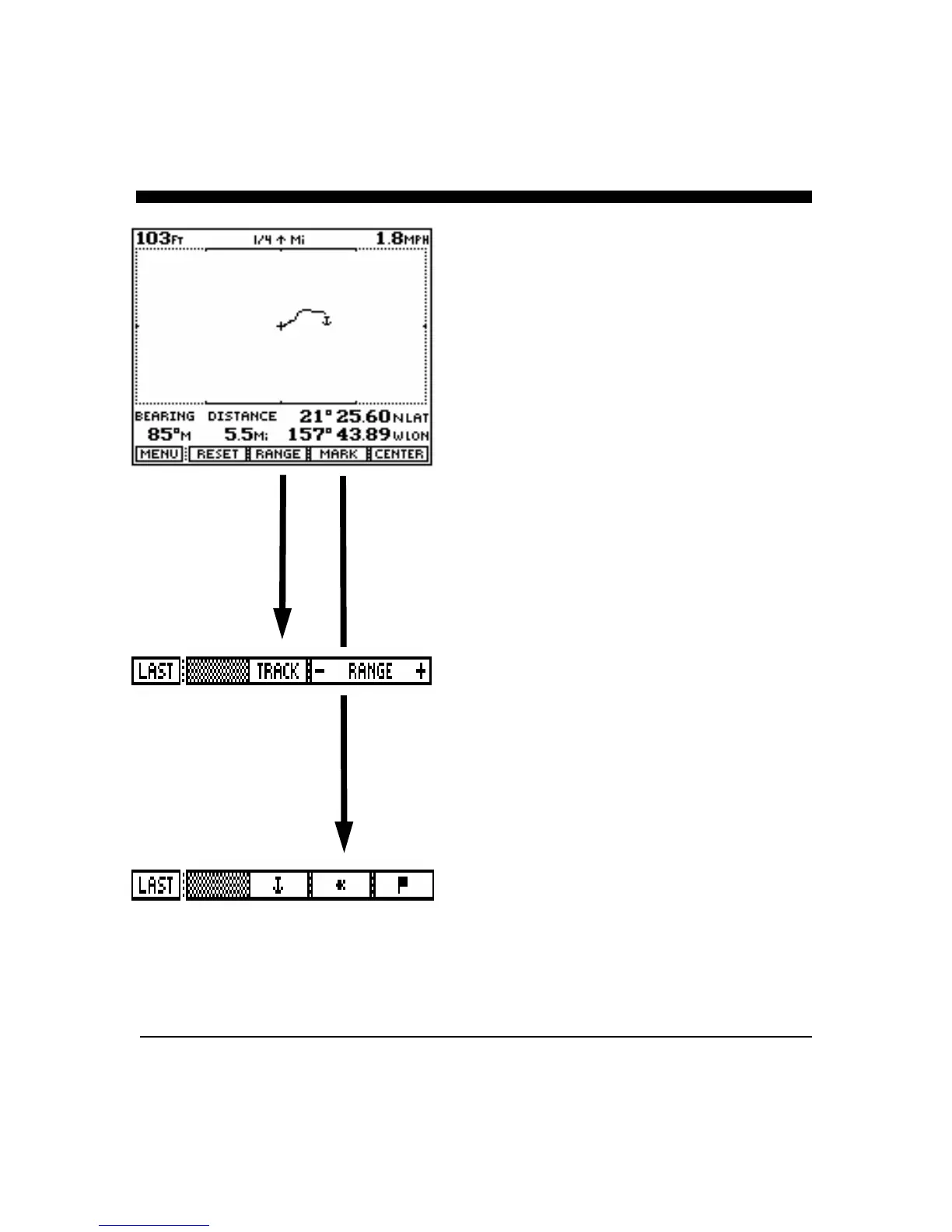
From the Control Center select the "Plot” view and press
the "GO" soft key to bring up the menu showing the
features and adjustments for this view.
Range
The "RANGE" soft key calls up the sub-menu which lets
you turn on and off an automatic plot ranging function by
pressing the soft key labeled "TRACK". This feature
will, for example, automatically increase the track plot
range if your position goes off the screen. You can
manually adjust the plotter range by using the "Range"
up/down soft keys in this sub-menu.
The Track Plot square on the display shows the current
plotter range (1/4, 1/2, 1, 2, 4, 8, 16, 32, 64, 128) in
statute (U.S.) or nautical miles, depending on the units of
measurement selected.
Mark
Pressing the "MARK" soft key allows you to mark your
current position on the track plot screen with one of three
graphic icons - an anchor, a fish or a flag. Each icon can
be used up to ten times on a track plot for a total of 30
possible marks. When power is removed from the
Advantage, the marks are erased. You may also press
“Clear” in the mark menu to erase all marks.



 To Next Page