35
Data View
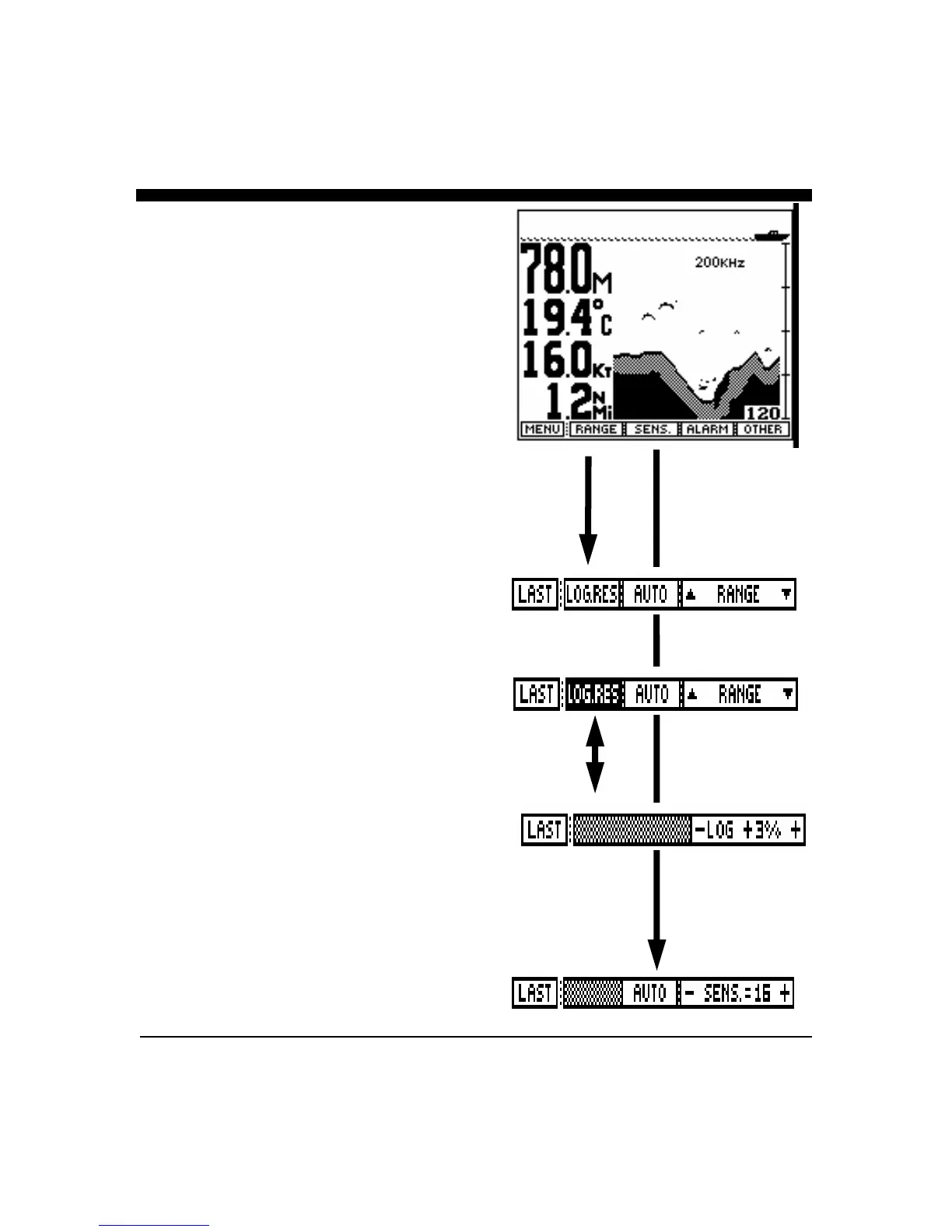
From the Control Center, press the soft key labeled
"DATA" to see a split screen display with large digits on
the left and a depth view on the right. The large numbers
show the digital depth, the boat speed, surface water
temperature, and distance traveled log.
Range Adjustment
Press the button labeled "RANGE" to bring up the Range
Adjustment soft key menu. Press the button labeled
"AUTO" if you would like the Advantage’s internal
microprocessor to automatically select and adjust the
depth range as bottom conditions change. To manually
adjust the depth, press either the range buttons labeled
"" or "" or rotate the front panel knob. If you make a
manual depth adjustment, the AUTO range mode is
turned off and will remain off until the button labeled
AUTO is again selected. Note: when in the AUTO
mode, the soft key labeled "AUTO" will be shown in
reverse video (white on black). To return to the main
forward looking menu, press the soft key labeled
"LAST".
Log Res. (Distance log reset).
The Advantage will automatically keep a distance
traveled log. You can reset this log to zero by pressing
the "Log Res." soft key.
Note: The Advantage internal memory keeps the
Advantage’s distance log data, even when power is
removed. To zero out the distance log, press the
softkey labeled “Log Res.”.
Speed Calibration (Log Adjustment)
The Advantage can display your boat’s speed through the
water. Both the speed reading and the running distance
traveled (log) are derived from the transducer’s speed
impeller. You can adjust the calibration factor by up to
+/- 40% from nominal.
To adjust the speed calibration, press and hold the softkey
labeled “Log Res” for approx. 1 second to bring up the
log/speed adjustment menu as shown at right.
Use the front panel knob to adjust the calibration factor
from up to 40% less (negative numbers) to 40% more
(positive numbers)



 To Next Page