35
User Manual
internal memory of the chart plotter. If the selected file contains Marks already
present in the chart plotter memory, they are non duplicated. It is required to
insert the number of the Route/Track on which loading data: if the Route/Track is
not empty, it is overwritten.
Deleting File from User C-CARD
To remove files.
[MENU] + "MENU" + [ENTER] + "USER C-CARD" + [ENTER] + [DELETE] +
[C
ONFIRM]
NOTE Remember that this option permanently erases the file.
CM 7MI/7CI/7MX/7CXS/11CV+/11CVS+:
Changing User C-CARD
Allows to select the slot in which the User C-CARD is inserted.
[MENU] + "MENU" + [ENTER] + "USER C-CARD" + [ENTER] + [CHANGE]
3.11 VIEW VIDEO INPUT FOR CM 11CV+/11CVS+
Selects the preferred Video Input, among INPUT 1, INPUT 2 or AUTO SWITCH. If
Auto Switch is selected, choose the switching time.
[MENU] + "MENU" + [ENTER] + "VIEW VIDEO INPUT" + [ENTER]
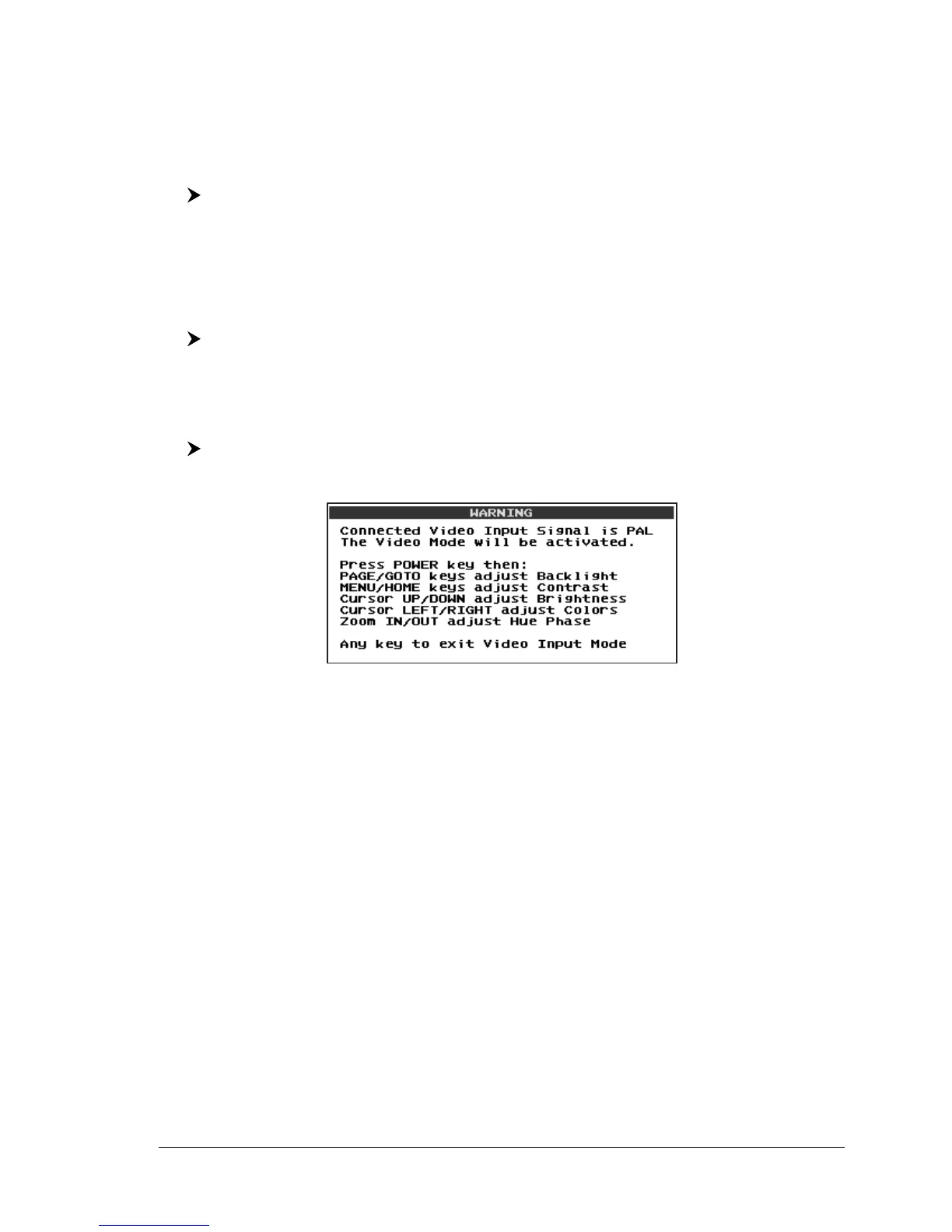
At the activation of the Video Mode the following messages are shown on a dedi-
cated window:
Fig. 3.11 - Video Input Warning
The Video Input source can be PAL or NTSC: the software automatically detects
the type of Video Input source connected.


 To Next Page