48 User Manual
gramming System) saving the weather data on a User C-CARD. The weather data
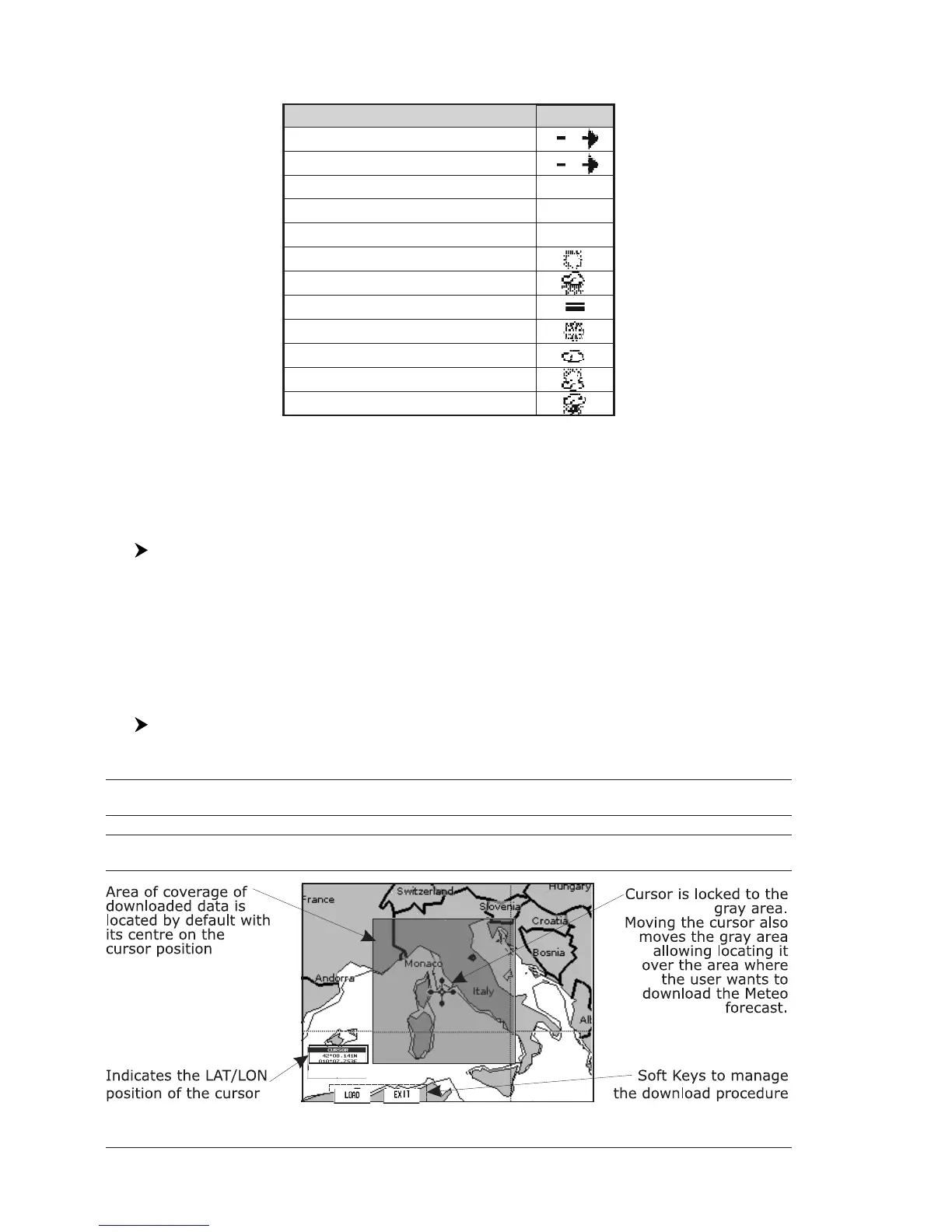
are overlaid on a map page as layers. The Weather format data available are:
WIND (Speed & Dir) 0
WAVE (Height & Dir) 1
TEMPERATURE (C°) 18°
HUMIDITY (%) 30
VISIBILITY (m) 20
WEATHER TYPE: Sun
WEATHER TYPE: Rain
WEATHER TYPE: Fog
WEATHER TYPE: Snow
WEATHER TYPE: Clouds
WEATHER TYPE: Partly Cloudy
WEATHER TYPE: Thunderstorm
Data Type Display
Fig. 4.9 - Weather data package
NOTE Please check with Local C-MAP Office for the actual C-WEATHER coverage of
your area.
4.9.1 C-MAP WEATHER SERVICE Menu
To select the menu:
[MENU] + "C-MAP WEATHER SERVICE" + [ENTER]
It opens a sub-menu with the following options.
♦ Download
♦ Copy From C-CARD
♦ Prediction
♦ Real Time View
♦ Type of Data
Download
[MENU] + "C-MAP WEATHER SERVICE" + [ENTER] + "DOWNLOAD" + [ENTER]
Allows to connect the software to the C-MAP weather server and to download
C-MAP weather data directly via C-COM. It opens the following sub-menu:
Select Country to Call : Allows the selection of the country to call. The whole telephone number set is
automatically updated after every download.
SIM Pin : Allows inserting of the PIN of the SIM.
Download Area : Allows the weather download: a squared grey area, where the weather data will
be downloaded, is centered on cursor position. See the following picture.
Fig. 4.9.1 - Download Area


 To Next Page