73
User Manual
C-COM GSM Plus Connection
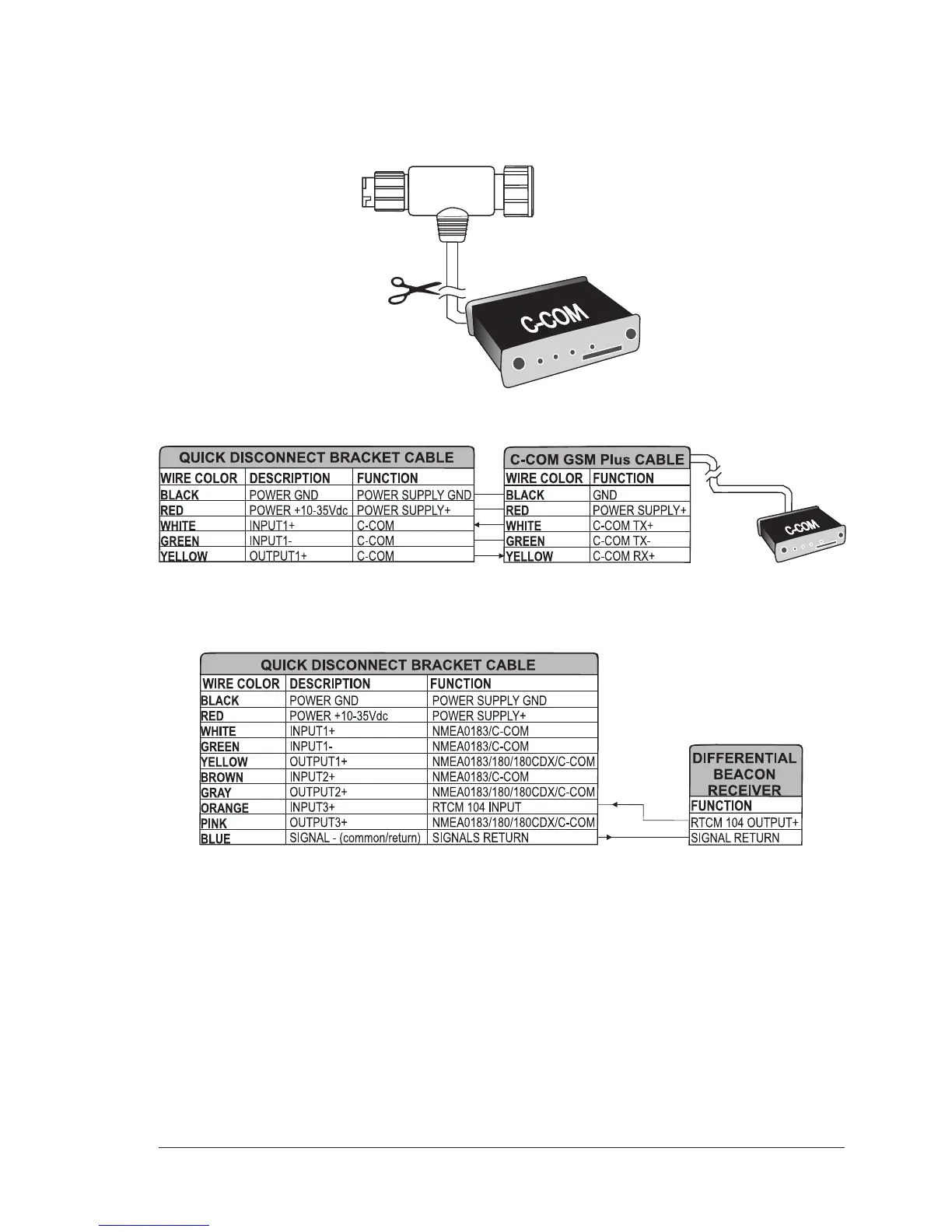
To connect the modem C-COM to the chart plotter with quick disconnect bracket
follow the procedure:
1. Cut the C-COM cable about 5 cm from the "T" connector:
2. Connect the wires to the quick disconnect bracket cable as follows:
Connection for the port 1
Beacon Receiver Connection For chart plotter with Internal GPS Receiver
Beacon Receiver Connection
NOTE For chart plotter with External GPS Receiver: To connect a Differential Beacon
Receiver see previous figure "GPS Connection
(External Smart GPS Receiver)"


 To Next Page