G
F
A
D
C
B
E
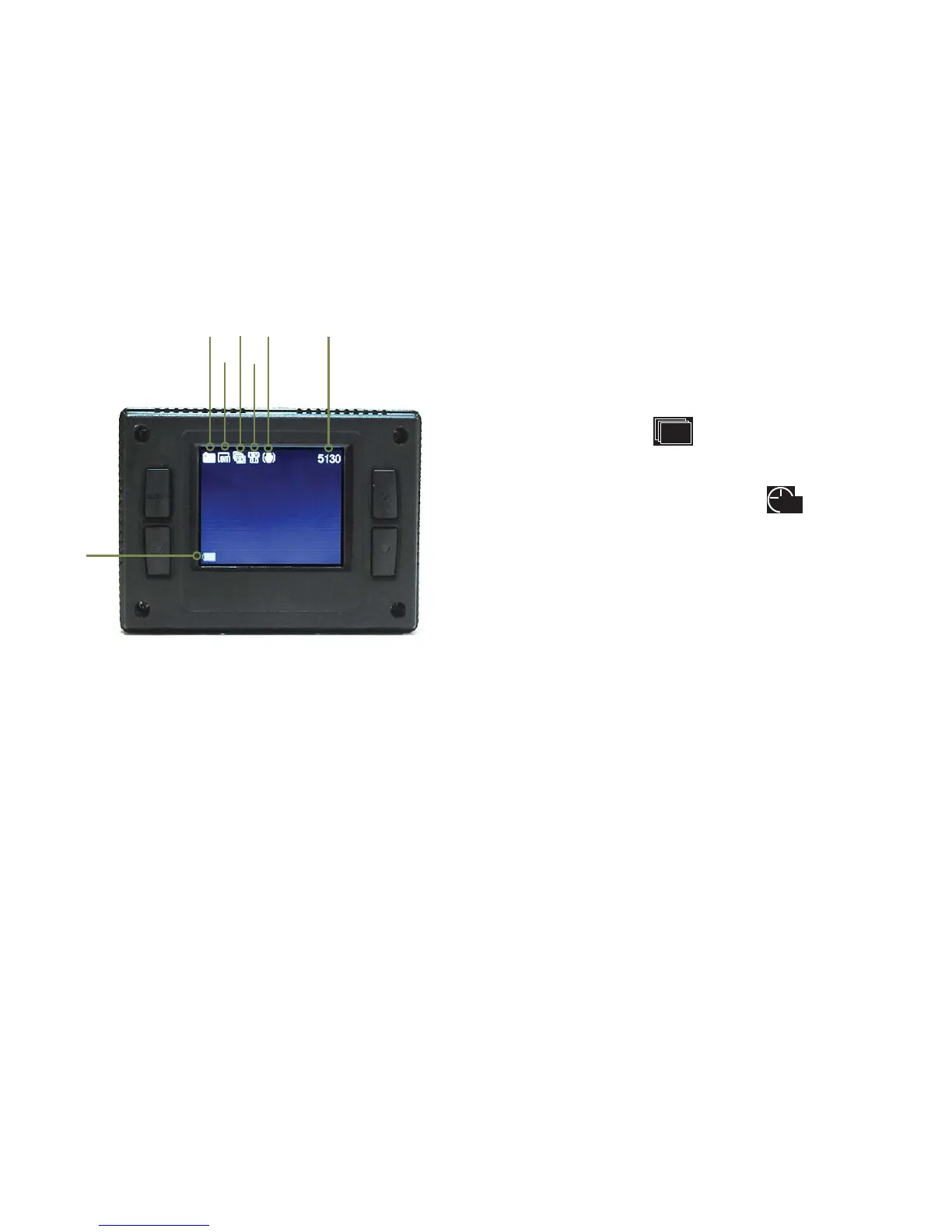
PHOTO MODE
PHOTO MODE SCREEN
Press MODE button while in Video mode to go
to Photo mode.The DUB camera LCD displays
the following information about functions and
settings when in photo mode.
12
DUB
A. Photo mode icon
B. Photo resolution icon: indicates photo
le size in megabytes.
12M is 4000x3000 pixels (interpolated)
8M is 3264x2448 pixels (actual)
5M is 2560x1920 pixels (actual)
3M is 2048x1536 pixels (actual)
2M is 1600x1200 pixels (actual)
VGA is 640x480 pixels (actual)
C. Photo Burst:
presence of the icon indicates that the
camera will take 3, 5 or 10 photos per shutter
press. Factory default is OFF.
or Self-Timer: presence of the icon
indicates that the camera is set to take a
photo with a time delay of 2 or 10 seconds
after pressing of SHUTTER button.
D. Exposure value: indicates that camera is
set to an exposure compensation value between
-2.0EV (underexposure) to +2.0EV (overexposure).
Factory default is 0.0.
E. Stabilizer icon: Circle with line through
icon indicates image stabilizer is OFF. Factory
default is ON.
F. Photos remaining: number indicates the
remaining amount of photos available to be
taken on the microSD card.
G. Battery level icon: indicates amount of
battery charge remaining. Recharge battery
when icon turns red.
10
1
s0


 To Next Page