SECTION 6—OPERATION OF THE POWERED SCOOTER
Part No. 1118395 29 Zoom
™
300 and Zoom
™
400
5. HEADLIGHT SWITCH - Located on the TOP face of the control panel of Zoom 400
only. Refer to Detail “B” of FIGURE 6.1.
6. ON/OFF KEY SWITCH - Located on RIGHT side of the control panel (FIGURE 6.1).
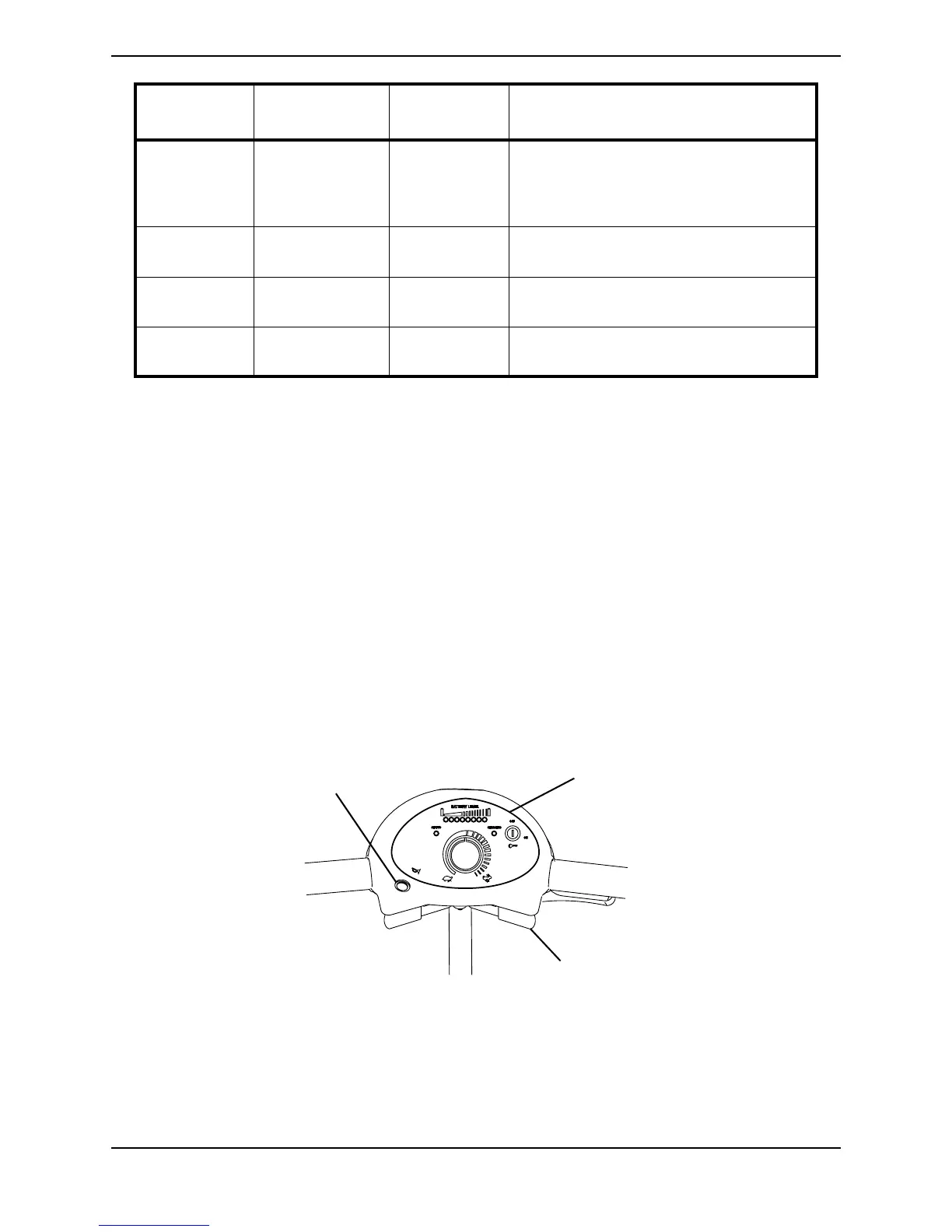
7. HORN SWITCH - Located on the FRONT face of the control panel towards the LEFT
(FIGURE 6.2).
8. THROTTLE CONTROL LEVER - Located below control panel (FIGURE 6.2).
FIGURE 6.2 - CONTROL PANEL - HORN AND THROTTLE CONTROL LEVER
6 Out of Neutral at
power up.
Drive Inhibited Throttle is not in neutral position when turn-
ing the key switch on. Return the throttle to
neutral, turn power off and back on again.
Throttle may need to be re-calibrated.
7 Speed Pot error. Drive Inhibited The throttle or its wiring is faulty. Check for
open or short circuits.
8 Motor volts error. Drive Inhibited The motor or its wiring is faulty. Check for
open or short circuits.
9Other internal
errors.
Drive Inhibited Call Dealer or a qualified technician.
NUMBER
OF FLASHES
FAULT IMPACT ON
SCOOTER
NOTES
Horn
Control Panel
Throttle Control Lever
NOTE: Location of Throttle Control Lever and Horn on Zoom 300 shown. Location
of Throttle Control Lever and Horn is the same on Zoom 400.






 To Next Page