SECTION 4—SEAT/BACK
2 2
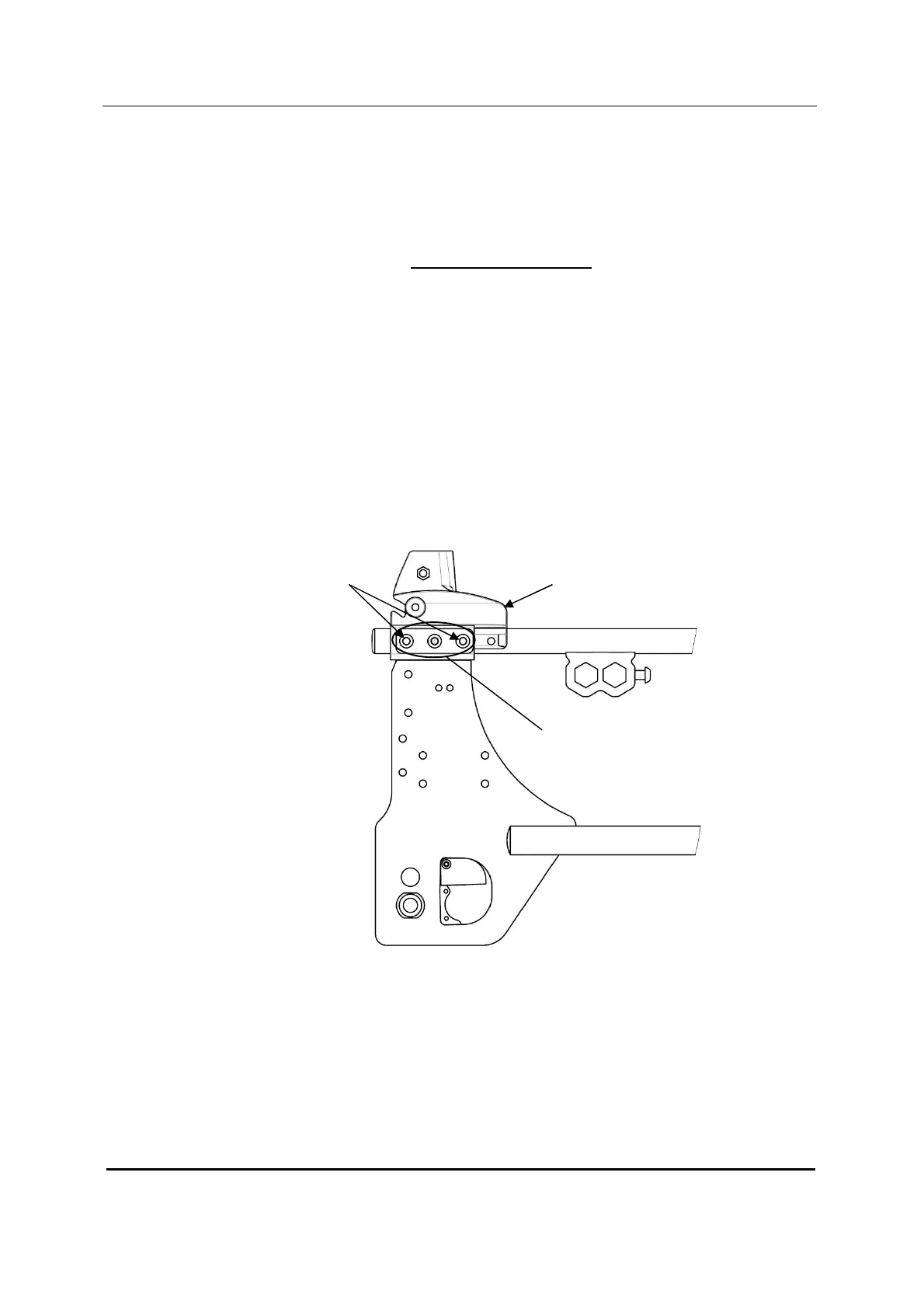
Removing/Installing the Back-cane Bracket
NOTE: For this procedure, refer to FIGURE 4.10.
NOTE: To install the back-cane bracket, reverse this procedure.
1. Remove the back canes. Refer to Removing Back-canes paragraph.
2. Pull up on the seat upholstery.
3. Remove the two mounting screws and locknuts that secure the back-cane bracket
to the wheelchair frame.
4. Remove the back-cane bracket by sliding it off the back of the wheelchair frame.
5. Install the new back-cane bracket by sliding it to the same adjustment holes on the
bracket.
NOTE: Both back-canes brackets should be set to the same adjustment holes.
Back-cane
Bracket
Mounting Screws
& Locknuts (8-9 Nm)
Adjustment
Holes







 To Next Page