EasyManua.ls Logo

Invacare Softform Active 2 RX - User Manual

Invacare Softform Active 2 RX
24 pages
Print Icon
To Next Page IconTo Next Page
Loading...
InvacarSoftformActive®2with
RXpump
enMattresssystem
UserManual
ThismanualMUSTbegiventotheuseroftheproduct.
BEFOREusingthisproduct,thismanualMUSTbereadandsaved
forfuturereference.

Other manuals for Invacare Softform Active 2 RX

Questions and Answers

  • A
    Andrea BrownAug 6, 2025
    Why is my Invacare Indoor Furnishing mattress not inflating properly?
    • N
      Nancy RamseyAug 6, 2025
      If the mattress of your Invacare Indoor Furnishing is not inflating or alternating properly, and you see an alternating system/timing failure indication, begin by checking the CPR hose connection and ensure it is securely locked in place. Inspect the CPR hose and tube connectors for kinks or splits; unkink them or replace if split. If there's a major leak in an air cell or the entire air insert, replace the leaking air cell. If the control unit still doesn't operate after checking the power cable and fuse, or if there's no air due to control unit failure or rotor failure, send the control unit back to Invacare for repair.
  • B
    bellharoldAug 15, 2025
    What to do if my Invacare Softform Active 2 RX Indoor Furnishing has low pressure?
    • M
      megan00Aug 15, 2025
      If your Invacare Indoor Furnishing indicates a pressure failure or low pressure, start by checking the CPR hose connection and ensure it's properly connected. Then, verify that all connector tubes are correctly connected to the air cells within the air insert. Finally, make sure the connection hose isn't kinked or bent.
  • A
    Ashley RiveraAug 25, 2025
    What to do if my Invacare Softform Active 2 RX has no power?
    • H
      Holly JosephAug 25, 2025
      If your Invacare Indoor Furnishing unit shows a 'No Power / Power Failure' indication, first ensure the unit is switched on and properly connected to a power source. Check if the power cord is disconnected and connect it securely. Verify that the power outlet is functioning correctly; switch it on if possible, or have it repaired by an electrician if necessary. In case of a power outage, wait for the power to be restored. Also, inspect the fuse and replace it with an identical one if blown. If unsure about changing the fuse, consult a trained engineer.

Summary

General

1.1 Introduction

Provides important information about handling the product and following safety instructions.

1.2 Symbols in this Document

Defines signal words and symbols used to indicate hazards and unsafe practices.

1.3 Compliance

Details compliance with ISO 13485, Medical Device Regulation 2017/745, REACH, WEEE, and RoHS.

1.4 Warranty Information

Explains the manufacturer's warranty terms and conditions and how to claim it.

1.5 Limitation of Liability

Outlines Invacare's liability limitations for damage arising from incorrect use or modifications.

1.6 Service Life

States the expected service life of the product and factors affecting it.

Safety

2.1 Safety Information

Discusses risk assessment for pressure injuries and general safety precautions for use.

2.2 EMC information

Provides information on electromagnetic compatibility and precautions for RF equipment.

2.3 Safety Information for Transport

Offers guidance on safely handling and transporting the mattress to prevent damage.

Product Overview

3.1 Product description

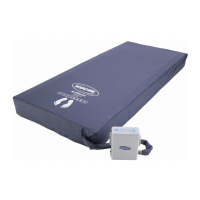
Describes the Invacare® Softform Active® 2 Rx mattress system and its features.

3.2 Intended Use

Specifies the product's intended application for pressure redistribution and user suitability.

3.3 Components

Lists the components included in the scope of delivery for the mattress system.

3.4 Labels on the Product

Illustrates and explains the labels found on the control unit and mattress.

3.5 Symbols on the product

Explains various symbols used on the product for identification and safety.

Setup

4.1 Safety information

Details critical safety warnings related to electrical hazards, modification, and patient entrapment during setup.

4.2 Installing the system

Provides step-by-step instructions for connecting and setting up the mattress system.

Usage

5.1 Safety Information

Highlights essential safety precautions for patient repositioning and mattress cover orientation.

5.2 Control unit menu display

Details the indicators and functions of the control unit's menu and buttons.

5.3 CPR procedure

Explains the steps for activating the CPR function on the mattress system.

5.4 Transport Mode

Describes how to prepare the system for transport and how to store the air hose.

Maintenance

6.1 Inspection

Recommends regular checks of mattresses for damage like stains, rips, or strike-through.

6.2 Cleaning and Disinfection

General safety precautions, intervals, and instructions for cleaning the control unit, hangers, and covers.

6.2.4 Disinfection Instructions

Offers detailed procedures for disinfecting mattress covers and handling heavy soiling.

6.3 Replacing Cover

Explains the process for safely removing and replacing the mattress cover.

After Use

7.1 Storage

Provides guidelines for storing mattresses in a dry, protective environment to prevent damage.

7.2 Reconditioning

Outlines the steps required to recondition the product for reuse by a new user.

7.3 Disposal

Offers guidance on environmentally responsible disposal and recycling of the product.

Troubleshooting

8.1 Identifying and repairing defects

Lists common problems, their causes, and solutions for alarms and operational issues.

Technical Data

9.1 Mattress Specifications

Details the dimensions, air cell height, maximum user weight, and product weight.

9.2 Control unit

Provides technical specifications for the control unit, including power, size, and ingress protection.

9.3 Materials

Lists the materials used in the foam, cover, air cells, and glide membrane.

9.4 Environmental Conditions

Specifies the operating and storage/transport environmental conditions for the device.

9.5 Guidance and manufacturers declaration

Provides guidance on the electromagnetic environment and manufacturer's declarations.

Electromagnetic immunity

Details the device's compliance with IEC 60601 standards for electrostatic discharge, surge, and RF immunity.

Recommended separation distances

Provides guidance on separation distances for RF communications equipment to prevent interference.

Invacare distributors

Invacare Softform Active 2 RX Specifications

General IconGeneral
Product TypeMattress
MaterialFoam
Mattress CoreFoam
Length196 cm (77 in)
Depth15 cm (6 in)
Maximum User Weight254 kg (560 lbs)
UsageHome

Related product manuals