40 | Optidrive CoolVert User Guide | Version 1.00 www.invertekdrives.com
5
Diagnostics
5. Diagnostics
5.1. Trips
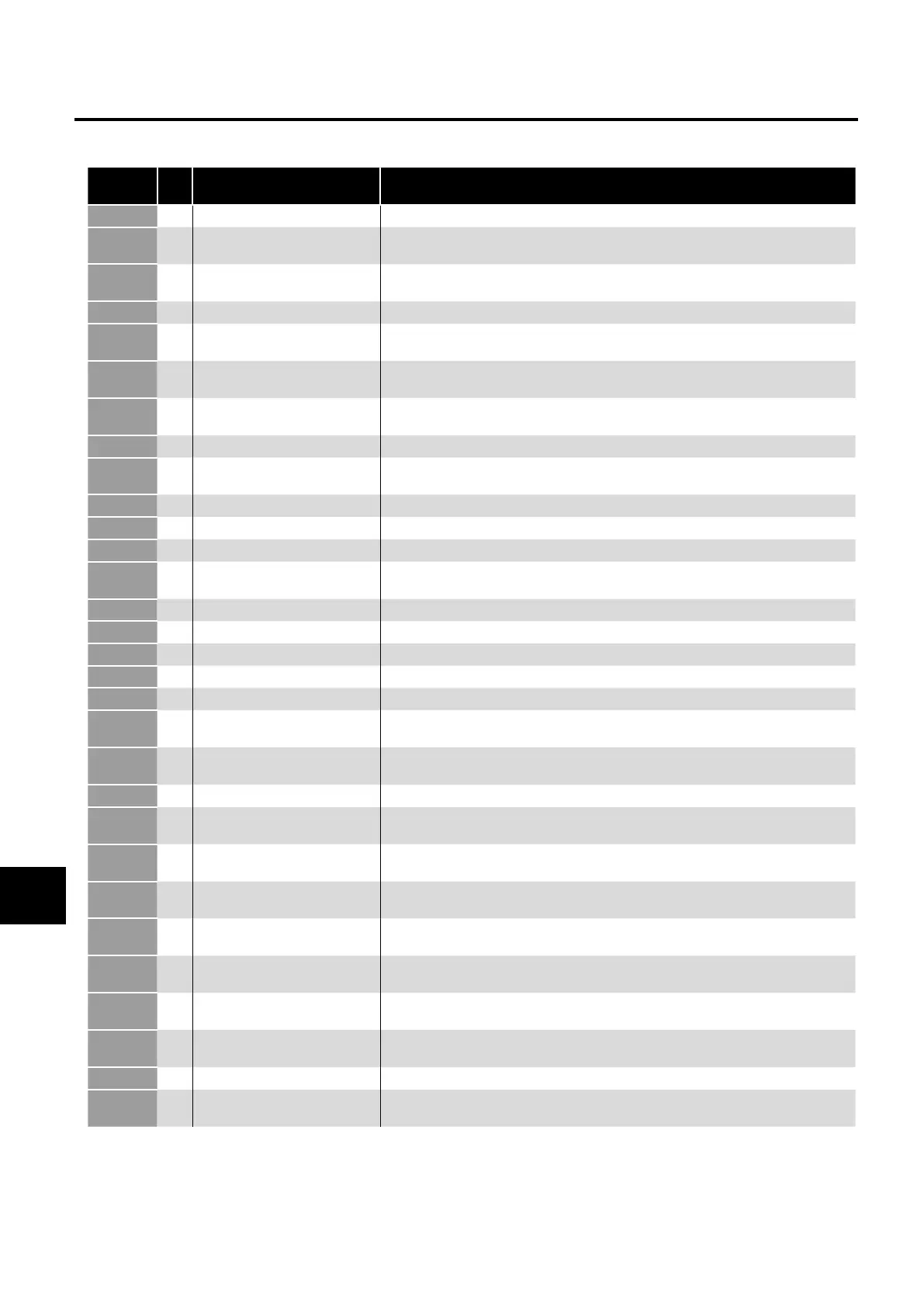
Fault
Code
No. Description Suggested Remedy
o-Ft
00 No Fault or No Trip No fault in trip log – no problem with the drive
-
03 Instantaneous over current High current from either – short-circuit on the drive output / acceleration ramps too short
/ incorrect motor data
.t-t
04 Motor Thermal Overload (I2t) Drive has been delivering more than the configured motor rated current for a period of
time – check the operating point of the compressor
S-t
05 Power stage trip Hardware fault, contact the supplier of the drive
-ot
06
Over voltage on DC bus
DC Bus Overvoltage from either - the supply voltage is too high, a spike in the supply
voltage, motor instability, try setting P1-05 = 3
-ot
07 Under voltage on DC bus Usually caused by the supply voltage dropping too low – check connections and voltage
at the drive terminals
-t
08 Heatsink over temperature Check the ambient temperature, check that the ventilation is not restricted, check the
cooling system for the coldplate version
-t
09 Under temperature Drive heatsink temperature is too low
-F
10 Factory Default parameters have
been loaded
Warning to advise that the drive has been returned to factory defaults
S-S
12 Optibus comms loss Loss of communications between drive and remote keypad or PC tools
Ft-
13 DC bus ripple too high Check for supply phase imbalance or phase loss
-SS
14 Input phase loss trip Input phase loss trip – similar to FLt.dc above
-
15 Instantaneous over current on
drive output
Hardware overcurrent on drive output – similar to O-I trip above
t-Ft
16 Faulty thermistor on heatsink If the drive heatsink temperature is within limits, contact the supplier of the drive
t-F
17 Internal memory fault (IO) If not coinciding with a firmware upgrade procedure, contact the supplier of the drive
- F
18 4-20mA Signal Lost Analogue input configured for 4-20mA but less than 3mA detected on drive terminals
t-
19 Internal memory fault (DSP) If not coinciding with a firmware upgrade procedure, contact the supplier of the drive
-F
20 User Default Parameters Loaded User Default Parameters Loaded
F-t
21 Motor PTC thermistor trip Drive configured to monitor motor temperature through the PTC and resistance increases
above 2.5k
F-F
22 Cooling Fan Fault Drive cooling fan not running at demanded speed – check for any blockages in the
cooling fan
-t
23
Environmental temperature too high
Check ambient temperature and ventilation system
t-F
26
Drive output fault
Check for wiring faults, loose connections or badly terminated cables between the drive
and the motor
Sto-F
29 Safety input circuit error Can happen if an external 24V supply is used and it powers-up slowly – contact the
supplier of the drive in all other events
tF-
40 Measured motor stator resistance
varies between phases
Check the motor wiring, disconnect the drive and measure the phase to phase resistance
from the motor cable
tF-
41 Measured motor stator resistance
is too large
Check the motor wiring, disconnect the drive and measure the phase to phase resistance
from the motor cable and refer to motor datasheet
tF-
42 Measured motor inductance is
too low
Check the motor wiring
tF-
43 Measured motor inductance is
too large
Check the motor wiring
tF-
44 Measured motor parameters are
not convergent
Check the motor wiring
t-
49 Motor output phase loss Check the motor wiring
S-F
50 Modbus comms loss fault Check the Modbus wiring, ensure that the 0V common is used, ensure that the
communication wiring is kept away from any power wiring


 To Next Page