Updating and Calibrating the Countess
™
Automated Cell Counter,
Continued
Calibrating
the Counter
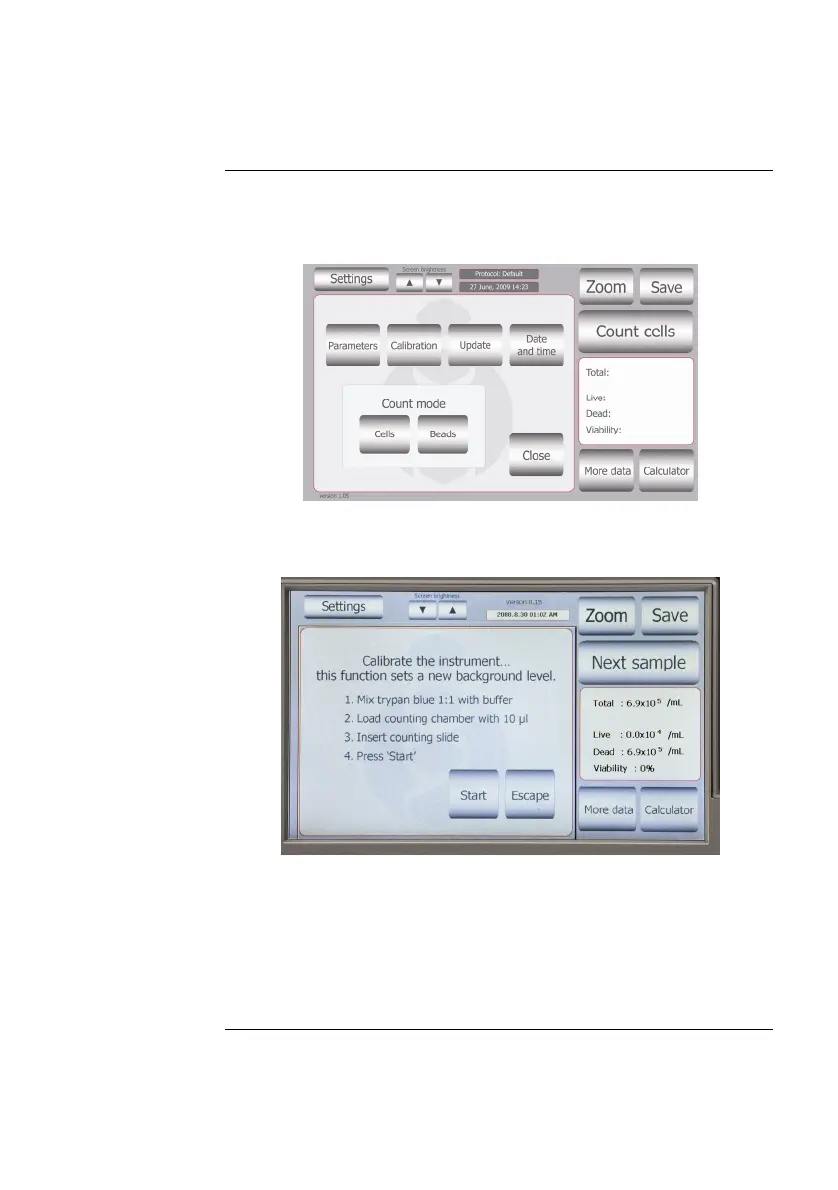
1. Push the Power button to start the instrument. The Start-up
screen is displayed.
2. Press Settings and then press Calibration.
3. To recalibrate the Countess
™
Counter, mix 10 μL trypan blue
solution with 10 μL of a standard buffer, such as phosphate
buffered saline (PBS). Mix thoroughly.
4. Add 10 μL of the sample mixture to the chamber ports on one
side of the Countess
™
cell counting slide. Press Start.
5. The instrument takes approximately a minute to calibrate.
6. After calibration is complete, press the Re-start button to restart
the instrument, and proceed to cell counting.
There is no need to recalibrate each time the instrument is turned on.
21



 To Next Page