Cleaning and Maintenance
Cleaning and
Maintenance
Clean the surface of the Countess
™
instrument with a damp cloth.
To clean the LCD screen, turn off the Countess
™
instrument,
disconnect the power cable, and clean the LCD screen with a soft
cloth lightly moistened with LCD cleansing detergent. Cleaning
the screen with excessive force can damage the LCD the screen.
Wipe the screen dry immediately. Do not reuse the counting
chambers.
The Countess
™
automated cell counter does not need regular
maintenance. To troubleshoot problems with Countess
™
cell
counter, contact Technical Support (page 26). Do not perfor
m any
repairs or service on the Countess
™
instrument to avoid damaging
the instrument.
Changing
Battery
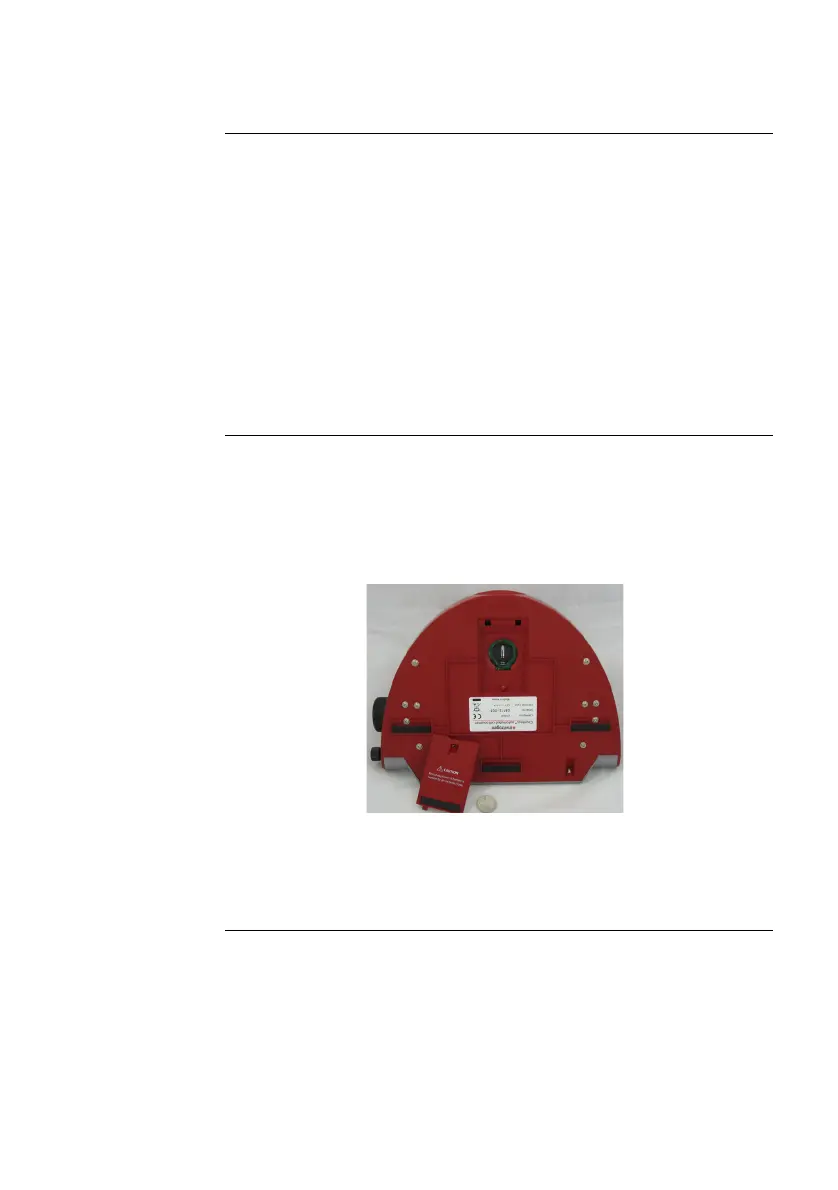
To change the battery:
1. Turn off the Countess
™
automated cell counter and disconnect
the power cord.
2. Open the battery cover at the bottom of the Countess
™
automated cell counter.
3. Remove the used battery and insert a new battery (battery
type CR2032).
4. Close the battery cover. Reconnect the power cord.
5. Reset the date and time on the counter as described on page 8.
19



 To Next Page