Getting Started, Continued
Date and
Time Setup
The date and time is already preset when you receive the
instrument. To reset the date and time, follow these steps:
1. Turn on the Countess
™
automated cell counter by pressing the
Power button. The Start up screen is displayed after a few
seconds.
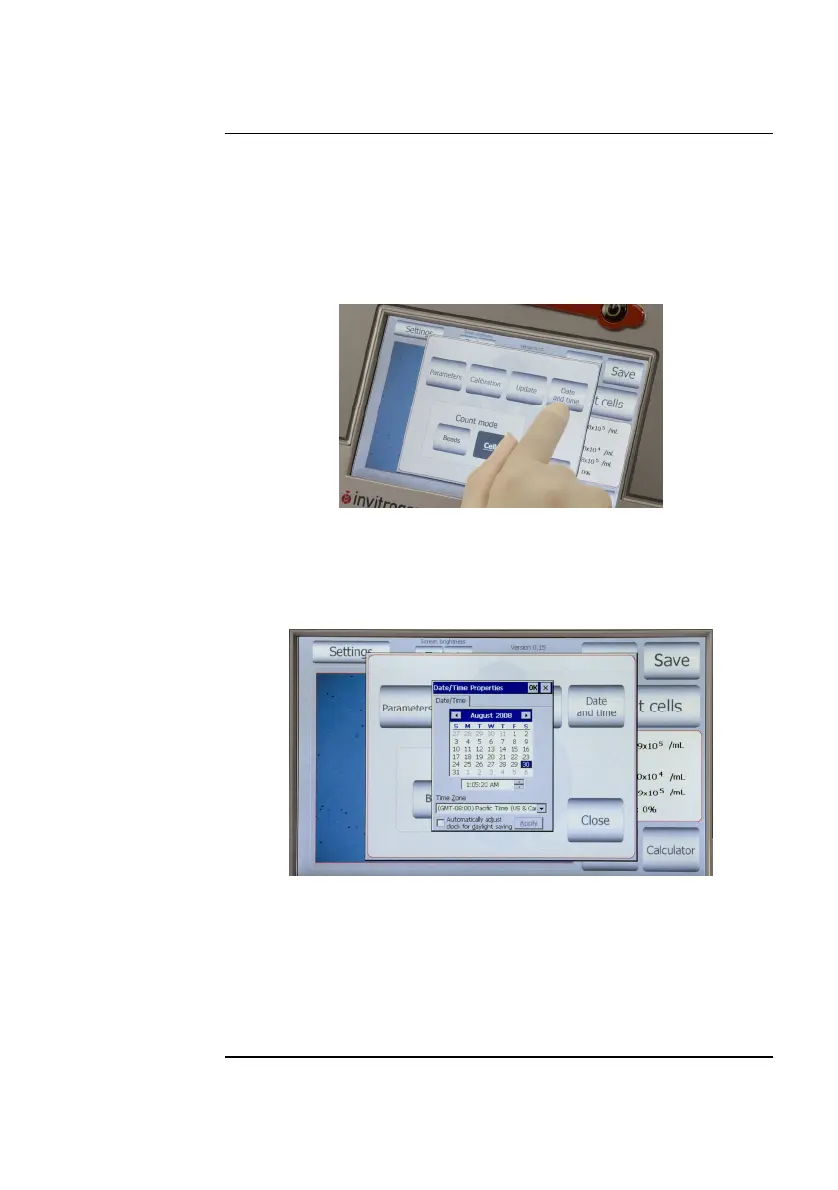
2. Press Settings and then press Date and Time.
3. The Date/Time Properties screen is displayed. To select the
month and day, scroll to the appropriate month usin
the arrow
keys and then press the day on the calendar.
Note: Use a pointed object, like a stylus or pipette tip, to push the small
buttons on the calendar.
4. To select the time, scroll to the appropriate time and select
Automatically adjust clock for daylight saving, if needed.
Press Apply or OK to make the date/time changes. The
updated date/time is displayed on the top of the window.
Once the date/time is set, there is no need to set it each time the
instrument is turned on.
5. Press Close to exit the screen.
8



 To Next Page