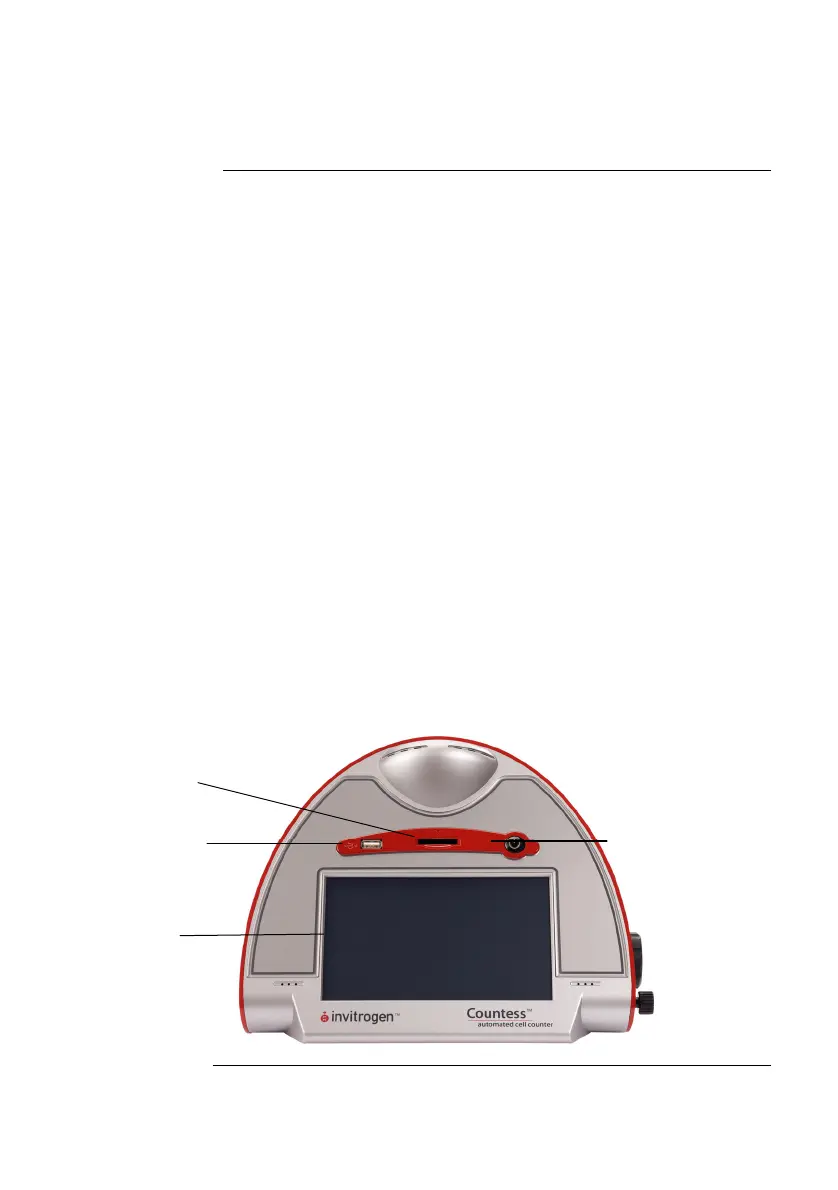
Description of Countess
™
Automated Cell
Counter
Front View of
Countess
™
Automated
Cell Counter
The Countess
™
automated cell counter is a benchtop automated
cell counter that performs cell count and viability measurements
using trypan blue stain.
The front view showing various parts of the Countess
™
automated cell counter is shown below.
Power button
The Power Button is used to turn the instrument on and off. The
red status light indicates that the instrument is off; the green
status light indicates that the instrument is on.
Touchscreen display located in the front of the instrument
contains buttons for all the functions needed and displays data
from the cell count.
Slide port
The Slide port is used to insert the Countess
™
cell counting
chamber slide containing the sample with trypan blue into the
counter for analysis.
USB port
The USB port allows you to transfer and save the cell count data
and image to your computer for record keeping and printing
purposes. The USB drive supplied with the instrument or any
other standard USB drive is inserted into the USB port for data
transfer. See page 16 for Transferring Data to a PC.
Slide
Port
USB port
Power
button
Touchscreen
Continued on next page
viii



 To Next Page