Description of Countess
™
Automated Cell
Counter,
Continued
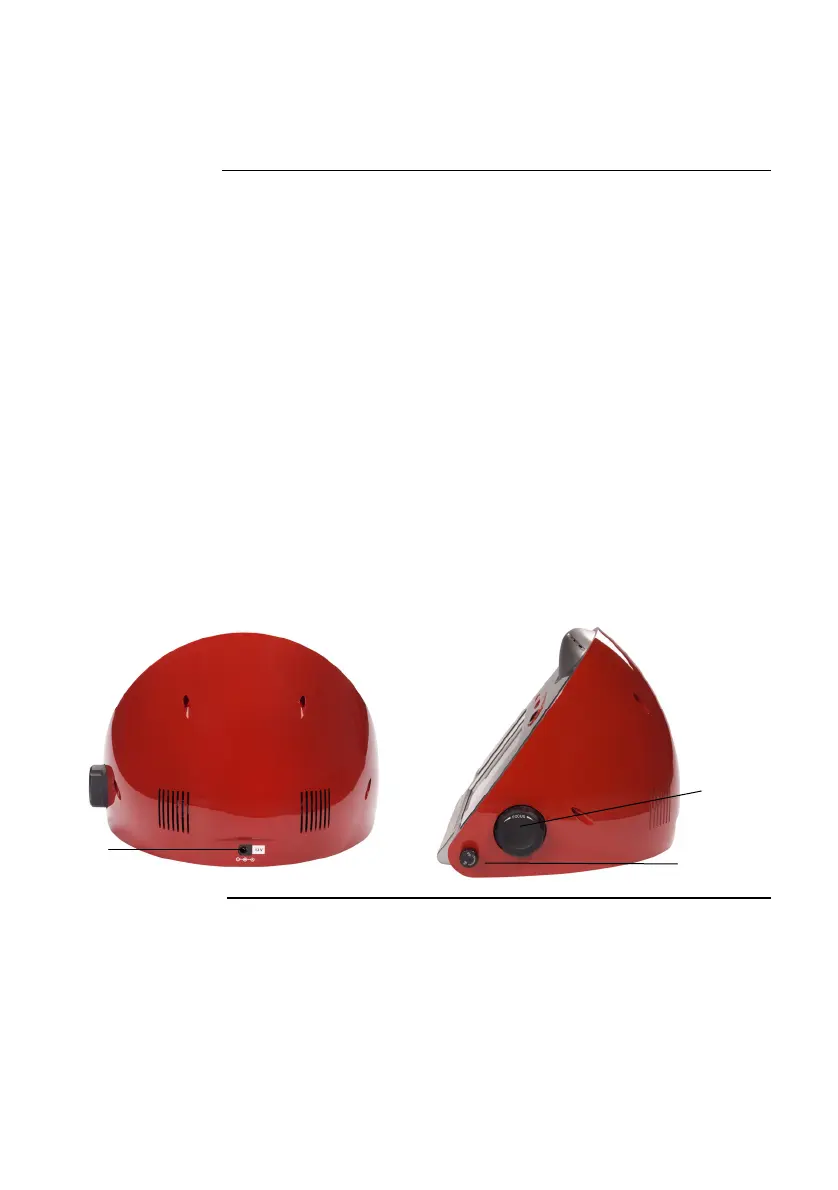
Rear and Side
View of
Countess
™
Automated
Cell Counter
The rear and side view showing various parts of the Countess
™
automated cell counter.
Power Inlet
Connect the counter to an electrical outlet using the supplied
power cord and the appropriate plug, based on the electrical outlet
configuration in your country.
Image Adjustment (Focus) Knob
The Image Adjustment (Focus) knob is used to adjust the image
quality to obtain better contrast between live (bright centers) and
dead (dark blue centers) cells. This is important to obtain accurate
cell counts and viability measurements. See page 14 for details.
Foc
us
Lock Knob
The Focus lock knob is used to lock the Image Adjustment (Focus)
knob once the image is optimized. There is no need to use the
Focus lock knob, but is available for convenience, if you are
measuring multiple samples of the same cell type.
Rear View Side View
Focus
knob
Power
inlet
Focus
lock
Continued on next page
ix



 To Next Page