27
3.1 4 Digits LCD-Display.
Connect the "TRINITY200LED to the mains. The device performs the usual reset procedure. Wait until it's done. The
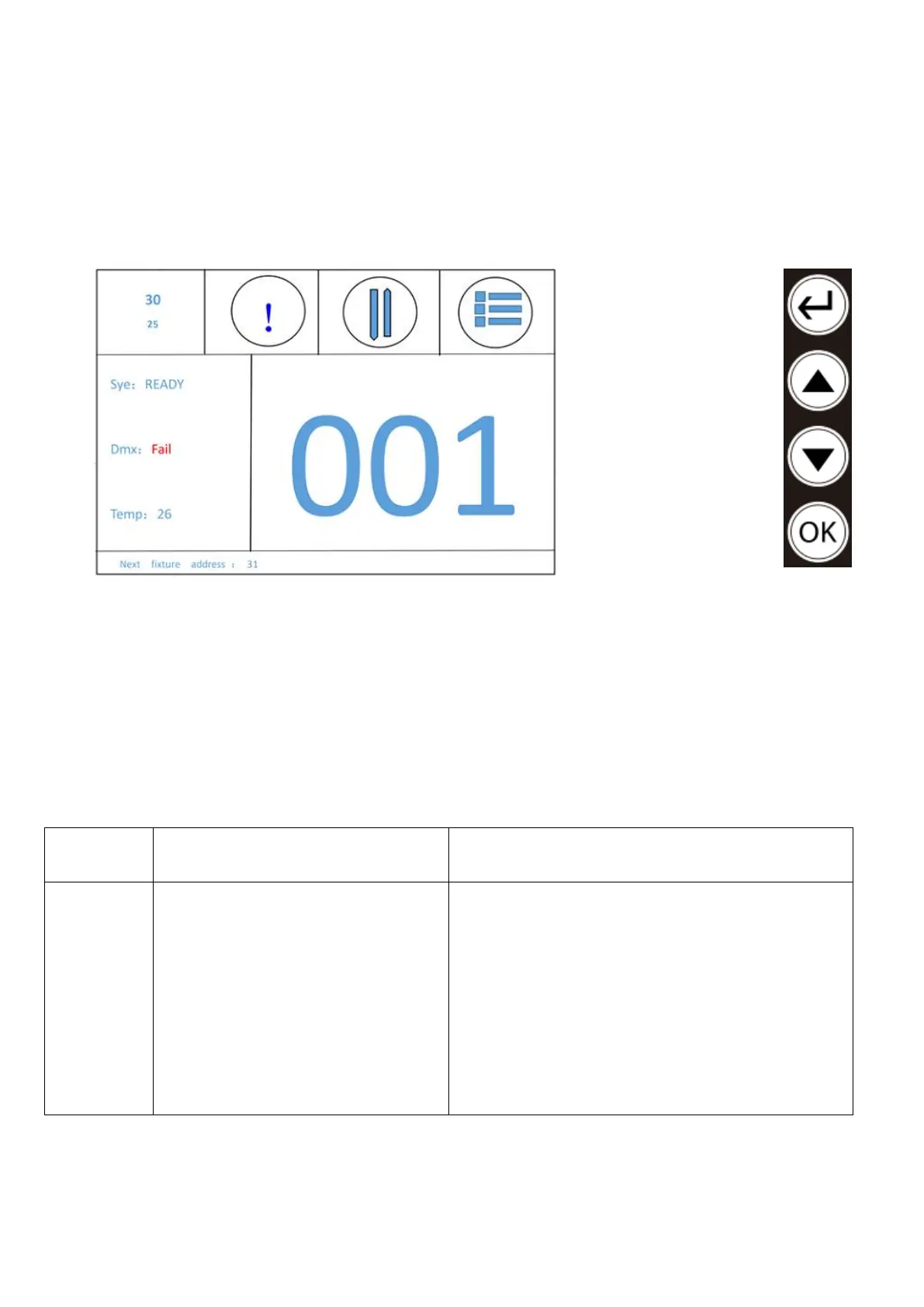
LCD display with 4-button operation is the heart of the "TRINITY200LED". This can be used to set all functions and
modes. Below, the individual functions and modes are listed in tabular form.
1. Switch DMX channel mode
2. Product information
3. Invert display
4. Menu
5. Instructions
6. DMX start address
7. DMX start address for subsequent device
3.2 Menu structure
DMX addressing.
a) Press the (Enter) key until “DMX Address” is
displayed.
b) Press the ▲ (Up) or ▼ (Down) button to select the
desired address.
c) As soon as the correct address is shown on the
display, confirm with the (OK) key
d) Press the (Return) key to exit the selection without
saving.


 To Next Page