Panther Instrument User Manual V1.0
Pioneering Gas Sensing Technology. Page 12 of 24 ionscience.com/usa
Instrument Main Screen Explained
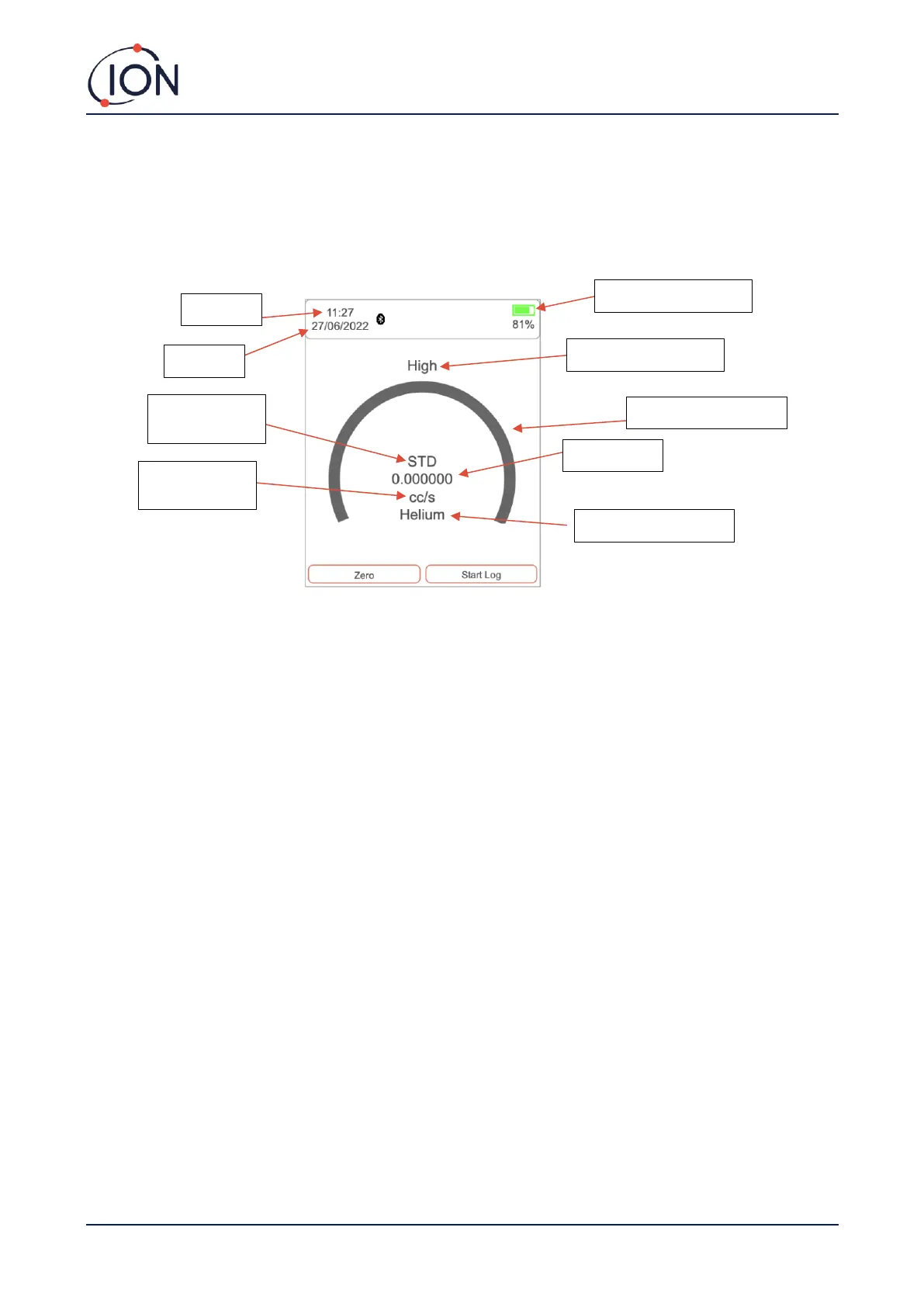
Panther displays the 'Instrument Main Screen' whenever the instrument is being used to detect gas, the illustration
below outlines the various information and icons on the sheet.
Sensitivity
Panther has three (3) sensitivity levels, high, medium, and low. You can adjust the sensitivity by using the ‘UP’ and
‘DOWN’ arrow while on the instrument main screen. When the instrument is set to low, it will increase in steps of 1000+.
When set to medium, it will increase in steps of 100. When set to high, it will increase in steps of 10 (when set to
measurement unit: ppm).
Reading display
This is selected in the System Settings. It can be one of three possibilities. Standard readings display will not register any
readings below zero. Absolute, will measure both positive and negative number but display all of them as a positive
reading. Negative, will measure and display all negative and positive readings.
Measurement units
You can find the measurement unit below the gas reading on the main screen. To change the measurement unit, go to
the main settings page. Scroll down to ‘Measurement Units’ and select your required measurement unit. Measurement
units only appear when you have the corresponding calibration loaded.



 To Next Page