Panther Instrument User Manual V1.0
Pioneering Gas Sensing Technology. Page 15 of 24 ionscience.com/usa
Calibration Management
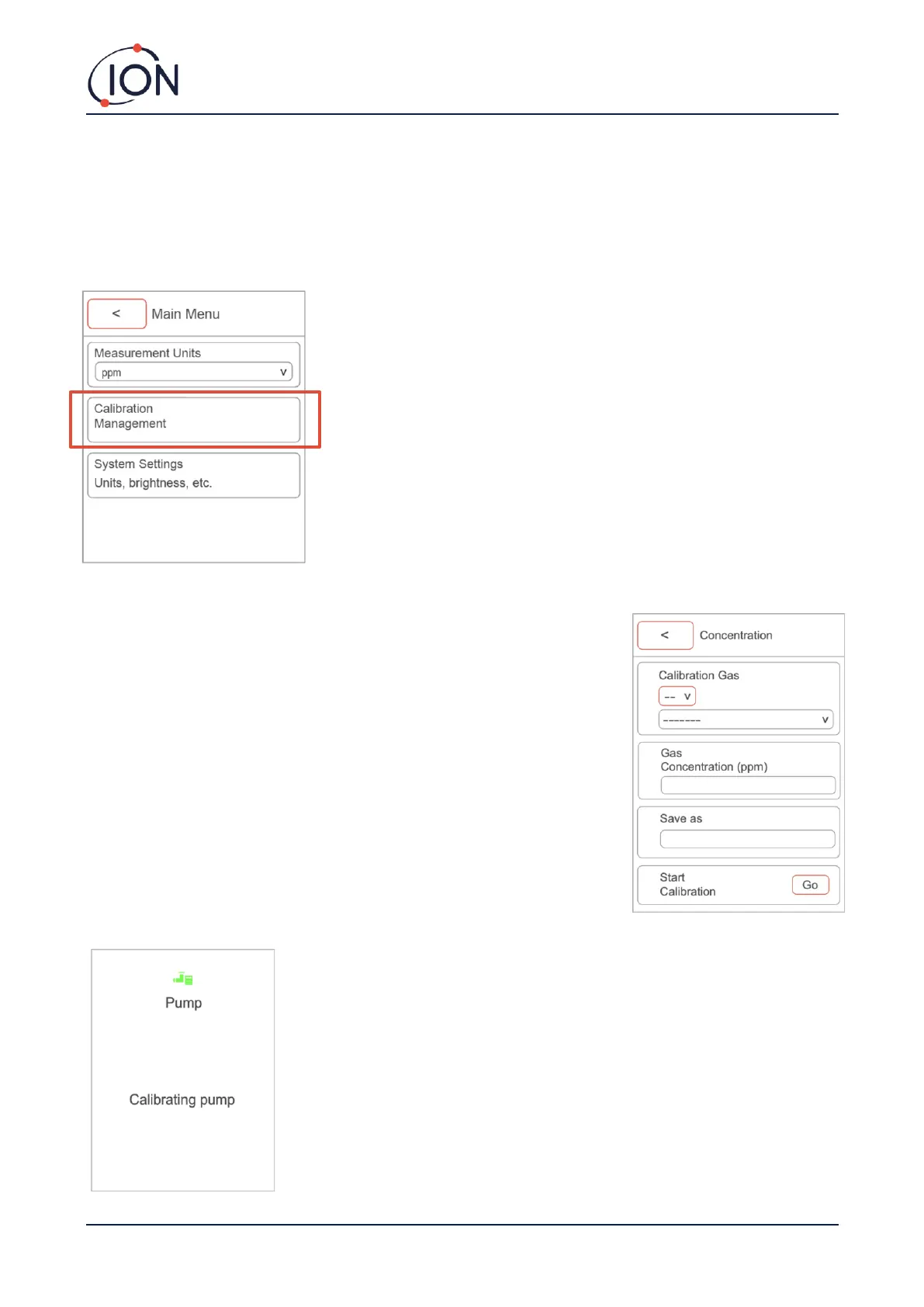
To access the Calibration Management on your Panther instrument, click the ‘MENU/SELECT’ button while on the
main screen to access the Main menu.
Once you are in the Main menu, use the ‘DOWN’ button and click on ‘Calibration Management’ by pressing the
‘MENU/SELECT’ button.
Within Calibration Management, you can access the following:
Pump calibration: This option will run the pump calibration. The temperature and
pressure will be measured and used to set the pump to the correct flow rate.
New calibration: This option will firstly provide you with two options,
concentration calibration (ppm) and leak calibration. Please find ‘Concentration
calibration (ppm)’ and ‘Leak calibration’ process below:
Concentration calibration (ppm): Select your chosen gas. To select your chosen
gas, select the first letter of the gas you are looking to detect. Then press ‘DOWN’
to the next option and search for the calibration gas. Once you have found the
calibration, press the ‘MENU/SELECT’ button.
After you have confirmed the calibration gas, you will need to type in the gas
concentration. Press ‘save as’ and name the calibration. Then press ‘DOWN’ and
select ‘go’ to start calibration.
The instrument will then start the ‘Pump calibration’.



 To Next Page