Panther Instrument User Manual V1.0
Pioneering Gas Sensing Technology. Page 19 of 24 ionscience.com/usa
Probe options
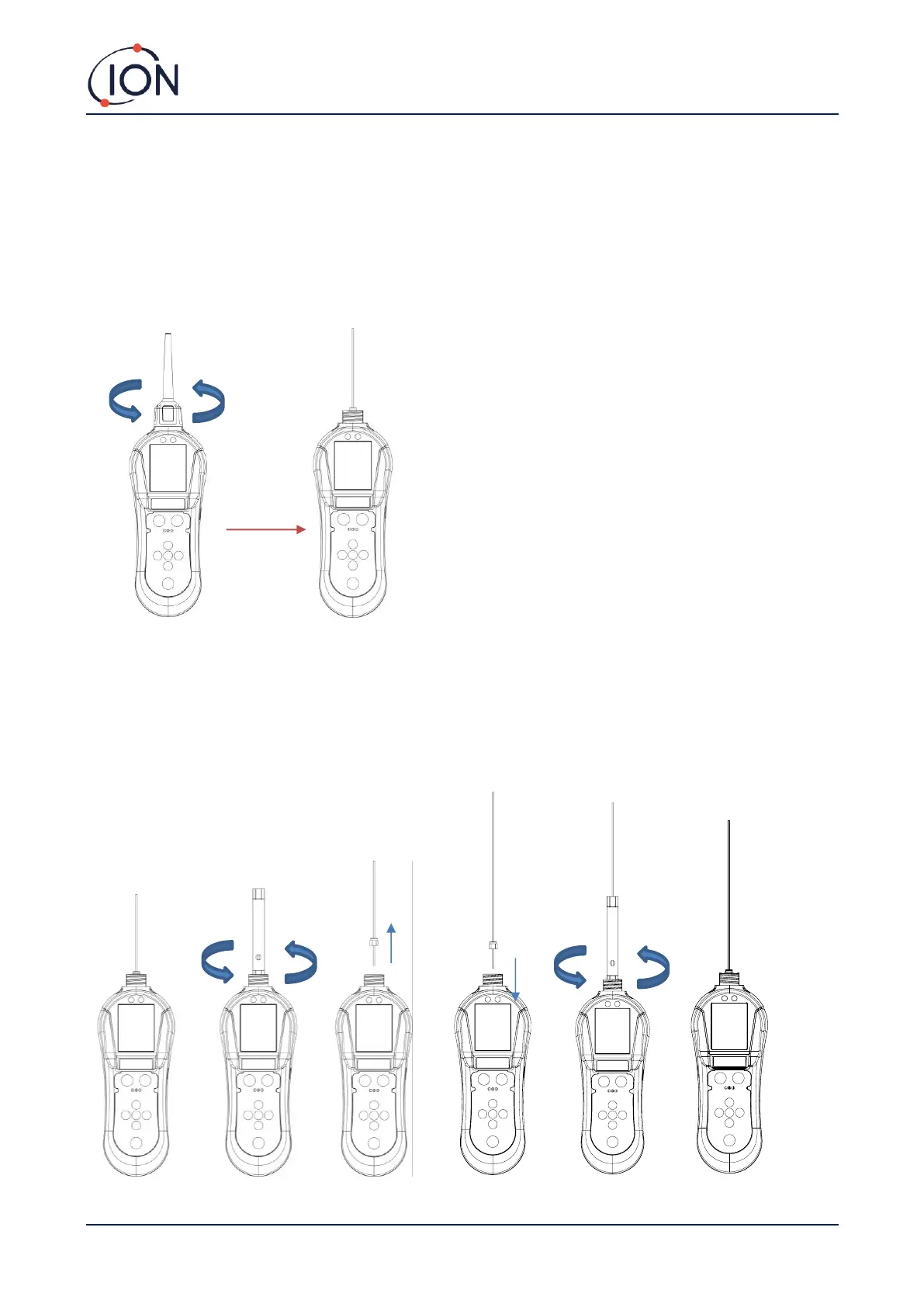
In some applications, the probe cover might restrict access to the area that requires testing. You can remove the
probe cover by twisting it off from the instrument body (anti-clockwise). Once the probe cover is removed, take care
when using the instrument as the instrument probe is delicate.
Removing the probe cover can help with pinpointing a leak more accurately by using the probe sleeve.
Some applications might require a longer probe to gain access to pneumatic joints and seams. The Panther PRO is
supplied with a 20cm flexi probe that can be changed by the user. To change the probes, following the below steps:
1. Turn the instrument off
2. Carefully remove the 10cm probe from the instrument body by using the box spanner provided in the case kit
(the box spanner will fit over the brass nut)
3. Take your 20cm flexible probe and connect it to the instrument body by using the box spanner.



 To Next Page