Panther Instrument User Manual V1.0
Pioneering Gas Sensing Technology. Page 18 of 24 ionscience.com/usa
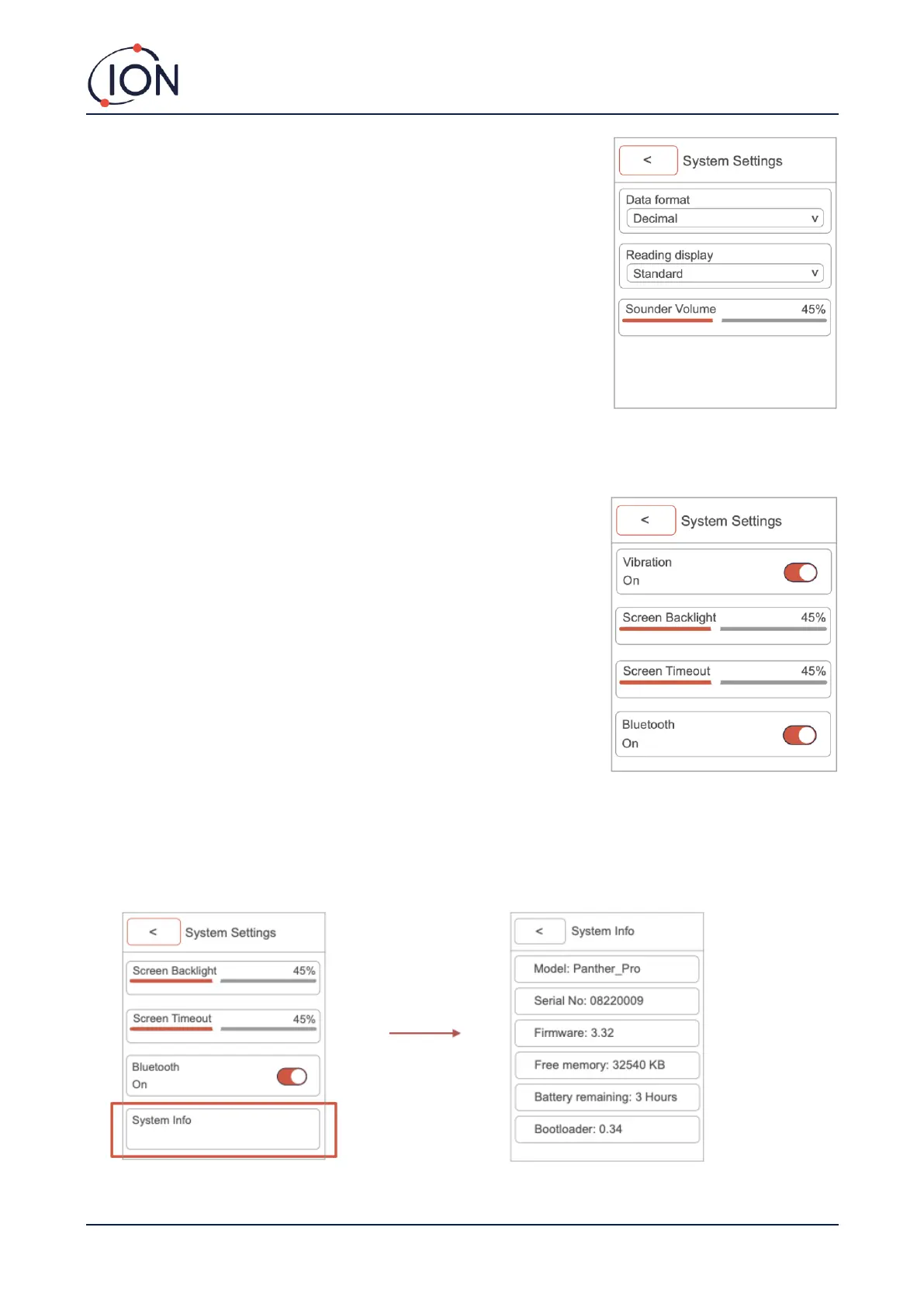
Data format (decimals or exponents):
This is where you choose the instruments display reading format, either
decimals or exponents.
Readings display:
This is selected in the System Settings. It can be one of three possibilities.
Standard readings display will not register any readings below zero.
Absolute, will measure both positive and negative number but display all of them
as a positive reading. Negative, will measure and display all negative and positive
readings.
Sounder volume:
Allows you to adjust the alarm volume of the instrument (0-100).
Vibrations:
This allows you to turn vibration on and off.
Screen backlight:
Allows you to adjust screen brightness level (10%-100%).
Screen timeout:
Allows you to set how long the instrument display is turned on. (Off, 1-10
minutes)
Bluetooth on/off:
Use the toggle button to turn the instruments Bluetooth on and off.
This option is only available on Panther PRO.
System information:
Provides you with: Panther model, serial number, firmware, memory, battery remaining and bootloader.



 To Next Page