Page 3-2
CORNERMATIC PLUS
cause injury. Replace worn nuts, bolts, screws, etc., being sure they are of equivalent
quality of those being replaced.
9. Do not use an air hose to clean the machine. Air pressure may drive dirt and small
chips into bearing surfaces or cause bodily injury.
B. LOADING CORNERS
The Cornermatic Plus utilizes pre-packaged corners that are loaded through an opening in the
top of the Cornermatic Plus. Follow the procedure below for proper installation of the corners.
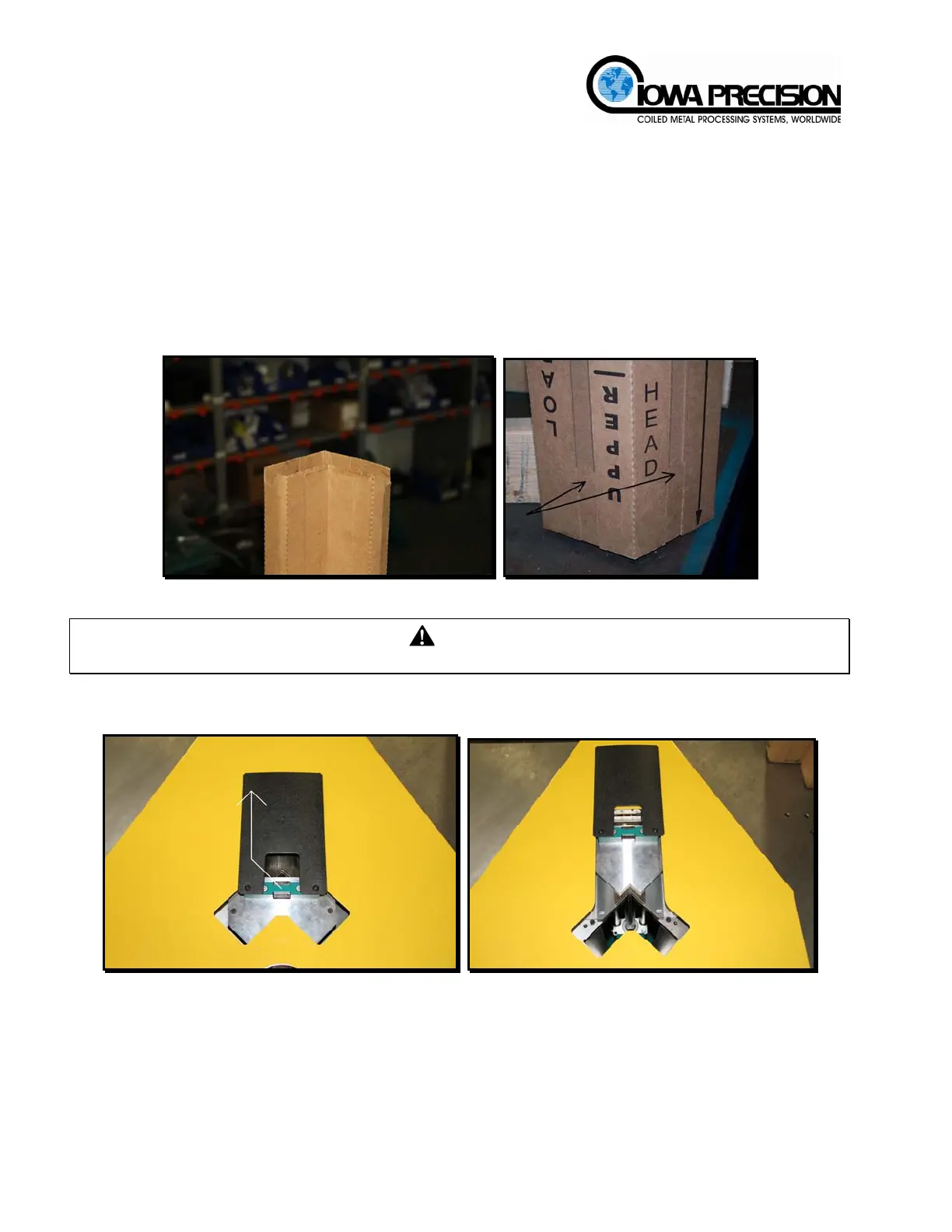
1. Remove the perforated top and the two perforated tabs located at the bottom of the
cardboard sleeve. Do NOT remove the corners from the cardboard packaging.
Figure 3-1 Pre-packaged Corners
NOTICE
Failure to remove the top and/or bottom tabs will result in a machine jam and malfunction.
2. Lift up on and slide the presser cover back to expose the opening. Verify electrical and
pneumatic power have been shut off.
Figure 3-2 Presser Cover
3. Lower the packaged corners into the Cornermatic Plus. DO NOT remove the
cardboard wrapper from the corners.
H. WEISS MACHINERY & SUPPLY
H. WEISS MACHINERY & SUPPLY
PHONE: (718) 605-0395 - www.hweiss.com



 To Next Page