Page 2-5
CORNERMATIC PLUS
switch. Power is removed by depressing the POWER OFF push-button switch, or by
unplugging the machine from the power source.
E. CONTROLS
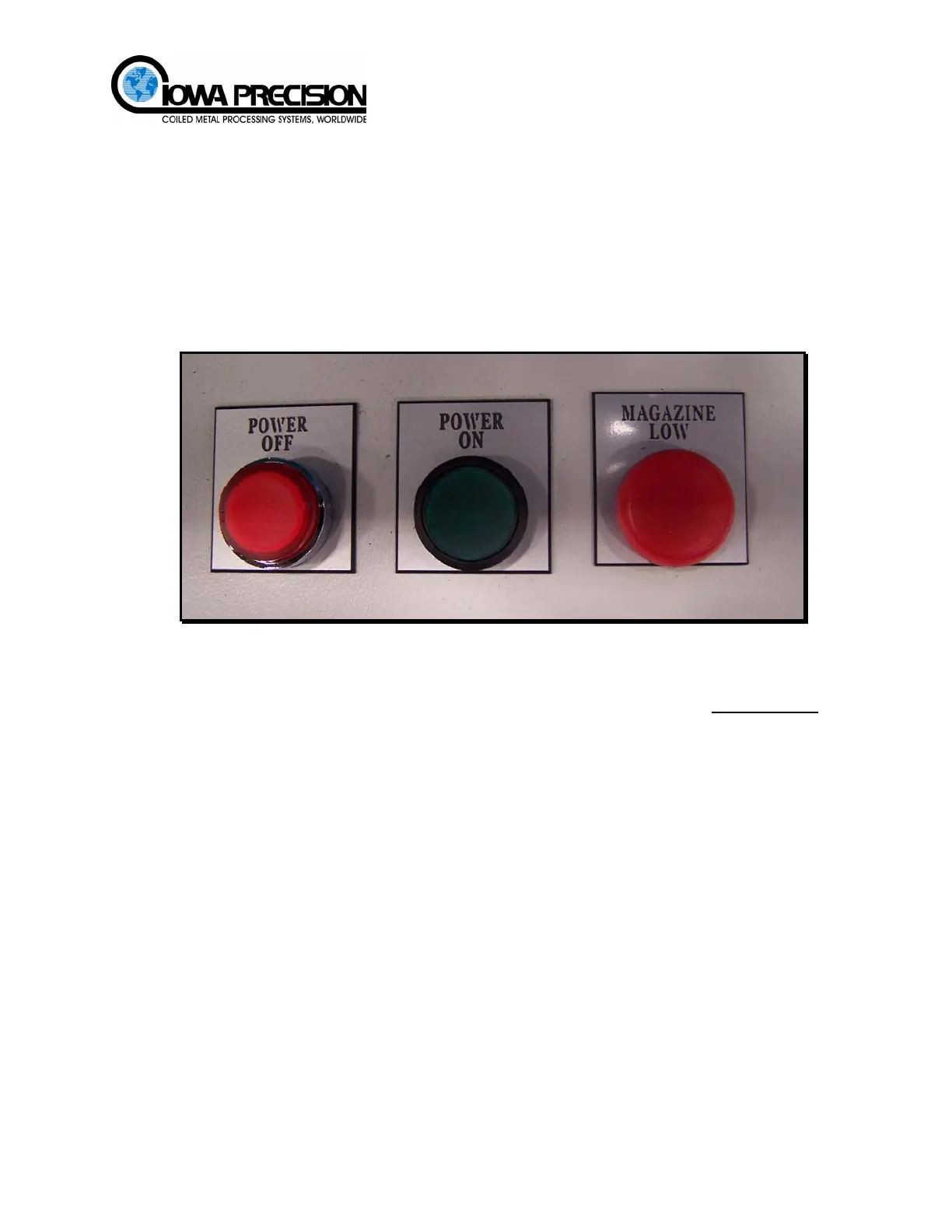
(1) POWER OFF
A red push-button switch used to shut off the power to the Cornermatic Plus.
(2) POWER ON
A green push-button switch used to apply power to the Cornermatic Plus. When power is
applied the switch will illuminate.
Figure 2-6 Control Panel Switches
(3) MAGAZINE LOW
A red indicator lamp, that illuminates when the corner magazine has approximately
4
corners left in the magazine.
(4) Control Sequence
The machine operation is controlled by a series of timers within the PLC. The sequence is
activated by two cycle start levers (A) located on duct fittings platform. These levers
activate two electrical switches that connect to inputs 0.0 and 0.1 of the PLC. Once these
two inputs are activated, the sequence begins and steps through to completion. Both
sequence start switches must be released before the next cycle can begin. If either switch
should stick ON the unit will cease to function.
H. WEISS MACHINERY & SUPPLY
H. WEISS MACHINERY & SUPPLY
PHONE: (718) 605-0395 - www.hweiss.com



 To Next Page