10
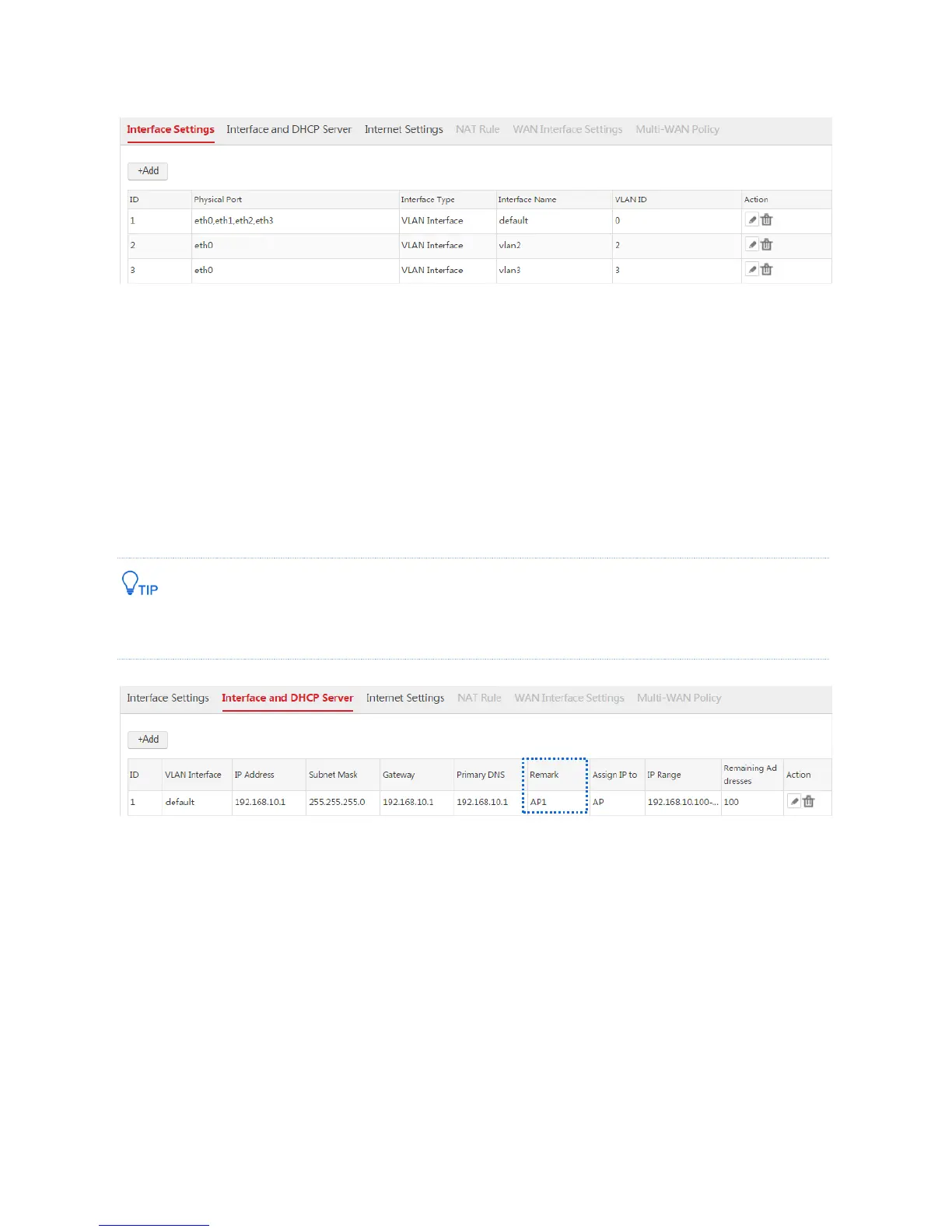
When you complete the step 1, the VLAN interface configurations are displayed. See the following figure.
Step 2: Configuring the Interfaces and DHCP Servers
On the Network Setting > Network Setting > Interface and DHCP Server page, configure three DHCP
servers on the created interfaces respectively. The DHCP servers are used to assign IP addresses to
AP1, AP2, and AP3.
1. Configure the DHCP server used to assign an IP address to AP1
According to step 1, AP1 uses the default VLAN interface to connect to the AC, so you can use the
default DHCP server to assign an IP address to AP1.
To Identify the DHCP server more easily, you can change the remark of the DHCP server to "AP1". See the
following figure.
2. Configure the DHCP server used to assign IP address to AP2
1) Click Add.
2) Configure the parameters in the window.
VLAN Interface: Select "vlan2".
IP Address: Set an IP address for the VLAN interface, such as "192.168.20.1".
Subnet Mask: You can keep the default value.
DHCP Server: Select "Enable".
Remark: Set a name for the DHCP server, such as "AP2".
Primary DNS: In this example, you can set the primary DNS IP address "192.168.20.1" as the
DHCP server IP address.



 To Next Page