22
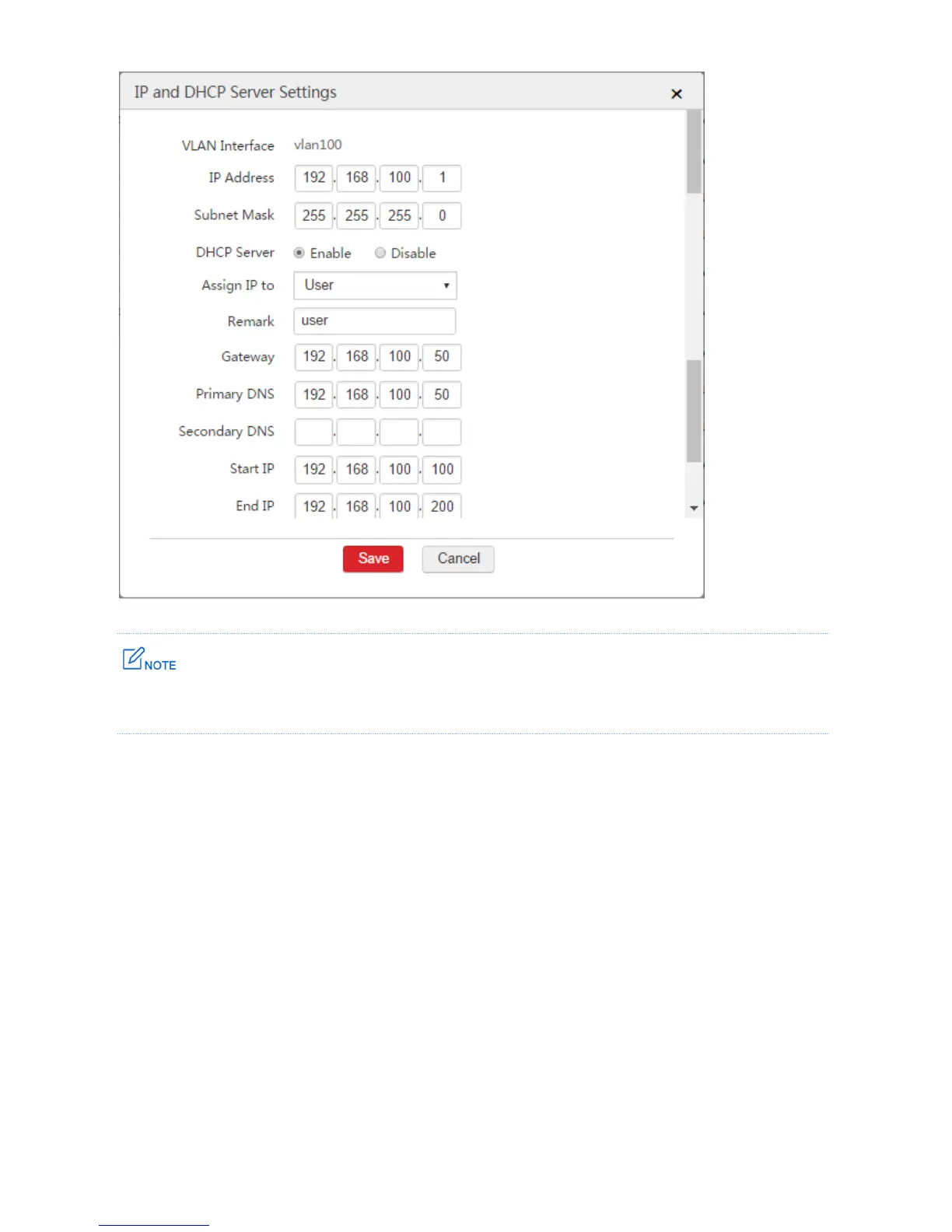
The gateway is the LAN IP address 192.168.100.50 of the router instead of the IP address of the VLAN
interface of the AC.
Step 3: Create SSID Policy
1. Choose Wireless Policy > SSID Policy > SSID Policy.
2. Click Add.
3. Configure the parameters in the window.
Policy: Set a name for the SSID policy, such as "vlan100".
SSID: Set a name for the wireless network, such as "vlan100".
Security Mode: Select a security mode for the wireless network, such as "WPA2-PSK".
Encryption: It is recommended to select "AES".
Password: Set a password for wireless network, such as "12345678".
Forwarding Mode: Select "Centralized".
VLAN Interface: Select the configured VLAN interface "vlan100".
4. Click Save.



 To Next Page