28
WAN Interface Is Created
After creating the WAN interface, you can configure the internet settings. Before configuring the internet
settings, you need to recognize your internet connection type by referring to the following table or
contacting your ISP.
The ISP provides you a PPPoE user name and password.
The ISP does not provide you any account information, or the ISP tells you that the internet
connection type is "DHCP".
The ISP provides you some fixed IP addresses, such as IP address, subnet mask, gateway, and
DNS address.
PPPoE
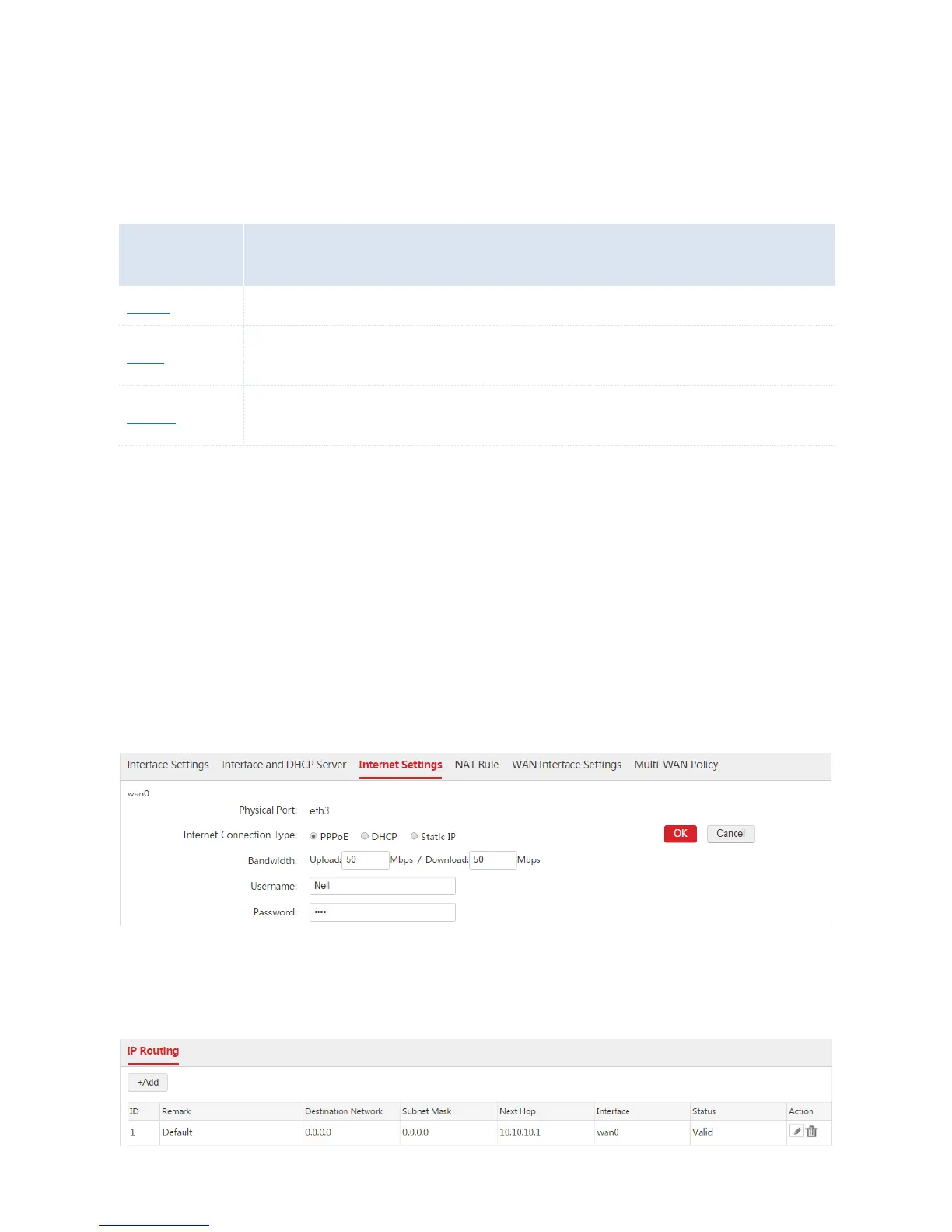
1. Choose Network Setting > Network Setting > Internet Settings and find the WAN interface to be
configured.
2. Internet Connection Type: Select "PPPoE".
3. Bandwidth: Enter the bandwidth provided by your ISP. If you are uncertain, contace your ISP.
4. Username/Password: Enter the user name and password provided by your ISP.
5. Click OK.
6. Click Connect.
Wait a moment. When the Internet Connection Status is displayed as "Connected", the AC is
successfully connected to the internet. Besides, the AC generates a default route. You can choose
Network Setting > IP Routing to view the route. See the following figure.



 To Next Page