30
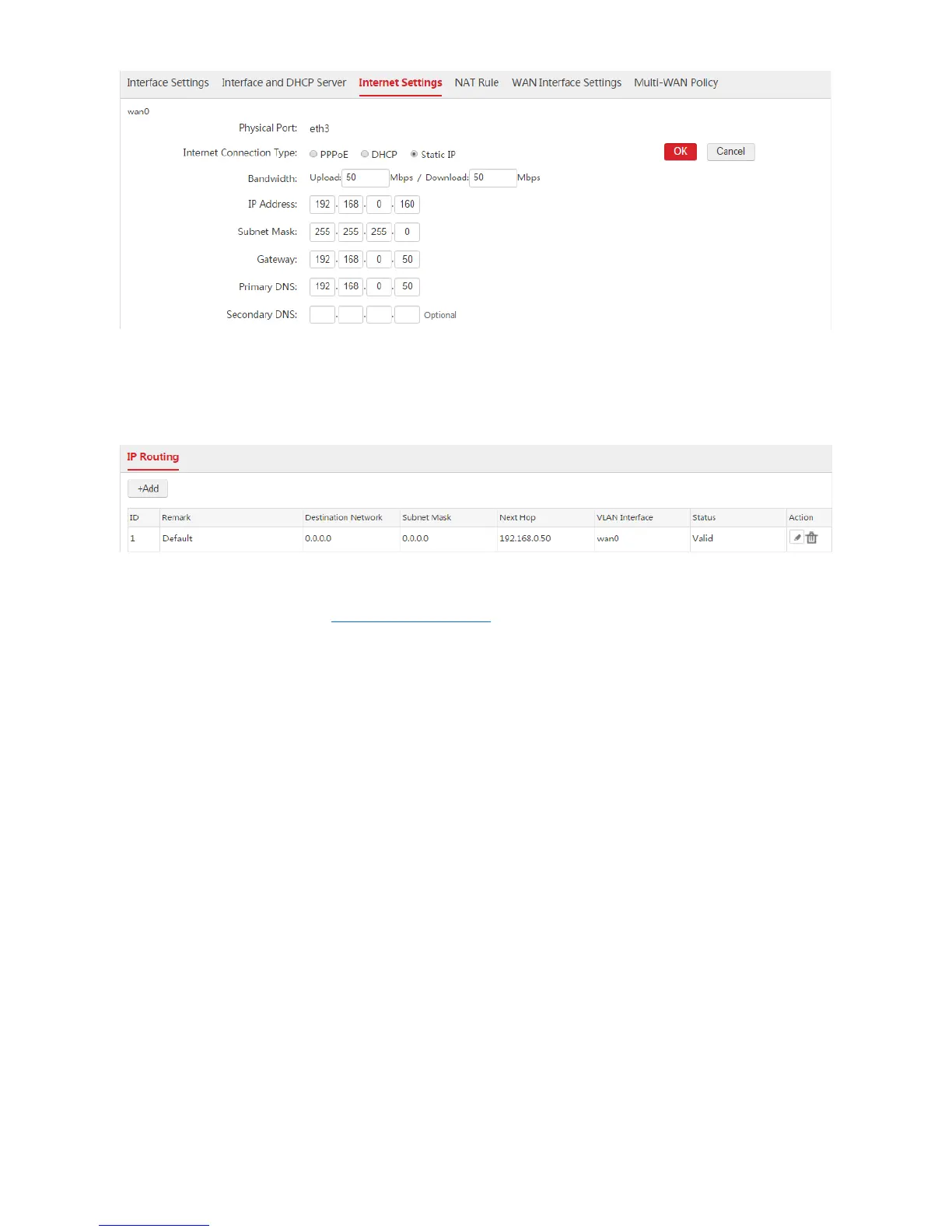
Wait a moment. When the Internet Connection Status is displayed as "Connected", the AC is
successfully connected to the internet. Besides, the AC generates a default route. You can choose
Network Setting > IP Routing to view the route. See the following figure.
If the AC cannot connect to the internet, choose Network Setting > Network Setting > WAN Interface
Settings and try modifying the WAN Interface Settings.
1.3.3 Example of Internet Settings
WAN Interface Is Not Created
Networking Requirement
To locate network problems more correctly, the network administrator needs to make the AC connect to
the internet to ensure that the system time of the AC synchronizes with the internet time.
Assumption:
The ports of the switch connected to the router and AC do not configure VLAN function.
The router is connected to the internet.
The LAN IP address of the router is 192.168.0.50 and the router is a DNS proxy server.



 To Next Page