44
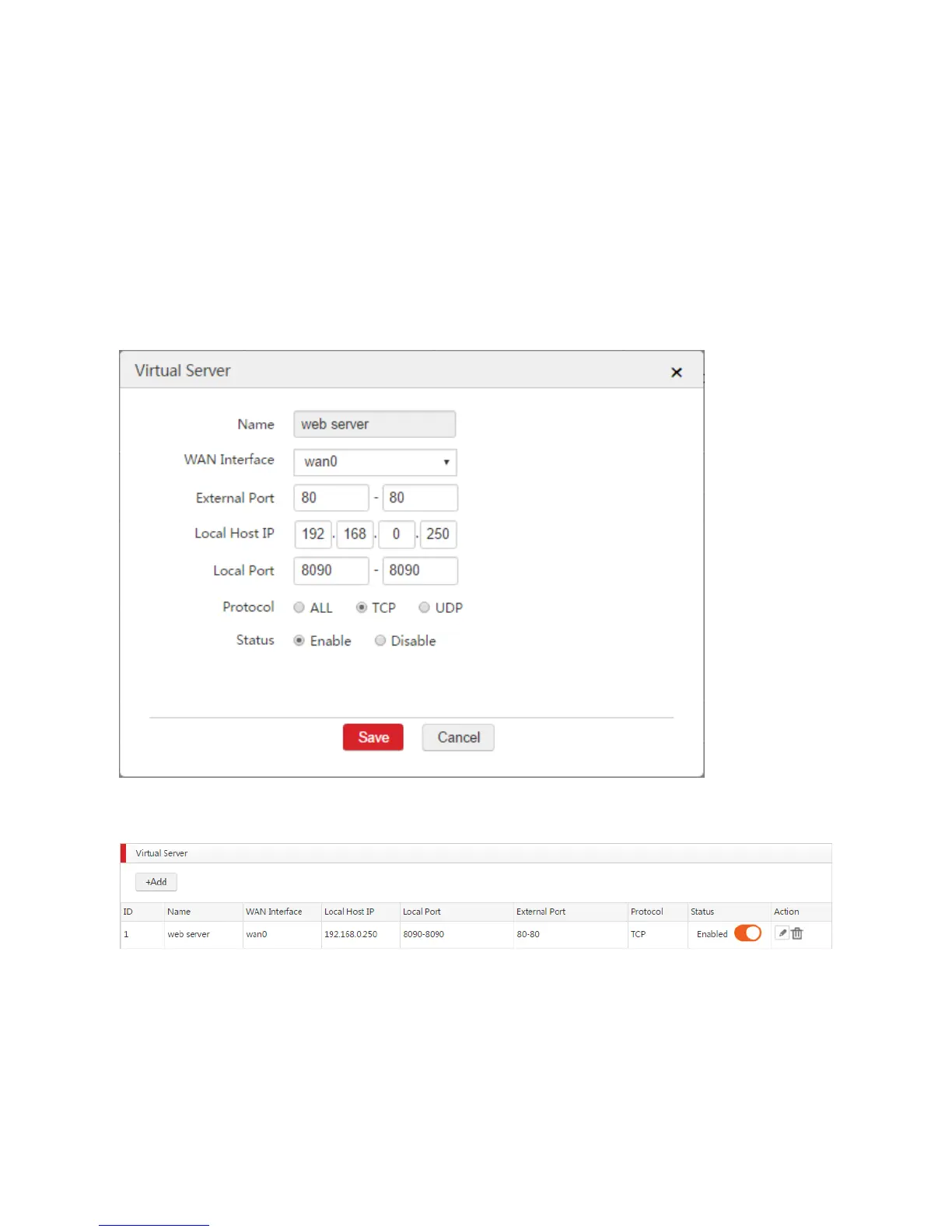
Name: Enter a description for this rule, such as web server.
WAN Interface: Select the WAN interface that internet users need to use to access the web server.
In this example, it is WAN0.
External Port: Enter the port that internet users need to use to access the web server. In this
example, it is 80.
Local Host IP: Enter the IP address of the web server. In this example, it is 192.168.0.250.
Local Port: Enter the enabled port of the web server. In this example, it is 8090.
Protocol: Select ALL or TCP. (A web server uses the protocol TCP.)
Status: Select Enable.
4. Click Save.
End: See the following figure.
Verification
If the virtual server is configured successfully, internet users can use http://WAN IP address:external port
to access the web server. In this example, internet users can use http://202.105.11.22:80 to access the
web server.



 To Next Page