69
Procedure
All the configurations are set on the AC.
Procedure:
Step 1: Create WAN Interface
1. Remove the physical port as a WAN interface from the previous VLAN interface.
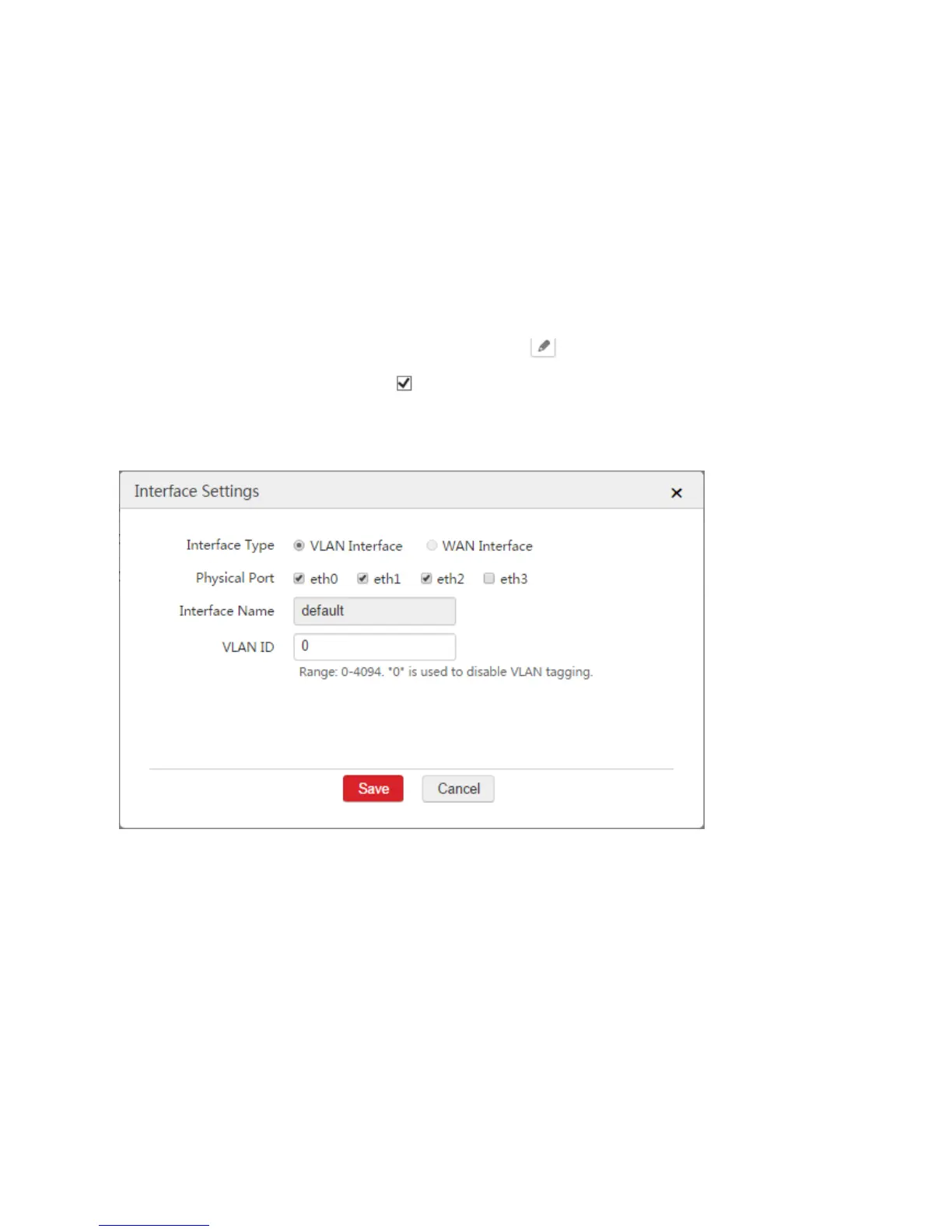
1) Choose Network Setting > Network Setting > Interface Settings.
2) Find the VLAN interface such as "default" and click .
3) Physical Port: Unselect the box of the physical port as a WAN interface. In this example, the
physical port is "eth3".
4) Click Save.
2. Create WAN Interface
1) Choose Network Setting > Network Setting > Interface Settings and click Add.
2) Configure the parameters in the window.
Interface Type: Select "WAN Interface".
Physical Port: Select the physical port to be set to a WAN interface, which is "eth3" in this
example.
Interface Name: Set a name for the interface, such as "wan0".
3) Click Save.



 To Next Page