70
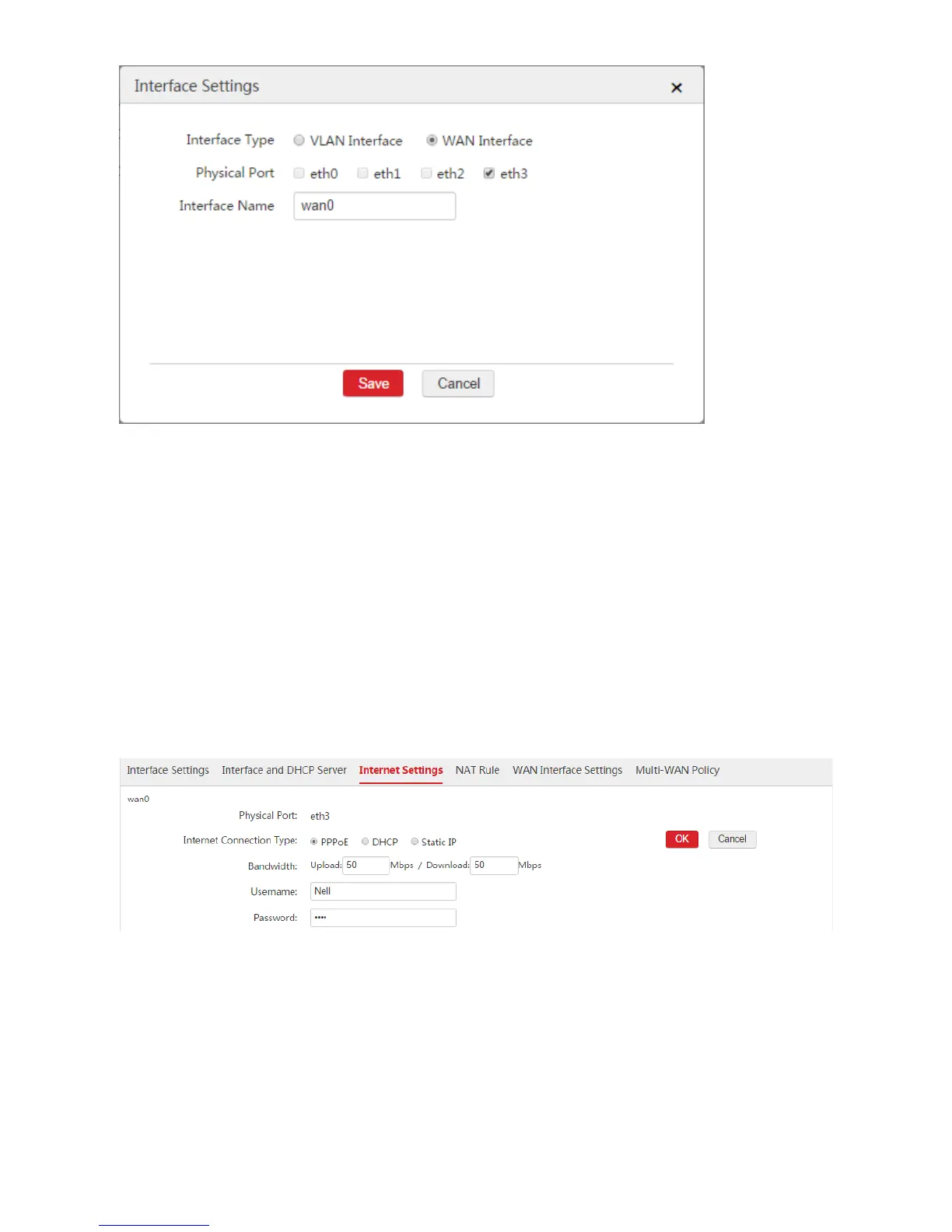
Step 2: Configure Internet Settings
1. Choose Network Setting > Network Setting > Internet Settings.
2. Internet Connection Type: Select "PPPoE".
3. Bandwidth: Enter the bandwidth provided by the ISP. In this example, both the upload and download
bandwidth are "50Mbps".
4. Username/Password: Enter the user name and password provided by your ISP. In this example, both
the user name and password are "Nell".
5. Click OK.
6. Click Connect.
Step 3: Configure VLAN Interface
Configure the VLAN interface on the Network Setting > Network Setting > Interface Settings page.
According to the networking requirement, the eth0 port of the AC does not need to configure VLAN ID
and belongs to the default VLAN interface. So we can use the default VLAN interface.



 To Next Page