71
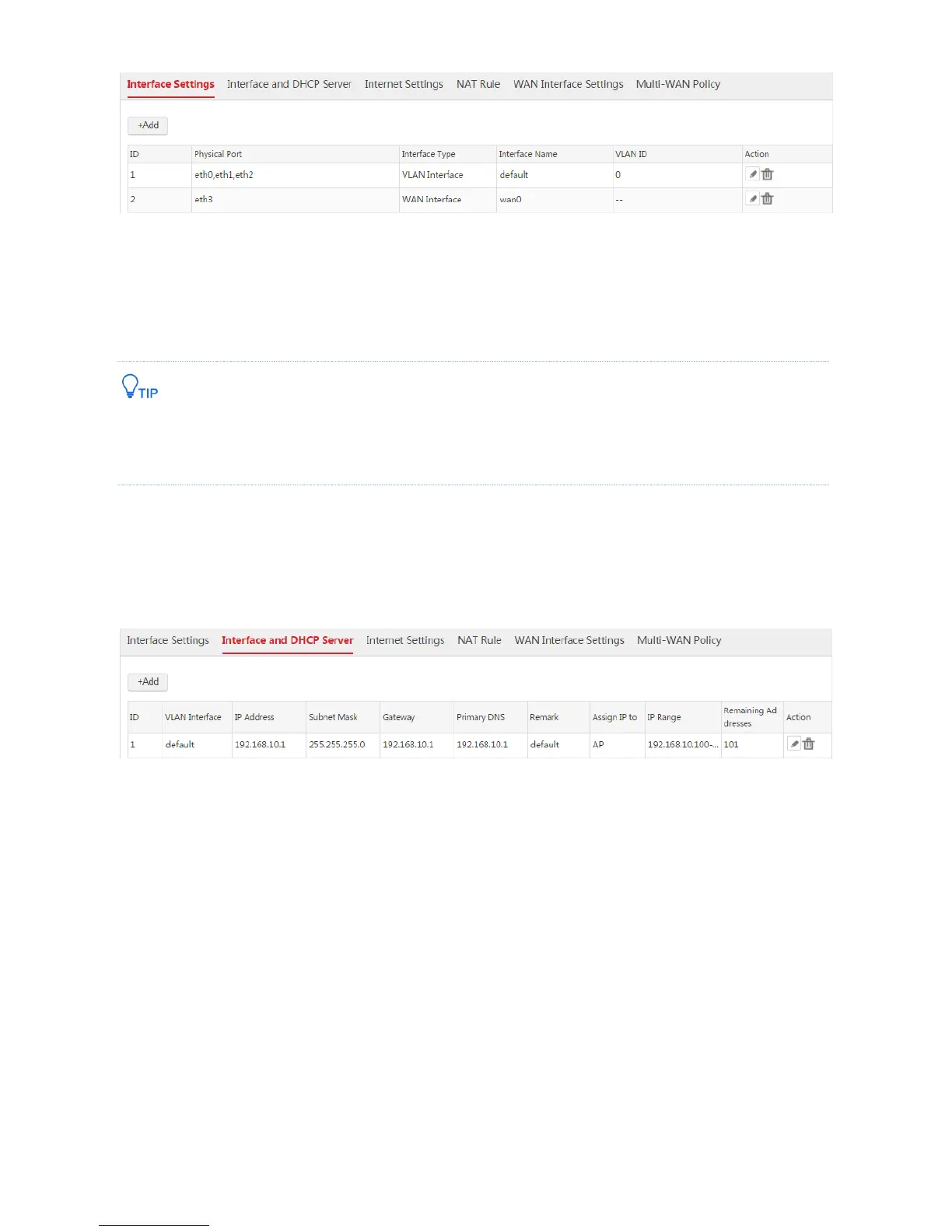
Step 4: Configure Interface and DHCP Server
Choose Network Setting > Network Setting > Interface and DHCP Server and create two DHCP
servers used to communicate with the APs and the users/router respectively.
Set the IP addresses of the users to belong to the network segment of the LAN IP address of the router. In this
case, the router does not need to support the function of creating NAT rules. Otherwise, the router must
support the function.
1. Configure the DHCP server used to communicate with the APs
As the AC provides a default DHCP server used to assign IP addresses to APs, so we can use the
default DHCP server.
2. Configure the DHCP server used to communicate with both the users and the router
1) Choose Network Setting > Network Setting > Interface and DHCP Server and click Add.
2) Configure the parameters in the window.
VLAN Interface: Select the configured VLAN interface from Step 3, which is "default".
IP Address: Set an IP address for the VLAN interface that is on the network segment of the LAN
IP address of Router1, such as "192.168.100.1".
Subnet Mask: You can keep the default value.
DHCP Server: Select "Enable".
Assign IP to: Select "User".
Remark: Set a name for the DHCP server, such as "user".
Gateway: Enter the IP address of the VLAN interface, which is "192.168.100.1".
Primary DNS: Enter a DNS server address or DNS proxy server address, which is
"202.96.134.133" in this example.



 To Next Page