87
2) Click Add.
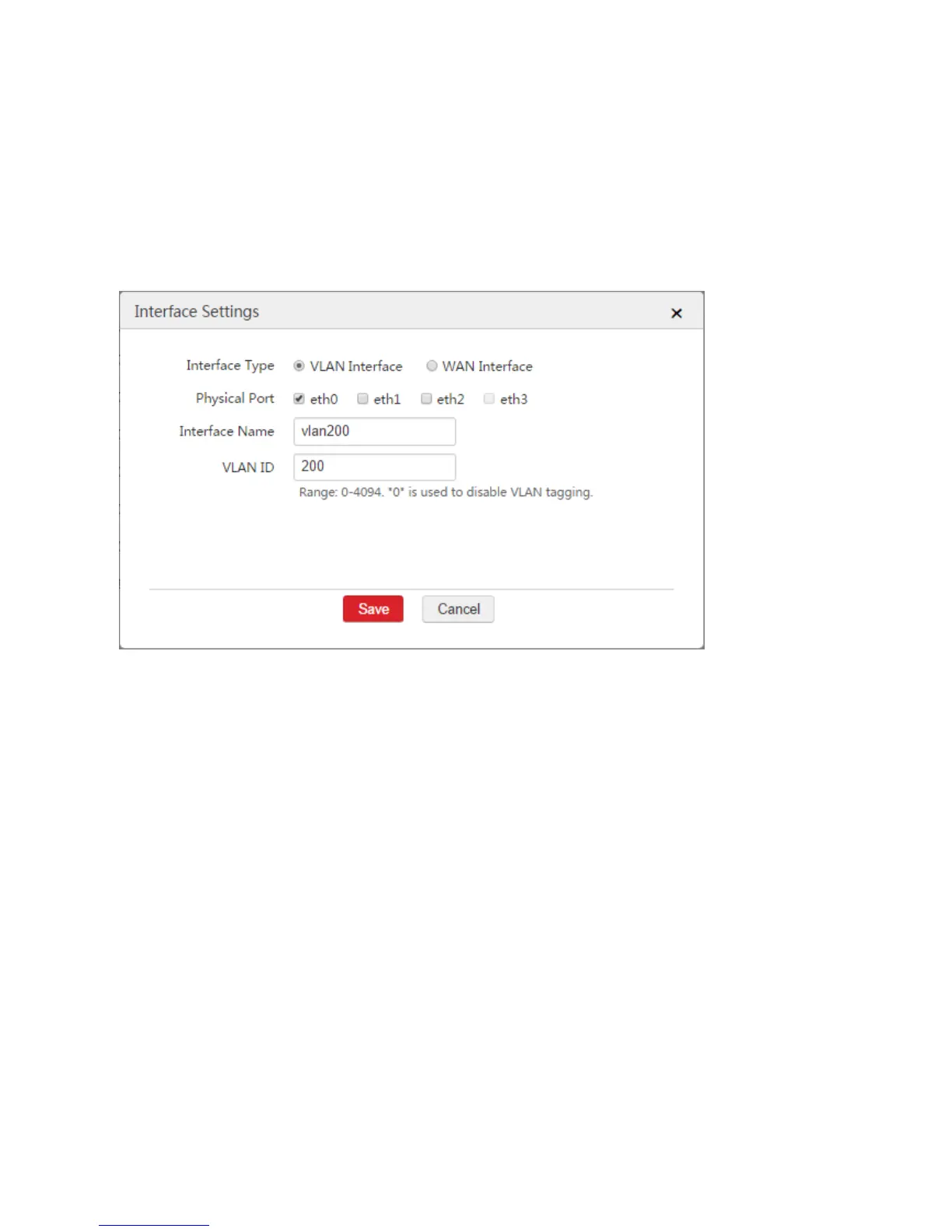
3) Configure the parameters in the window.
Interface Type: Select "VLAN Interface".
Physical Port: Select the physical port connected to the switch, which is "eth0" in this example.
Interface Name: Set a name for the VLAN interface, such as "vlan200".
VLAN ID: Enter the VLAN ID of the LAN network of Router1 , which is "200" in this example.
4) Click Save.
Step 2: Configure Interface and DHCP Server
1. Configure the DHCP server used to communicate with the Router1
1) Choose Network Setting > Network Setting > Interface and DHCP Server.
2) Click Add.
3) Configure the parameters in the window.
VLAN Interface: In this example, select "vlan100".
IP Address: Set an IP address for the VLAN interface belonging to the network segment of the
LAN IP address of Router1, such as "192.168.100.1".
Subnet Mask: You can keep the default value.
4) Click Save.



 To Next Page