C
HAPTER
11
| Quality of Service
Creating QoS Policies
– 268 –
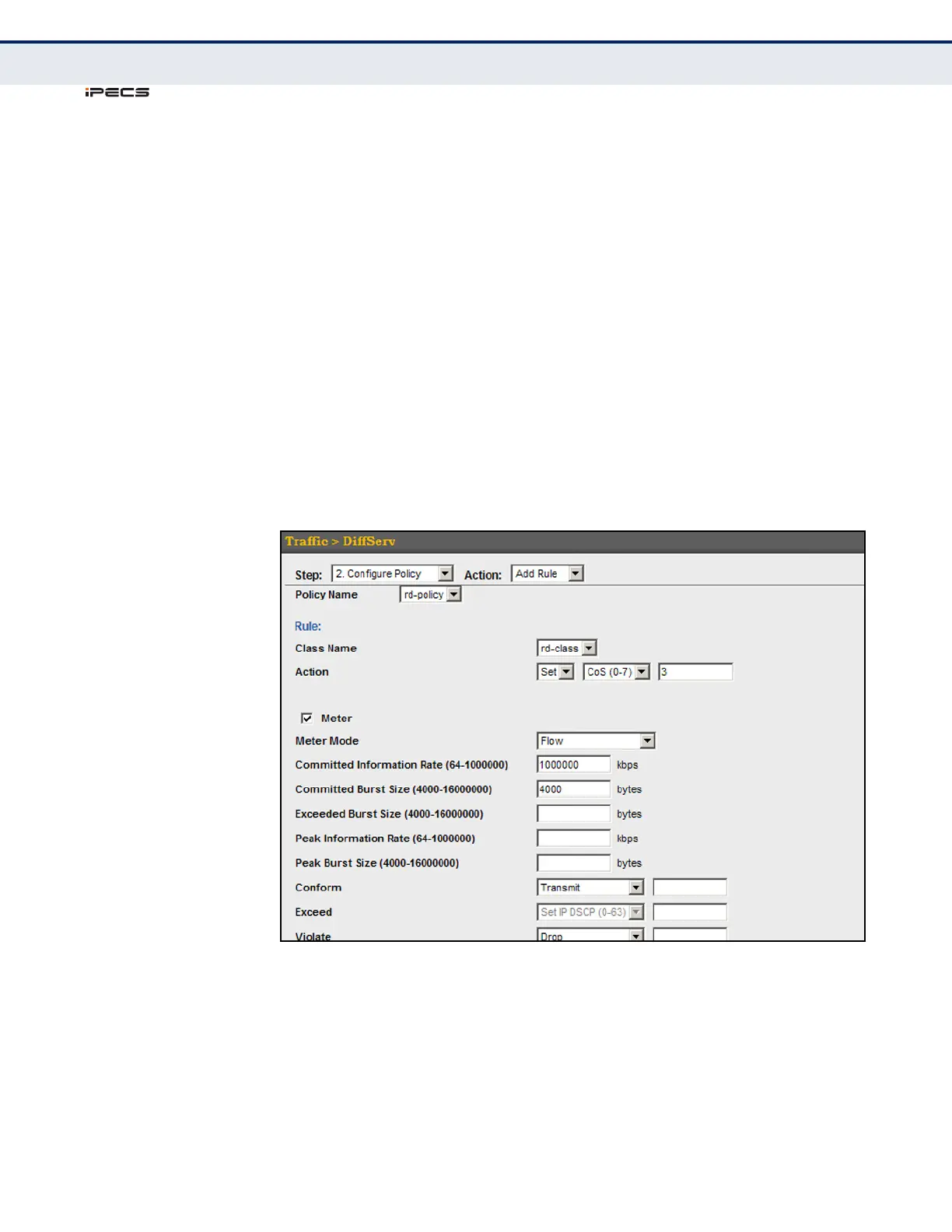
To edit the rules for a policy map:
1. Click Traffic, DiffServ.
2. Select Configure Policy from the Step list.
3. Select Add Rule from the Action list.
4. Select the name of a policy map.
5. Set the CoS or per-hop behavior for matching packets to specify the
quality of service to be assigned to the matching traffic class. Use one
of the metering options to define parameters such as the maximum
throughput and burst rate. Then specify the action to take for
conforming traffic, the action to tack for traffic in excess of the
maximum rate but within the peak information rate, or the action to
take for a policy violation.
6. Click Apply.
Figure 131: Adding Rules to a Policy Map



 To Next Page