WIT-400HE Installation Manual
Date: 15/M ar/2012
This Document Contains proprietary information and may not be reproduced or copied without express
Written permission of a duly authorized representative of Ericsson-LG Co.Ltd.
33
6. iPECS LIK Setup
6.1 MFIM S/W Version
WIT-400HE is recognized as IPKTS phone type in MFIM in iPECS LIK can be registered without any
license.
Note) iPECS LIK 50/100/300 support WIT-400HE, and iPECS LIK 600/1200 need to install VOIM board
additionally.
6.2 WIT-400HE Registration
WIT-400HE is recognized as one of the iPECS phone by iPECS MFIM. The registration can be completed
by two modes like the LIP phone.
6.2.1 MFIM Setting
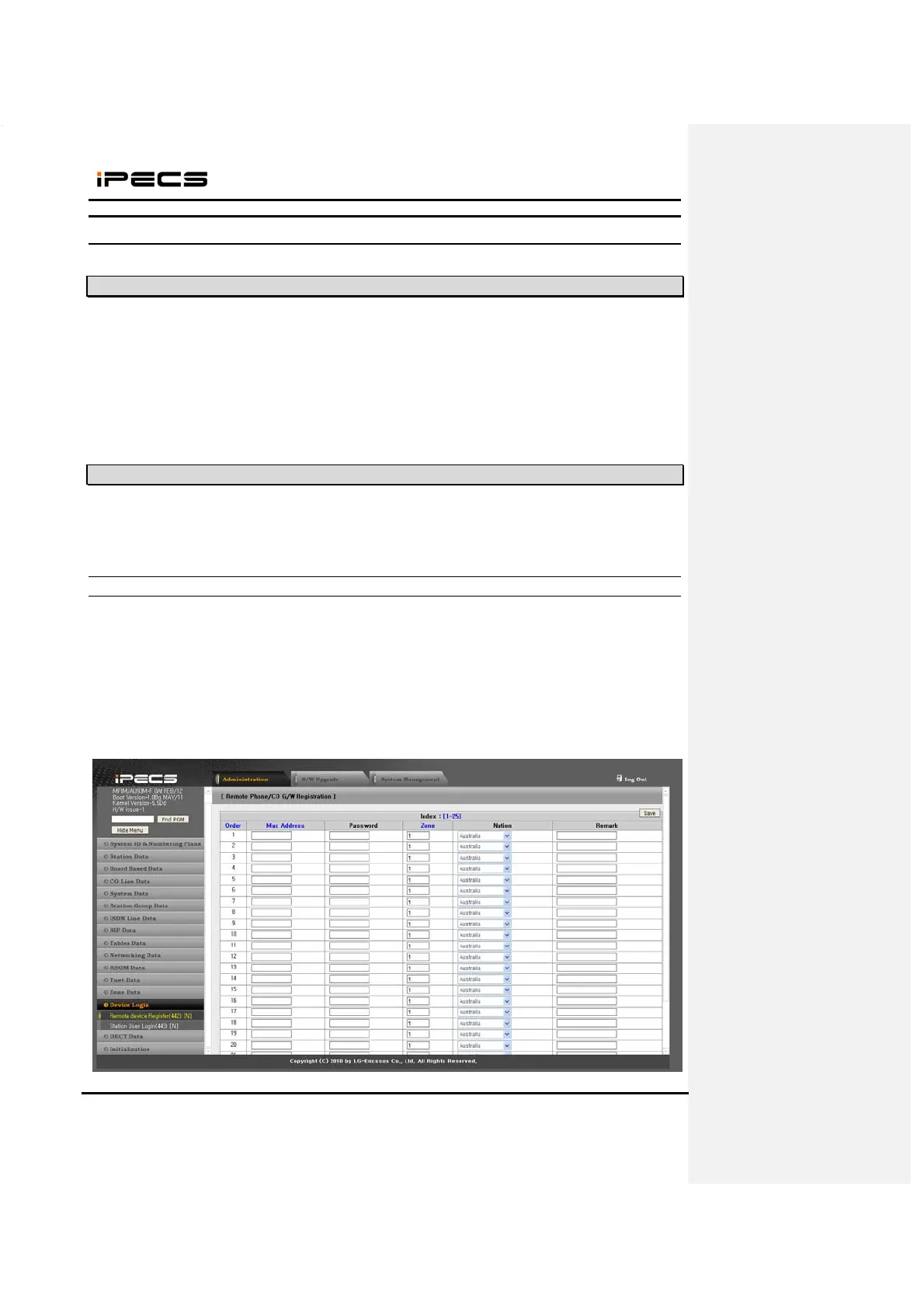
1) Set the Mac Address and Password for the WIT-400HE in Menu 442 (Station User Login).
- Mac Address : mac address of WIT-400HE
- Password : password for authentication
Note) The password should be same with phone number in which MFIM is 5.0Xx as in the picture.



 To Next Page